The original Nano S does not support Ledger Sync; Nano S Plus does. Separate this compatibility limit from device detection and balance differences.
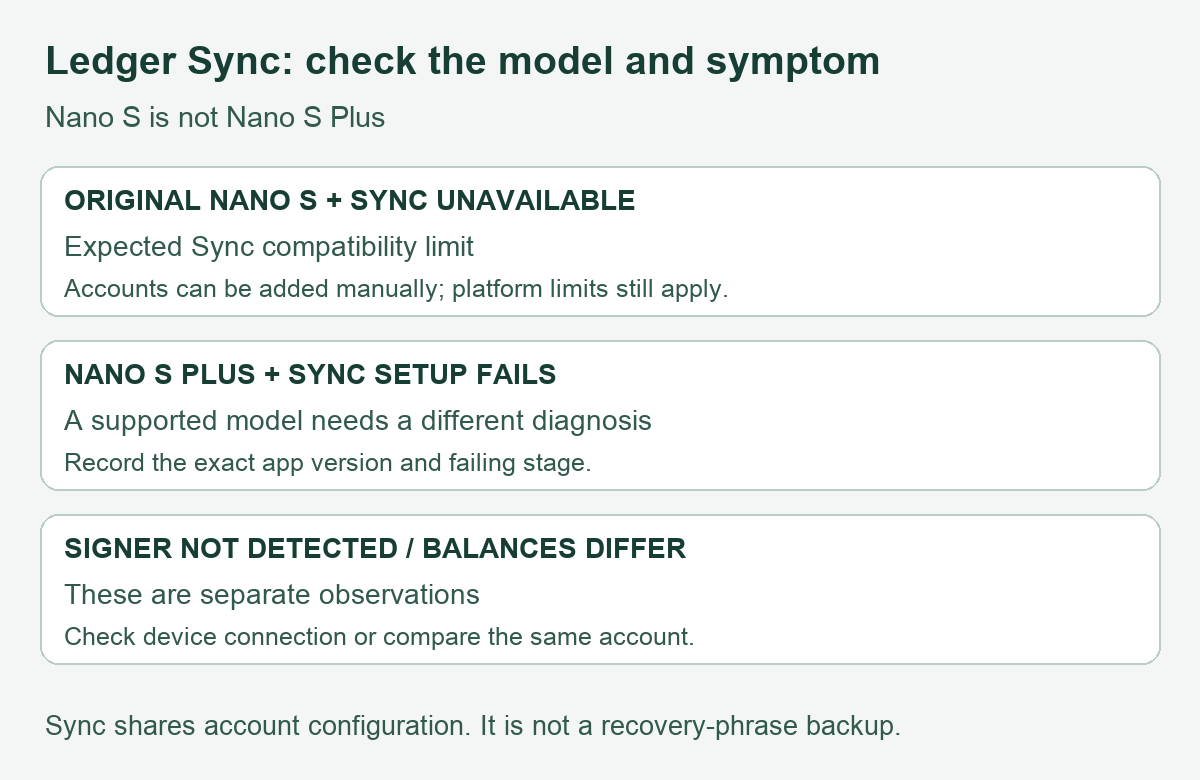
Ledger Sync does not support the original Ledger Nano S. The Nano S Plus is a different model and is supported. If Sync is the feature that will not enable, establish that distinction before treating the signer as broken.
An older Nano S user report describes the compatibility error, followed by a separate zero-balance problem after adding an account. That report does not establish a successful fix, and its app version is unspecified. The current compatibility answer below comes from Ledger’s documentation checked on November 11, 2026.
The wording matters because “not detected” can describe two different problems: Ledger Wallet cannot see the hardware at all, or it can see the hardware but cannot offer an optional feature. Those observations lead to different next checks. HideFi has checked the official documentation, not tested your device.
First separate Nano S from Nano S Plus
Ledger’s Sync FAQ says the original Nano S is incompatible with the AES-256-GCM encryption used by Sync. Its supported-model answer includes Nano S Plus. The current Ledger Academy explanation makes the same original-versus-Plus distinction.
An unsupported Sync feature is therefore an expected compatibility limit on the original model. That finding does not diagnose the health of the signer, establish that a particular asset is supported, or verify a balance. There is no reason to erase a working wallet merely to test this explanation.
If you have a Nano S Plus, do not apply the original Nano S limitation to it. Record the exact model, Ledger Wallet version and point where setup stops. Being on the supported list establishes eligibility for the feature; it does not prove every setup will complete.
Decide what is actually failing
| Observation | What to establish | Useful next route |
|---|---|---|
| Original Nano S is recognized, but Sync is unavailable | The failure is limited to Sync | Use the documented manual account-list route instead of trying to force this feature |
| Ledger Wallet cannot detect the signer at all | Whether there is a general device connection problem | Follow the separate device-detection checks |
| Both apps show accounts but different amounts | Same account, network and token quantity | Compare the balances as a separate issue |
For the second branch, use the Ledger Nano S detection guide. For the third, use the desktop and mobile balance comparison. A Sync compatibility statement cannot settle either diagnosis.
You can still keep account lists on separate devices
Ledger’s current Academy FAQ says Nano S users can run Ledger Wallet on multiple devices by adding accounts manually on each. This means adding the existing account to the app’s view, rather than creating a new wallet or transferring assets. The platform’s connection requirements still apply; this statement does not promise every phone can connect to every signer.
The account-list comparison guide explains the existing-account route and its mobile limitations. If an account discovered there has no history when you expect a funded one, pause and identify the signer and account before proceeding.
Keep Sync separate from wallet recovery
The updated Academy article describes Sync as sharing account configuration. Each app retrieves balances and transaction history independently from blockchain indexers. Sync is not a recovery-phrase backup.
The result of these checks should be a narrower diagnosis: an unsupported feature on the original Nano S, a different setup problem on a supported model, or a separate device/balance issue. None is a request to enter recovery words, install a modified Sync app or pay an “activation” service. Keep the existing signer and backup intact while identifying the correct route.
Official sources
Product interfaces and recovery policies can change. Confirm the current steps before acting.