When Eternl keeps waiting but Suite works, compare Windows PowerShell startup with and without its profile; a slow hook caused one confirmed case.
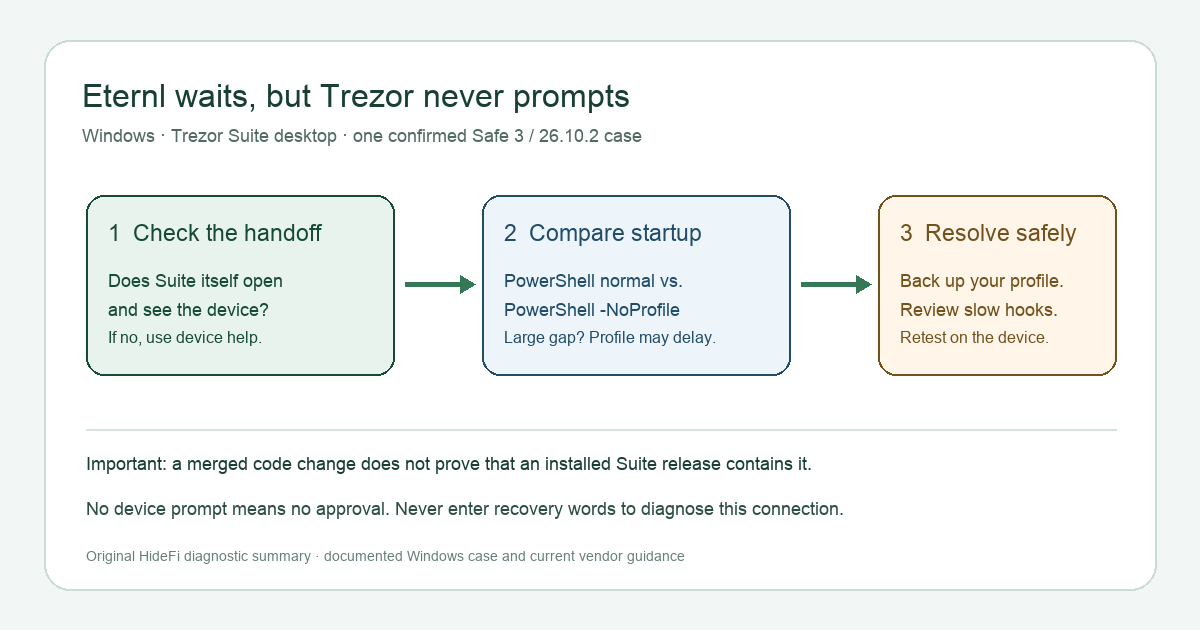
A Windows user connecting Eternl to a Trezor Safe 3 saw “Please confirm the export of the public key on your Trezor” spin indefinitely. Trezor Suite and the device worked on their own, but neither showed a connection request. In that documented setup—Windows 11, Suite 26.10.2, and Eternl web app 2.2.0.13—the delay came from a slow PowerShell startup profile on the PC. If your Suite works but this Eternl handoff stalls, compare PowerShell startup with and without your profile before changing wallet settings. This is a test for one possible cause, not a diagnosis for every stuck prompt.
Does Suite itself see the device?
First open the official Trezor Suite desktop app and confirm it recognizes your device without initiating a transaction. Trezor lists Eternl as a desktop app that uses Trezor Connect. If Suite cannot see the device at all, the Windows profile case below is a poor match; follow Trezor's third-party connection checks and resolve the device connection first.
The documented case had a narrower split: Suite worked normally, but Eternl's export request never appeared in Suite or on the device. Trezor's desktop Connect settings show options for starting Suite automatically and keeping an icon in the tray. Seeing Suite open does not prove the Eternl handshake completed, but it helps separate an app-not-running problem from a stalled handoff.
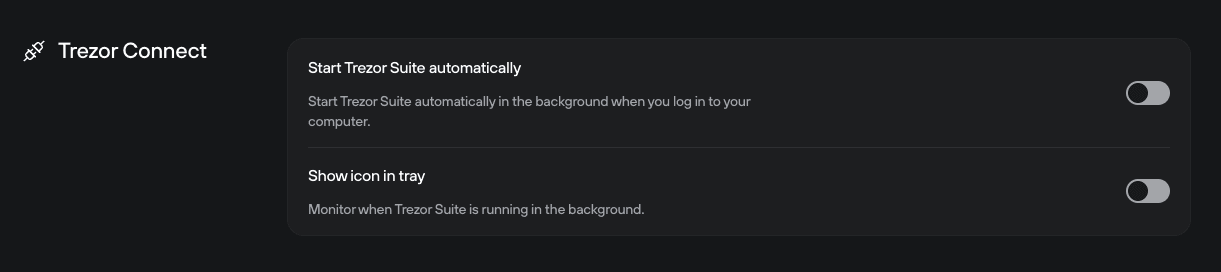
Screenshot from Trezor's Suite settings guide. These controls do not diagnose the PowerShell delay by themselves.
Compare PowerShell startup, without touching wallet data
On the affected Windows PC, open Command Prompt (cmd.exe) and run these two read-only commands separately. Notice how long each takes to print 1 and return to the prompt:
powershell.exe -Command "1"
powershell.exe -NoProfile -Command "1"
Microsoft documents that -NoProfile starts Windows PowerShell without loading profile scripts. Its profile guide explains that those scripts run at startup and may load tools or modules. If the first command is much slower than the second, a startup hook is a plausible cause. The original reporter measured about five seconds versus about half a second; those are their measurements, not a universal cutoff.
If both commands return promptly, do not label your profile the problem. The same visible Eternl spinner can have other causes. Check the Trezor model, Suite and Eternl versions, browser, and competing Trezor sessions under Trezor's current connectivity guidance.
What actually fixed the reported case?
The reporter found that a conda init hook in their PowerShell profile slowed every new PowerShell process. After changing that startup behavior, the Eternl request appeared in Suite, they confirmed it on the Trezor device, and Eternl imported the accounts. That outcome is documented in the first-hand report. Trezor's merged code change independently identifies the same mechanism: Suite's Windows process lookup launched PowerShell with the user's profile before replying to the third-party connection.
If your timing check points to a profile, back up your profile file before editing it. Review only startup lines you recognize, and remove or defer a slow optional hook if you understand its effect. Microsoft lists the Windows PowerShell 5.1 profile locations in its profile documentation. If a work computer or unfamiliar script is involved, ask your administrator to review it. Do not paste a profile-rewrite snippet from a wallet chat, and do not change a Trezor recovery setting to repair a PC startup delay.
Then repeat the two timing checks and the Eternl connection. Success is a request visible in Suite and a matching prompt on your device that you deliberately approve. A spinning browser page alone is not success. If you previously tried a transaction, check its status before submitting another one; the public-key export in this case is not itself a fund transfer.
Has Trezor already shipped a fix?
Trezor merged a -NoProfile -NonInteractive change into its development branch on October 26, 2026, according to the project pull request. A merged development change does not identify which public Suite release contains it. Check your installed version in Suite's Application settings and the official release notes before assuming an update fixes this exact case. The guide was reviewed November 9, 2026; no release-specific fix was established for readers here.
If the profile comparison does not fit, use Trezor's general connection guidance or support. If your stuck connection is instead in MetaMask, the Trezor Connect loading guide covers that separate browser flow. Never share a wallet backup, passphrase, or private key to troubleshoot an Eternl connection.
Official sources
Product interfaces and recovery policies can change. Confirm the current steps before acting.