A Ledger Flex back panel bulging is a battery safety issue. Here is what to stop doing, what to document for Ledger Support, and how to keep your wallet safe.
A Ledger Flex owner noticed the back of the device bulging, even though it still worked. Their first question was whether this was a known issue and whether a replacement was possible. Ledger's support representative asked for a ticket, photos, timing details, and the device serial number. The more urgent question comes first: is it safe to keep using or charging a swollen Ledger Flex?
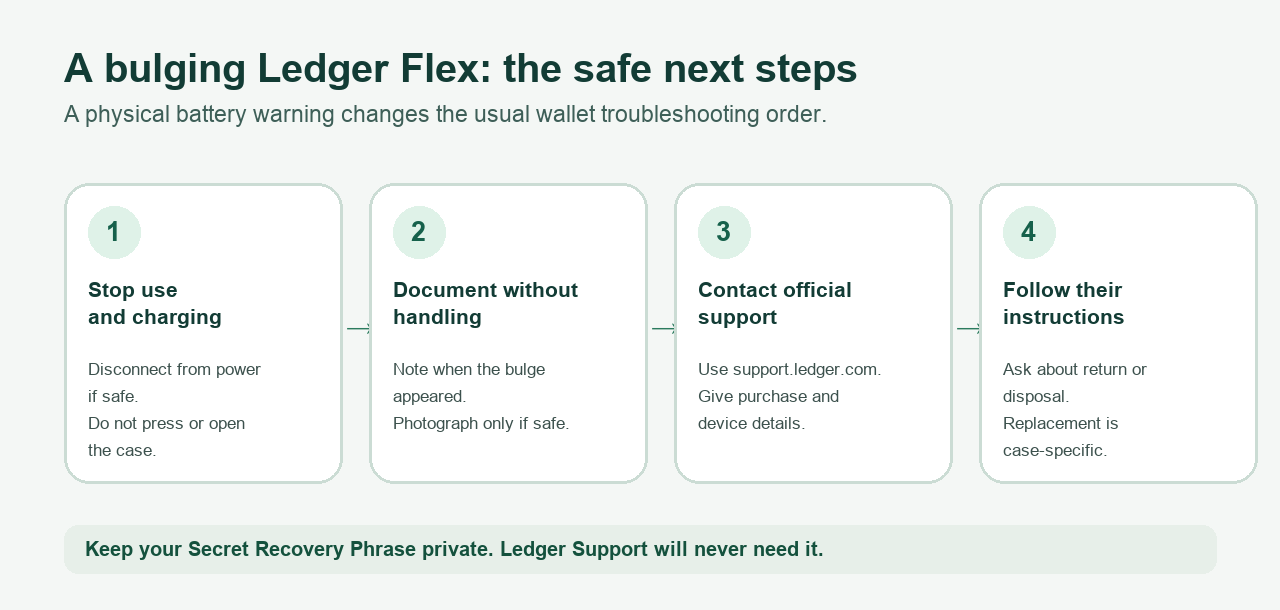
Short answer: No. A bulging or separating back panel can be a sign of a damaged battery. U.S. Fire Administration battery guidance says to stop using a lithium-ion device when its shape changes. Disconnect it from power if you can do so safely, do not charge it again, and contact Ledger Support for device-specific handling and a possible replacement. Do not open, press down, or try to repair the case. A replacement is not guaranteed; Ledger must assess the individual purchase and device. Guidance reviewed November 5, 2026.
The back panel is lifting. Is it the battery?
The tempting thought is that a loose back panel might just be glue. That was exactly the uncertainty in another owner's Flex report. You cannot reliably decide from the outside whether the battery, adhesive, or another part caused the gap. If the device looks swollen, treat it as a battery warning until Ledger says otherwise. The U.S. Fire Administration lists a change in shape among the signs that call for stopping use.
At this point, a firmware update, a full discharge, or another charging cycle is not a useful diagnostic test. It would require using the suspect device. Do not push the panel flat to photograph it. If it is hot, leaking, making unusual sounds, or smoking, move away and follow your local fire service's emergency advice. Do not package or ship a damaged battery until the manufacturer tells you how to handle it.
What should I send Ledger Support for a swollen Flex?
Open the ticket through Ledger's official Contact Us page. Its current instructions say to use the chat widget and ask for an agent if the bot cannot resolve the issue. In the Flex battery case, Ledger's representative requested the purchase timing, when swelling first appeared, whether it happened while plugged in, whether the device originally worked normally, and clear photos of the condition and serial number. Include the order or reseller details you have.
Only collect photos and identifiers if you can do it without pressing, opening, charging, or unnecessarily handling the device. If the serial number is hard to see safely, tell support that. Describe whether the case is simply separated or also hot, leaking, or noisy. Keep your case number and wait for Ledger's instructions on return, replacement, or disposal; a forum reply about somebody else's replacement does not determine your warranty outcome. Ledger's refund page distinguishes direct purchases from other sellers, so tell support where you bought yours rather than assuming the same route applies to every order.
Are my coins lost if I cannot turn the Flex on?
A physical device problem does not itself move assets on a blockchain. Ledger's failed-device guide explains that a replacement Ledger device can be restored with your existing Secret Recovery Phrase. Do that only on a genuine device using its own setup flow, after the battery issue is handled. There is no need to type the phrase into a website or send it to support. Ledger's Contact Us guidance says its staff will never ask for it and does not offer phone support.
The practical order is simple: stop using the damaged Flex, contact Ledger through its official support site, and keep the recovery phrase private. Your next safe action depends on Ledger's response and the condition of the device, not on whether a forum user received a replacement.
Official sources
Product interfaces and recovery policies can change. Confirm the current steps before acting.