Check whether only the Bitcoin device app disappeared after a Ledger OS update, then reinstall it through My Ledger without entering a recovery phrase.
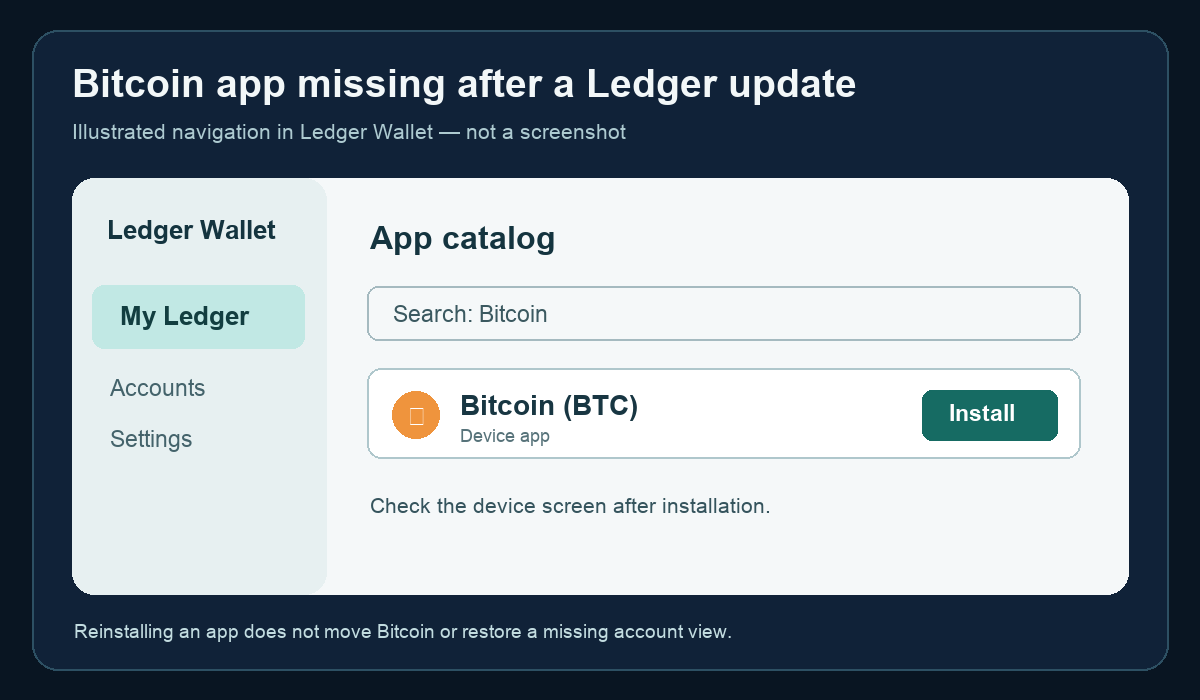
If the Bitcoin app is missing from your Ledger device after an update, check the device's installed apps before treating it as a lost Bitcoin account. Ledger says device apps can be reinstalled through My Ledger in Ledger Wallet, and removing an app does not remove the private keys that control your assets. Never type your Secret Recovery Phrase into a website or computer to “restore” a missing app. Ledger's explanation of apps and accounts confirms that uninstalling an app does not affect your crypto.
Is the app missing, or is the Bitcoin account missing from the desktop view?
Look at the unlocked device first. If Bitcoin is absent from its app list, this guide's reinstall route applies. If Bitcoin is present on the device but the account is absent or shows an unexpected balance in Ledger Wallet, installing the app again may not address that display or account issue. Do not create a new seed, reset the device, or send funds based only on a missing icon. Ledger's apps and accounts guide distinguishes a device app from an account shown in Ledger Wallet.
Reinstall the Bitcoin device app
In the official Ledger Wallet desktop app, connect and unlock the device, open My Ledger, and allow the secure connection on the device if prompted. In App catalog, find Bitcoin (BTC) and choose Install. Confirm that Bitcoin appears again on the device before attempting a receive or send action. The My Ledger → App catalog → Install path is documented in Ledger's secure touchscreen instructions. The device prompt differs by model; follow the prompt shown on your own device. The illustration above shows the navigation, not a live screenshot.
If Bitcoin cannot be installed
An App update required message is a different problem from an app merely being absent. Ledger's error guide gives this order: update Ledger Wallet, update the device's Ledger OS, then update or install device apps. If the device is not detected by Ledger Wallet at all, resolve the connection problem before trying the catalog. Do not follow unsolicited “support” links or enter your recovery phrase to fix an installation error.
This guide identifies the missing-app branch; it cannot verify your individual account or guarantee that a particular device supports every current app version. If installation still fails after the official update route, contact Ledger Support from its official site and describe the model and exact error without sharing secret words.
Official sources
Product interfaces and recovery policies can change. Confirm the current steps before acting.