Your Ledger STX account may show a different address in Leather. Compare the account paths before reconnecting, signing, or moving funds.
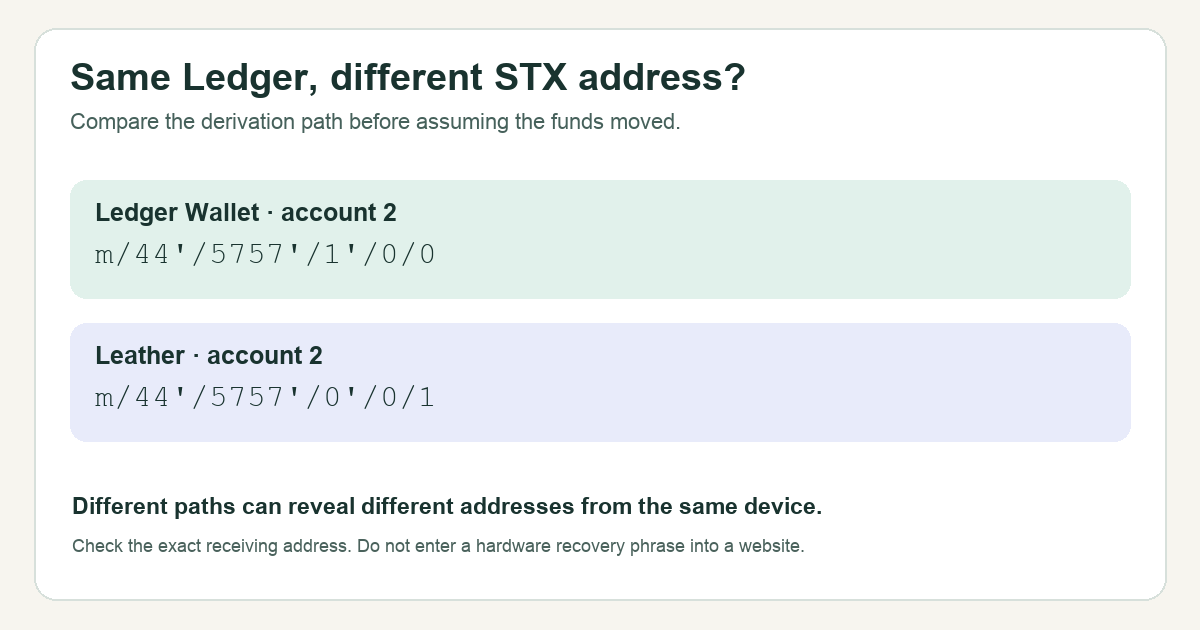
A Ledger user warned that a Stacks address shown in Leather can differ from the one expected in Ledger Wallet. If your STX balance is visible in Ledger Wallet but missing in Leather, first compare the public STX addresses shown by the two apps. Leather documents two different derivation patterns for later Stacks accounts. A different address can explain the missing display; it does not by itself prove the funds moved.
This guide uses Ledger Wallet (formerly Ledger Live) and the Leather browser wallet. The precise UI can change. The check below uses public addresses and published path examples, not a recovery phrase or a transaction.
Why can the first STX account match while the next one does not?
Here is an illustrative scenario, not a test HideFi performed: I connect the same Ledger to Leather, see my first STX account, and assume the next account will also line up. It does not. My first thought is that Leather has failed to sync. The better clue is the address itself.
A derivation path is the recipe a wallet uses to select an account from the keys protected by a device. Leather's path guide shows both apps using m/44'/5757'/0'/0/0 for the first STX address. For the second, its examples diverge: Ledger's next account uses m/44'/5757'/1'/0/0, while Leather's next address uses m/44'/5757'/0'/0/1. The difference is the position of the number that changes. So the same Ledger device can present two different STX addresses when the apps select different paths.
How do you check which address holds the STX?
Look at the full public STX address of the funded account in Ledger Wallet, then the full public STX address Leather is showing. Compare the entire strings, not just the first and last characters. If they differ, Leather is showing a different account; a zero there cannot tell you the balance at the Ledger Wallet address. Leather's compatibility guide explicitly describes this account-path mismatch.
If you have more than one STX account, compare the account number and the published path pattern as well. The diagram above shows the second-account example. It is a path comparison, not a screenshot of a current account selector. If the addresses already match, this specific path mismatch does not explain your missing balance; check the account and transaction record through the product's official support route instead of trying a different path at random.
Should you move STX or enter your Ledger recovery phrase?
Do neither just to test a display mismatch. Leather's older compatibility article describes transferring STX to a Leather-selected address as one way to organize accounts, but moving funds is a separate on-chain decision with fees and address risk. It is not necessary to establish whether the two apps are displaying the same public account. First identify the funded address and the account path you intend to use; if you cannot verify control of the destination address on your hardware device, stop and use official product support.
Never type a Ledger recovery phrase into a website or a browser wallet to make an account appear. The safe result of this check is narrower and useful: same address means keep investigating the missing display; different addresses with the documented second-account paths means the apps are looking at different STX accounts. Neither result, on its own, proves a transaction was lost or recovered.
Official sources
Product interfaces and recovery policies can change. Confirm the current steps before acting.