A Taproot descriptor with a pk() script path can silently fail in Sparrow 2.5.4. Identify the current error and keep the original wallet policy intact.
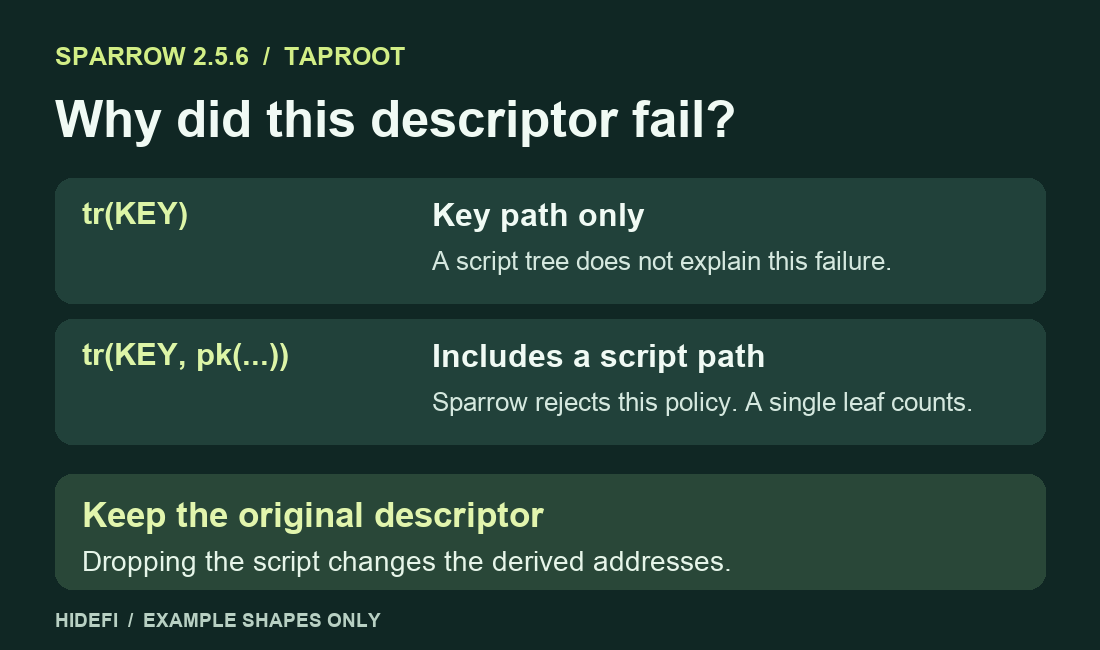
A Sparrow 2.5.4 user pasted a Taproot descriptor into the wallet settings, clicked OK and reopened the editor. The old descriptor was still there, and the app had shown no error. The clue was the second argument in the new descriptor, a pk(...) script. Sparrow can use key-path Taproot descriptors, but it does not import Taproot descriptors that include a script tree. The 2.5.5 release added an explicit rejection for this case. Sparrow 2.5.6 still has that check.
Check whether the descriptor has a script path
An output descriptor tells a Bitcoin wallet how to derive the addresses it tracks and what spending conditions they use. BIP 386 describes two Taproot forms. tr(KEY) uses a key path. tr(KEY, TREE) also commits to a script tree, which can be as small as a single pk(...) leaf. A tree with one leaf needs no curly braces. These are shape examples, so compare them with your own export locally without pasting your descriptor into a website.
If your export has the second argument, the current Sparrow parser rejects it. If you only see tr(KEY), this specific limitation does not explain your failure. Check the complete export and its original wallet settings. If the issue is that another app derives different addresses, use the script-type and derivation checks for that separate symptom.
Read the message before trying the import again
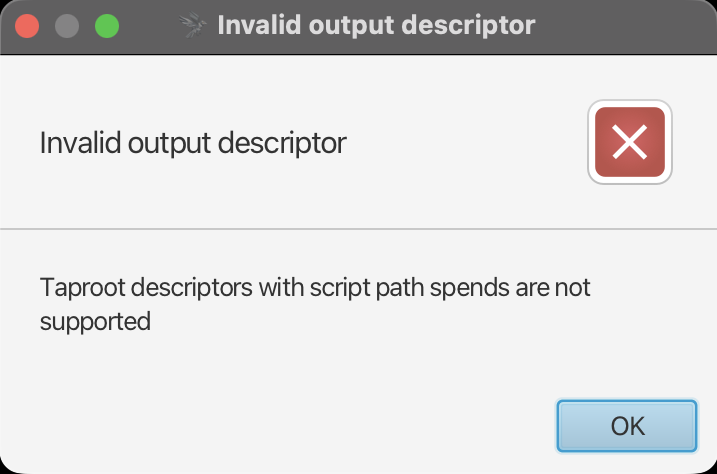
In the reported 2.5.4 case, reopening the editor was how the user found out that nothing had changed. The maintainer’s error dialog shows what changed with the validation update. An Invalid output descriptor alert that mentions script-path spends identifies an unsupported policy. The official download page shows the current release and how to verify its installer. Updating an old version can make the reason visible, but it will not make that policy importable.
Keep the original policy and addresses
Keep the original descriptor and the wallet that created it. Removing the pk(...) argument changes what the Taproot output commits to, so it can derive different addresses even if the internal key is identical. Regenerating a checksum for the edited text does not restore the old policy. Do not use the edited descriptor for receiving, balance checks or recovery.
If you need to view an existing wallet, use the original wallet or its documented watch-only route for that exact policy. Check that it derives an address you already know belongs to the original wallet before relying on the result. If you need to recover or spend and cannot verify which software and signers support the complete policy, stop and use the original wallet vendor’s official support instructions. Keep private keys and recovery words out of support requests. The Sparrow import error identifies a compatibility limit, and it cannot establish the balance or whether a particular signer can spend.
Official sources
Product interfaces and recovery policies can change. Confirm the current steps before acting.