If Sparrow’s built-in Tor stops at 40% with a Desc/Microdesc protocol error, match the log and update through the verified official 2.5.6 release.
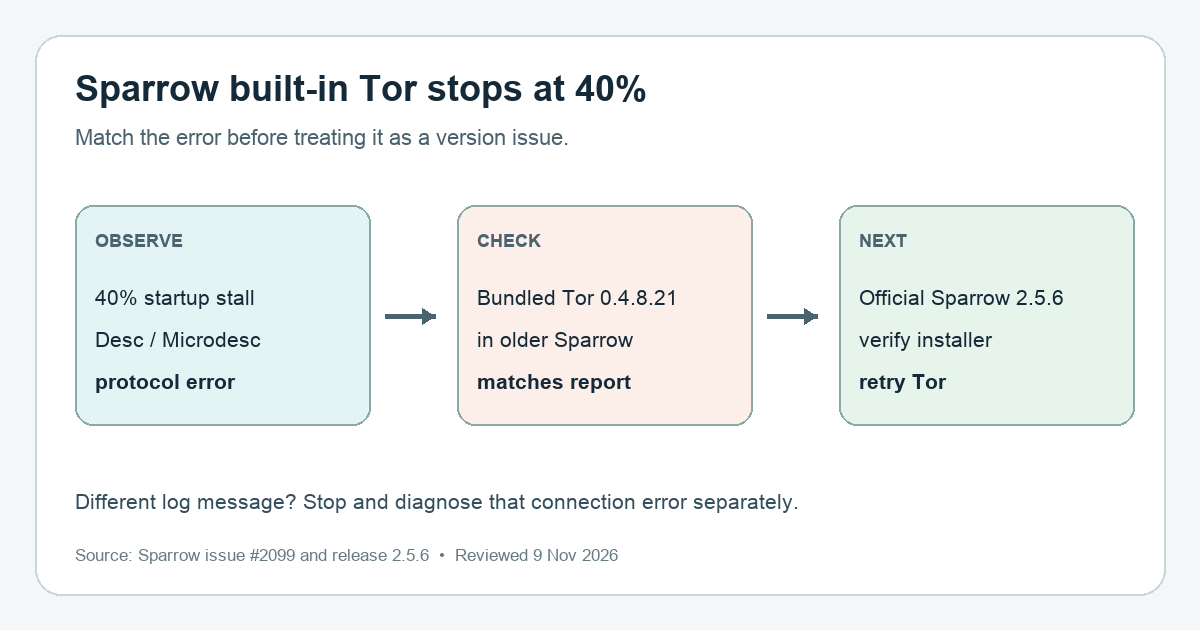
A Sparrow user reported the built-in Tor connection freezing at 40%, then exiting with an error saying the network requires Desc=3 and Microdesc=3 protocols that the bundled Tor cannot support. In the reported case, the bundled Tor was 0.4.8.21. If your log shows this same protocol error on an older Sparrow build, check for Sparrow 2.5.6 or later from the official download page. Its release notes explicitly say the bundled Tor was upgraded to 0.4.9.5 to meet the network's required client protocols.
Match the error before changing connection settings
A 40% progress indicator alone does not identify this bug. The distinctive clue is the required protocols not supported message naming Desc and Microdesc. The issue's reporter found that the old bundled Tor could not meet the then-current network consensus, and Sparrow's maintainer confirmed the replacement Tor bootstrapped against it. This is a version-specific compatibility problem, not evidence that your Bitcoin or wallet keys were lost.
If Sparrow instead reports a server timeout, proxy error, or a different Tor message, do not assume this update explains it. Note your Sparrow version and the exact log line; the Sparrow FAQ explains where to find the log via Help → Show Log File. Share only the relevant error text, not your wallet file, seed phrase, public keys, or addresses.
Use the released build, then verify the download
The official 2.5.6 release notes name the Tor 0.4.9.5 upgrade. As checked on 9 November 2026, the official Sparrow download page also lists 2.5.6 as the latest release. Get the installer, manifest, and manifest signature there for your operating system; do not use a third-party download or an unreleased build just to test a wallet connection.
Sparrow's download page explains how an existing 1.8.3-or-later installation can use Tools → Verify Download or drag a downloaded file into Sparrow. Check that the signature and manifest hash match before installing. This verification is about the installer, not the health of your wallet or Tor connection. The official download page shows an example of the signed-by, release-hash, and ready-to-install checks:
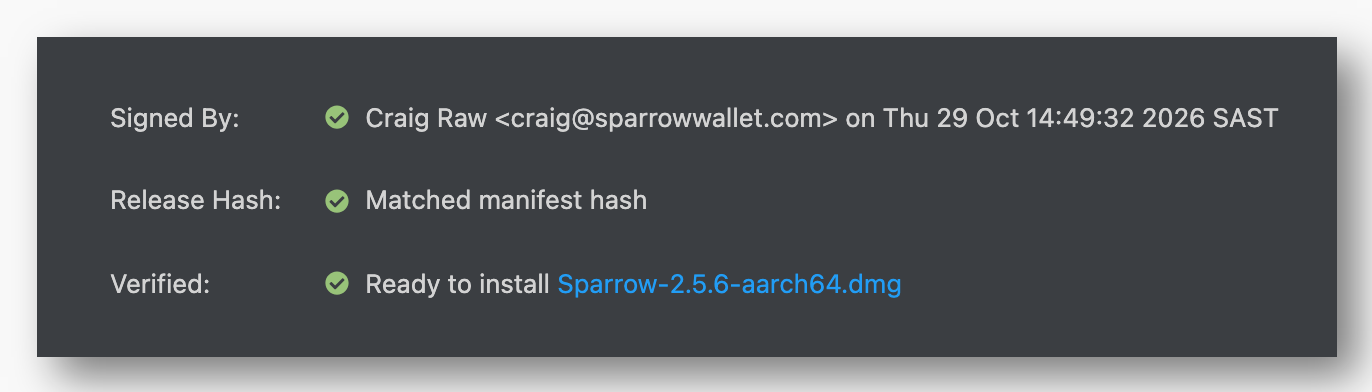
Crop of the official Sparrow download page captured November 9, 2026. This is the site’s example result, not a screenshot of your own app or installer.
After installation, confirm the app version, then retry the built-in Tor connection. The expected branch is that the old protocol error disappears; the maintainer tested the bundled 0.4.9.5 build, but your local network and server must still work.
If Tor still will not connect
Compare the new log line with the original protocol error. If Desc/Microdesc is gone but a different error remains, treat it as a separate connection problem. Do not switch to an untrusted public server without considering that server's view of your wallet's public keys and addresses; Sparrow's Quick Start explains that privacy tradeoff. Keep wallet recovery words off support tickets and websites.
Official sources
Product interfaces and recovery policies can change. Confirm the current steps before acting.