Track a dYdX USDC withdrawal across its dYdX-to-Noble and Noble-to-destination hops, then report the first missing transaction hash to official support.
A dYdX user described a withdrawal still marked pending in its IBC step after 26 hours. An empty destination wallet makes it tempting to assume the whole transfer failed. The useful first move is to find where the USDC stopped. For the route in dYdX's current withdrawal guide, that means checking dYdX → Noble, then Noble → the destination. dYdX recommends troubleshooting if the withdrawal has not arrived after 30 minutes.
dYdX withdrawal pending: was a transaction submitted?
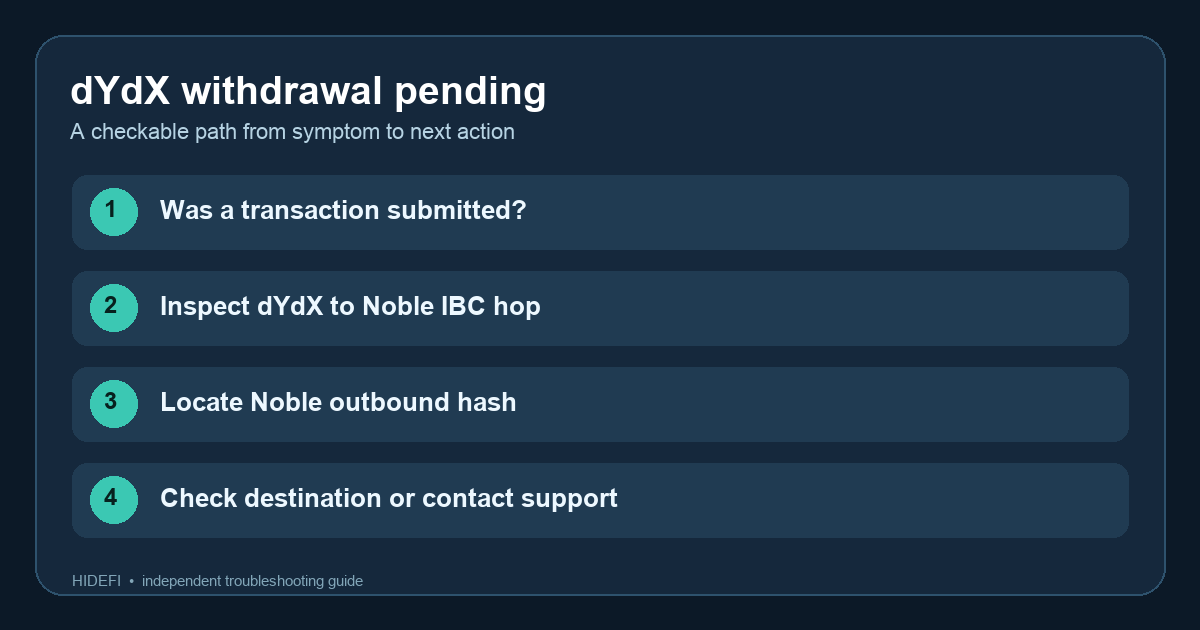
Start with a public transaction hash. If the button still says “calculating” and there is no submitted transaction to inspect, this is not yet an IBC transfer stuck between chains. dYdX says a DNS-level ad blocker can interfere with its chain connection and suggests trying another internet connection, such as switching between Wi-Fi and mobile data. Do not use a new wallet or sign an unexpected transaction to test it.
Did the USDC reach Noble?
Suppose the withdrawal has a hash but the receiving wallet remains empty. Search your public dYdX address on Mintscan. In the withdrawal transaction, open its IBC Transfer message and inspect IBC Progress. The dYdX instructions distinguish the withdrawal/IBC Transfer transaction from a separate acknowledgement/update transaction. If the first hop failed or you cannot establish that it reached Noble, keep the dYdX transaction hash. Open support from dydx.trade → Help → Live Chat and provide the public hash, dYdX address, and EVM address requested by dYdX. An empty destination wallet alone is not evidence that funds can be reversed or recovered.
Noble received it, but where did it go next?
When Mintscan shows the first hop reached Noble, follow the money forward. From your dYdX account page on Mintscan, use Multichain Profile to locate its Noble address. On that Noble address page, look for the outbound Deposit For Burn With Caller transaction and copy its hash. If no outbound transaction appears, dYdX says to contact its official support with the dYdX hash and public addresses. If it does appear, search the Noble hash in Skip:Go Explorer with Noble selected as source chain. These are two different hashes; the dYdX hash alone cannot show every later hop. The official guide says to contact dYdX support if Skip:Go still does not show completion after 30 minutes, supplying both hashes and the public addresses.
Skip:Go says complete, yet the wallet is empty?
A completed route shifts the question to the destination chain and wallet display. Verify that you are viewing the intended destination address and network and that the token is visible there before taking any further action. A wallet display is not itself proof that a transfer failed. If the explorer evidence and wallet still disagree, give official support the public hashes and addresses; never share a seed phrase, private key, or signing approval.
The diagram above is an original map of the checks, not a screenshot of your transfer. Its key decision is simple: no hash, first hop, Noble outbound hop, or destination display. Each result calls for a different next check, so avoid submitting another withdrawal just to make the pending label disappear.
Official sources
Product interfaces and recovery policies can change. Confirm the current steps before acting.