Compare the exact funded address, script type, derivation path, and Sparrow connection before assuming a BlueWallet watch-only balance is lost.
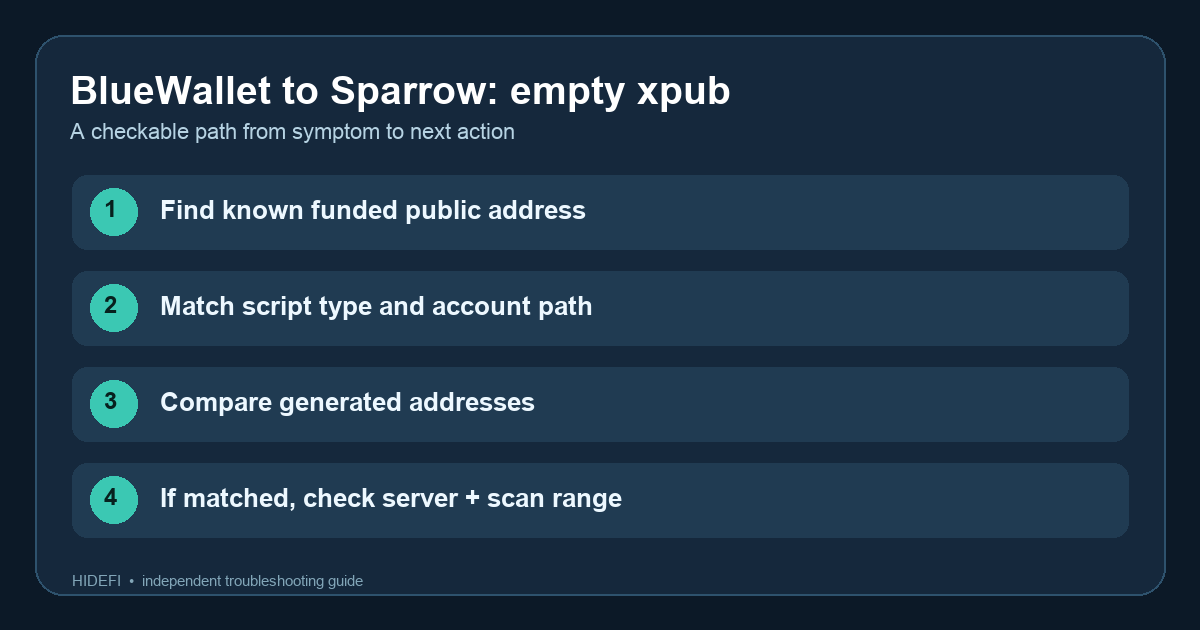
A Coldcard user reported seeing BTC in a BlueWallet watch-only wallet but not in Sparrow. The scary part was that the Bitcoin transaction had already confirmed. The useful first answer is: compare the exact funded address and wallet settings before touching the coins. BlueWallet showing a balance does not prove the Sparrow view is using the same Bitcoin address type or account path.
Here is an illustrative read-only way to work through the mismatch; HideFi did not access this wallet. I would start with one known funded receive address, then compare the public wallet settings that generated it. The original diagram above shows that order.
Does Sparrow show the exact address that received the BTC?
Find the public receive address from the confirmed transaction in BlueWallet, then check that address in a Bitcoin block explorer. Compare the full address, not just its first characters, with Sparrow’s Addresses tab. If it is absent, a zero Sparrow balance may mean this wallet view is deriving a different set of addresses. Sending a test transaction to “fix” that view would add risk without answering the question.
The Sparrow Quick Start shows Script Type and Derivation in the wallet Settings. Script type describes the form of Bitcoin address the wallet produces; derivation is the path used to obtain that account’s public keys. BlueWallet documents different Bitcoin wallet types, including Native SegWit and Wrapped SegWit. A watch-only import must be checked against the original wallet’s actual script, path, and account-level public key. An xpub label alone does not settle those details.
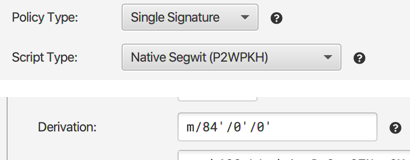
What if BlueWallet and Sparrow use different wallet types?
In the reported case, the user later found their BlueWallet watch-only view was using a different account path from the one visible in Sparrow. That is a clue, not a universal recipe. Keep the original wallet intact. Use the original setup records and the public details shown by each app to build a separate watch-only view with the matching script and path, then check whether it derives the known funded address. Sparrow’s FAQ specifically warns that a different script type can make an imported hardware-wallet account look different. Its Quick Start also says xpub watch-only wallets can see transactions but cannot directly spend them.
If the funded address appears in the new watch-only view, you have identified where the balance is being tracked. That does not prove your hardware wallet can sign for it. A nonstandard path or mismatched export may need careful device-specific support before any spend. Never type seed words into a website or replace the working wallet just to make a balance appear.
What if the address matches but Sparrow still shows zero?
Now check whether Sparrow is online and has loaded wallet history from its server. Sparrow says a server connection is needed to view balances. Its FAQ also says a restored wallet can miss later addresses when its gap limit is too small; that matters only if the funded address lies beyond the addresses Sparrow has scanned. Compare the explorer transaction with the address list before changing that setting.
The safe endpoint is a matching funded address, the matching script and path, and loaded chain history. If those public checks still disagree, stop before trying to spend and take the public address and wallet configuration details to the official wallet support channels. Never share the seed, passphrase, or private key.
Official sources
Product interfaces and recovery policies can change. Confirm the current steps before acting.