Restored MetaMask but accounts are missing? Compare the old address, then check whether each account was created, imported, or hardware-backed.
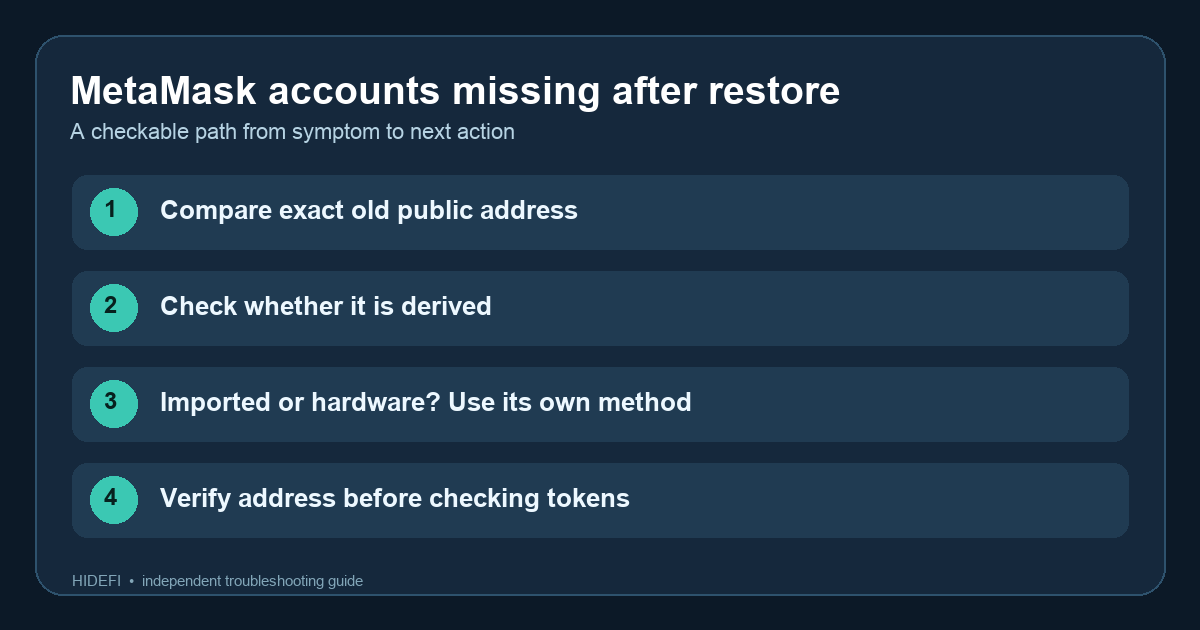
A MetaMask user restored their wallet on a new laptop and found that four of six familiar accounts were missing. They first assumed those accounts were all created under the same recovery phrase. Later, they reported that the missing ones had actually been imported with different private keys. That distinction is the useful first check: restoring one Secret Recovery Phrase (SRP) does not automatically recover every account that was once visible in the app.
Is the old public address actually absent?
Find the exact public address from a past receive record or transaction. Compare it with the network address shown in each MetaMask account, rather than a nickname or total account count. The current multichain-account guide says one account can now group EVM, Solana, and Bitcoin addresses, so the list can look shorter even when an old address remains available. If the exact address is present but a token is missing, check the network and token display separately; see our missing-token guide. A reputable block explorer can show whether an address still holds assets without connecting or signing.
Was it created under the phrase you restored?
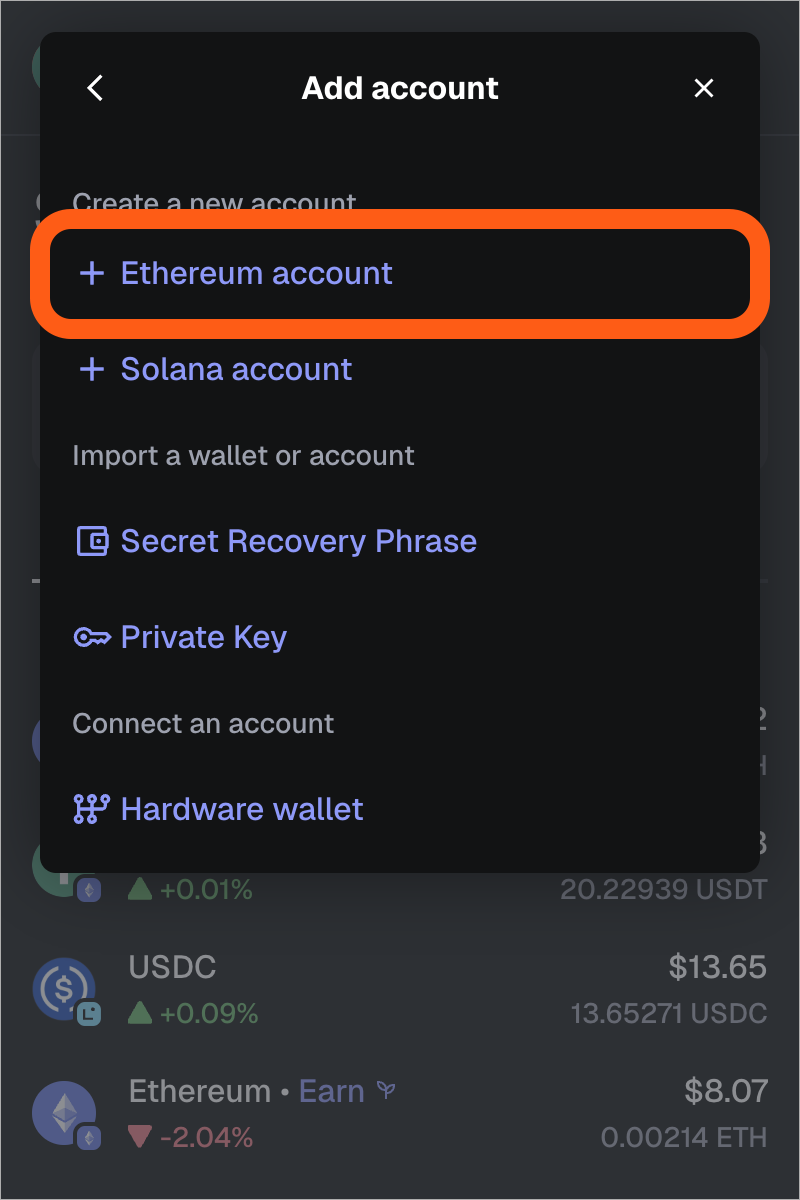
If it was an additional Ethereum account created under this same SRP, MetaMask may not add it automatically. In the current account-restoration instructions, open the account selector in the Extension, choose Add account or hardware wallet, then Ethereum account. Add accounts in order and compare each new public address with the one you saved. On Mobile, MetaMask says to tap the selected account name, then Create account. The same old address should reappear at its original position. A blank ETH balance on an earlier account can interrupt automatic restoration even when a later account has other tokens.
Was it imported, connected to hardware, or from another phrase?
The same menu separates three different origins. An account imported with a private key or JSON file is not derived from the restored SRP; MetaMask says it must be imported again using its own securely kept credentials. A hardware-backed account must be connected again through the hardware-wallet option. Never type a hardware wallet’s recovery phrase into MetaMask just to make the account appear. If you used a different SRP, the first phrase cannot recreate that wallet’s addresses. MetaMask also says that accounts associated with Google, Apple, or Telegram login can be restored through that original login flow; check how you originally created the wallet before assuming one phrase is the whole setup.
If the address still does not appear, stop before resetting another device or entering secret words into an “account finder” website. Keep any old wallet installation that still opens, and compare your own records privately. The result to look for is the exact old public address under the correct account method. If it is there but its balance is not, that is a network or token-display question rather than an account-recovery question.
Official sources
Product interfaces and recovery policies can change. Confirm the current steps before acting.