If MetaMask shows an orange outdated-balance warning after a confirmed ETH deposit, compare the address and chain, then test extension access and connectivity.
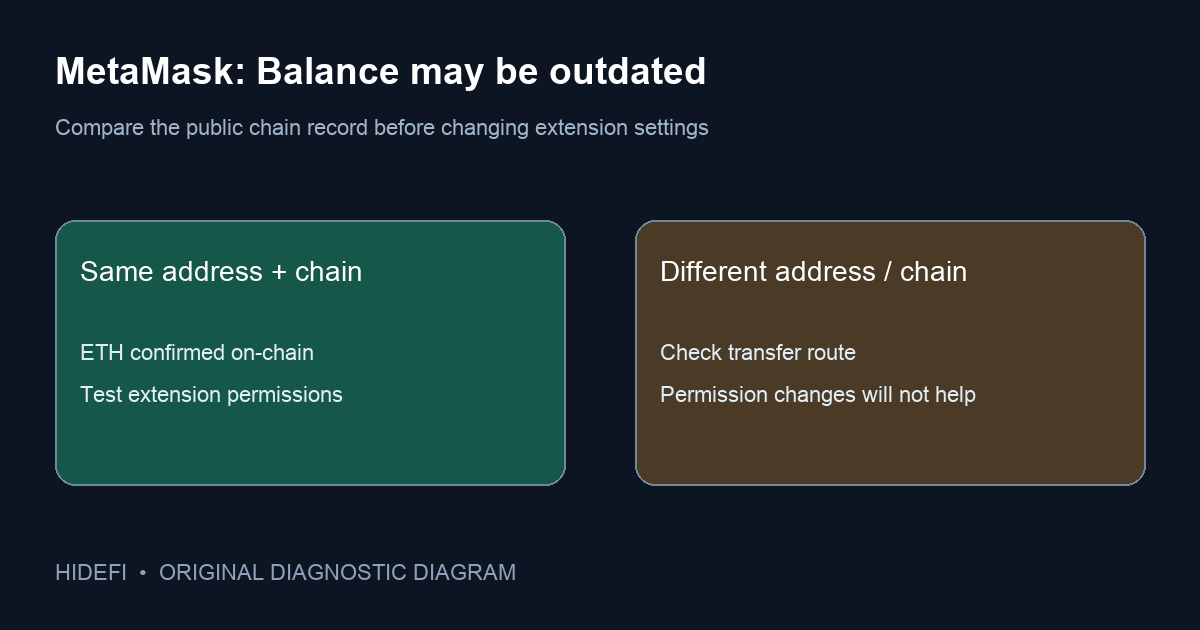
In one first-hand report, an ETH deposit had many Etherscan confirmations and appeared in MetaMask activity, yet the extension showed 0 ETH with “Balance may be outdated.” A separate user saw a similar zero balance after sending ETH from Binance. That orange warning points to an extension data or connectivity problem, not proof that the ETH vanished. MetaMask's current help page for this exact message applies to the browser extension and names permissions and network connectivity as possible causes.
Is the ETH at the address on the correct chain?
Before changing settings, compare the full receiving address, network, and transaction on a public block explorer. A confirmed transfer to your address means the chain has a record independent of MetaMask's display. If the address or chain differs, stop: browser permission settings will not move assets across chains. For a missing token rather than ETH, use the site's separate token-display checklist to compare the contract and network.
The distinguishing clue here is the orange outdated-balance warning alongside an on-chain amount at the same address. That combination makes a stale display plausible; it still does not tell you which browser setting caused it.
Does the extension have the access it needs?
For Chrome, Brave, or Edge, MetaMask's official instructions say to right-click the extension icon, open This Can Read and Change Site Data, and choose On All Sites. This is a broad browser permission, so inspect the extension name and publisher before changing it. The official page says Firefox normally grants the needed permission by default, so that exact Chromium menu is not the Firefox route.
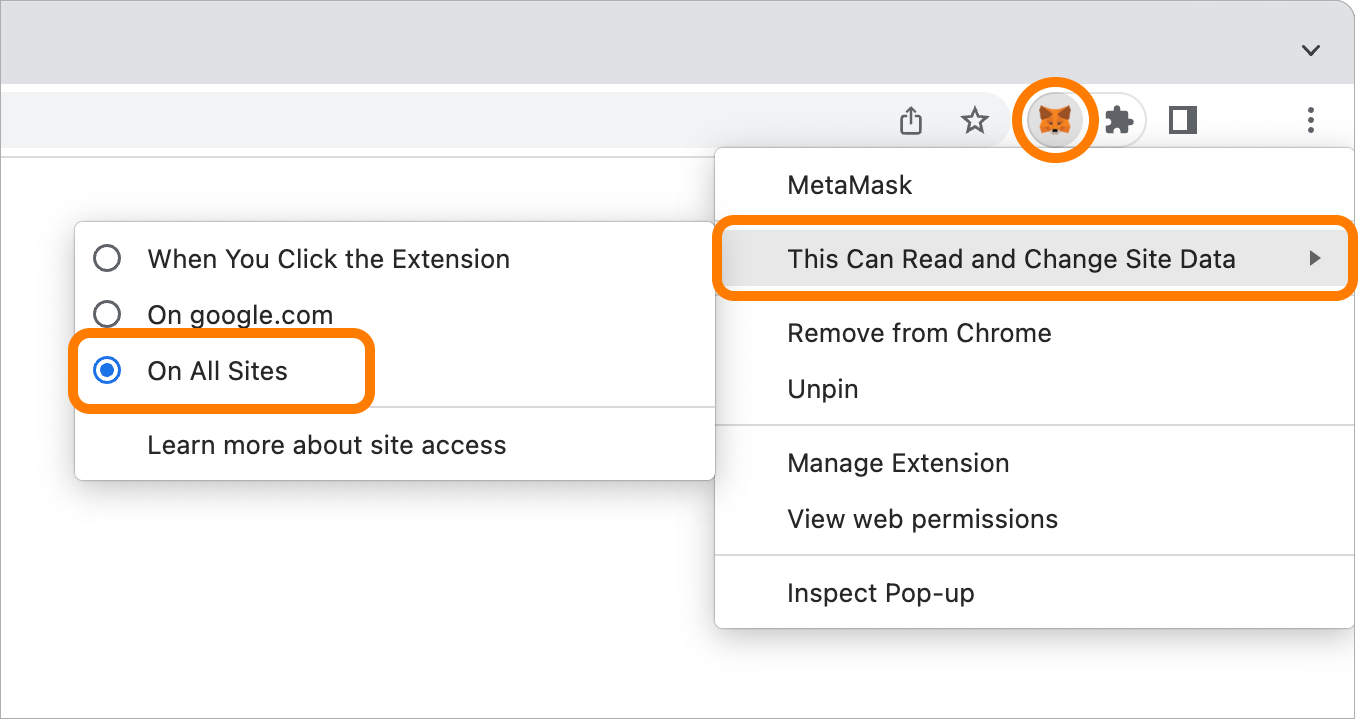
Return to the same account and network and see whether the balance updates. In the Reddit discussion, some users reported that this permission fixed the display, while another said it did not. Treat it as a test with a visible result, not a universal repair.
Permission is set, but the balance is still orange
MetaMask also suggests closing and reopening the browser or trying another internet connection. Those checks distinguish a transient loading problem from a persistent one. Do not reset the wallet, import the recovery phrase into another site, or resend a deposit merely because the extension still reads zero. If the public address is funded but the warning persists, record the extension version, browser, network, and error text for official MetaMask support. Never provide a secret recovery phrase to support or a forum helper.
If the warning disappears but ETH still does not appear, revisit the address and chain check. A display issue and a wrong-network deposit can look similar until you compare the public record. The practical result is confirmed on-chain at the matching address → test extension permissions and connectivity; different address or chain → diagnose the transfer route instead.
Official sources
Product interfaces and recovery policies can change. Confirm the current steps before acting.