A missing Phantom token may be hidden, fully filtered, on another network, or absent on-chain. Check the right evidence before trying to unhide it.
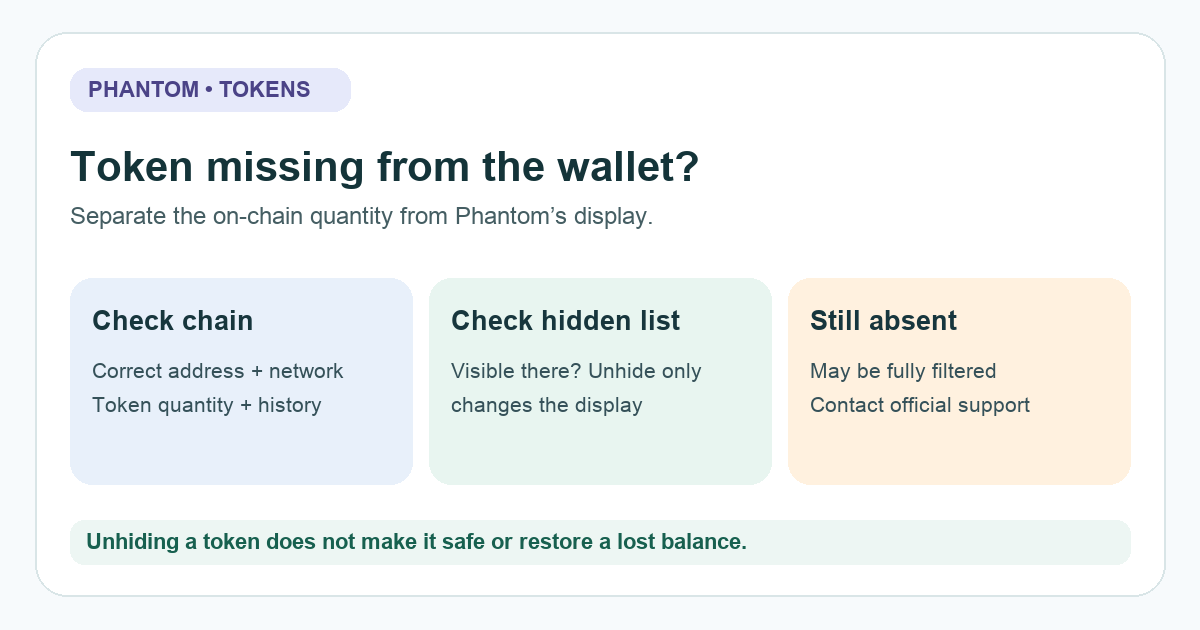
A Phantom user asked where a coin went after it stopped appearing in the wallet. A missing display does not by itself tell you whether the token is gone. Phantom's current spam-filter guide says a token can carry a warning, move to the hidden list, or be filtered from view completely. A real transfer, an unsupported network, and a price collapse are different possibilities. Start with the public chain record, then inspect the app's visibility state.
Does the token still exist at your address?
In an illustrative example, I open Phantom after buying a small token and its row is gone. My first thought is that Phantom took it. That conclusion is too quick. I would find the purchase transaction and identify the actual network, receiving address, and token contract or mint address. Then I would check that address on a reputable explorer for that network. Do not use a token name or logo alone: Phantom says the contract or mint address is the reliable identifier.
If the explorer shows a later outgoing transfer, a wallet display setting will not put the token back. If the token quantity is still at the address, the next question is why Phantom does not show it. A dollar value falling is also different from a token quantity disappearing; compare both separately.
Is it in Phantom's hidden token list?
Phantom says an automatically hidden token may appear in its hidden token list. In the current Phantom hidden-token guide, the browser extension route is Home → three dots beside Tokens → Manage Tokens → toggle the token on. On mobile, it is Home → Tokens → sliders icon → toggle the token on. The official extension screenshot below shows where that menu and toggle appear; interface details can change. Unhiding only changes what the wallet displays. It does not make the token safe, verified, sellable, or valuable. The diagram above keeps that distinction visible.
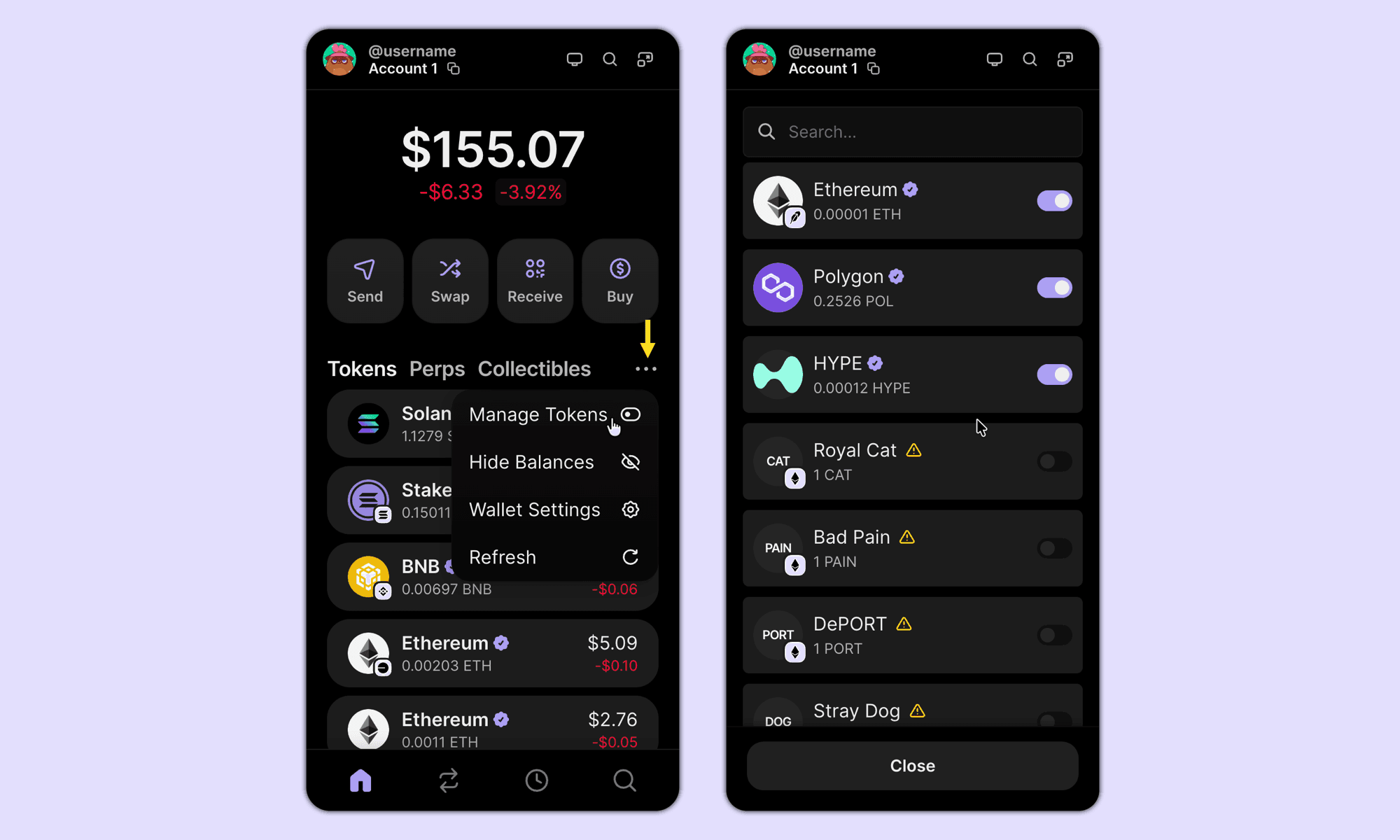
If the token is not in the hidden list, Phantom says its filter may have removed it from view entirely. In that case it cannot simply be unhidden inside Phantom. That still does not prove the token's on-chain balance or its ability to trade. Compare the explorer result, contract address, and network before drawing any conclusion.
Should you import the token manually?
Phantom's manual-add article says supported tokens normally appear automatically once a transaction confirms. Do not follow an old forum reply that says to paste a contract into a generic 'Add token' form if the current Phantom app has no such action. Also check whether the token arrived on a network Phantom supports; an address that looks familiar on a different chain is not proof the asset will appear in Phantom.
If the explorer shows the token at your address but Phantom still filters it, use Phantom's official support route with public transaction details. Do not connect the wallet to a 'recovery' site or sign a transaction to make the token visible. HideFi is independent of Phantom and cannot recover a lost asset or determine whether a token is safe.
Official sources
Product interfaces and recovery policies can change. Confirm the current steps before acting.