Find out whether PLSX is only absent from Rabby’s total, hidden in a custom-network view, or absent from the public address on-chain.
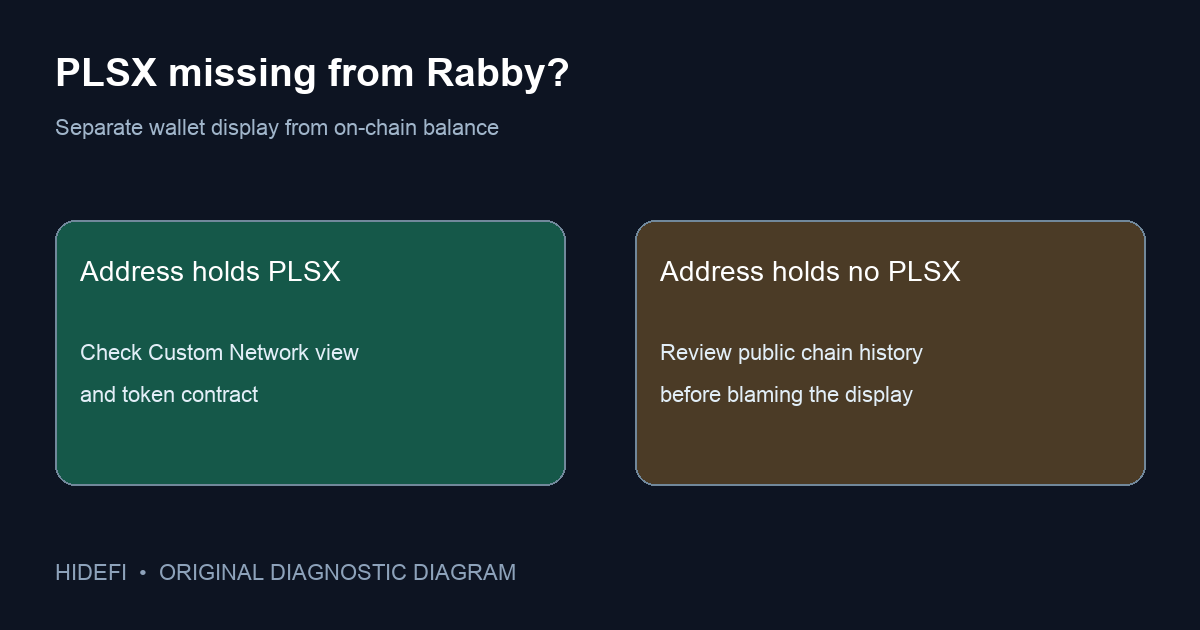
Several people in a PulseChain discussion said their PLS or PLSX stopped appearing in Rabby and wondered whether the tokens were gone. A missing Rabby total is not proof that tokens left the address. Rabby's current balance guide says assets on custom networks are excluded from the top total. Its custom-network guide explains where to find native assets and how to add other tokens for display.
Is the token hidden in a custom-network view?
First check which Rabby address is selected and whether PulseChain is configured as a custom network in your version of the app. Do not infer that every Rabby installation treats the chain the same way. In the browser extension, Rabby says to click the price chart to open the portfolio list and select Custom Network. Native tokens on added networks appear there. For other tokens, including a token such as PLSX, Rabby says to use + Token and enter the correct token contract address. On mobile, Rabby's guide says to open the asset list, expand All, and look for Added custom networks near the bottom.
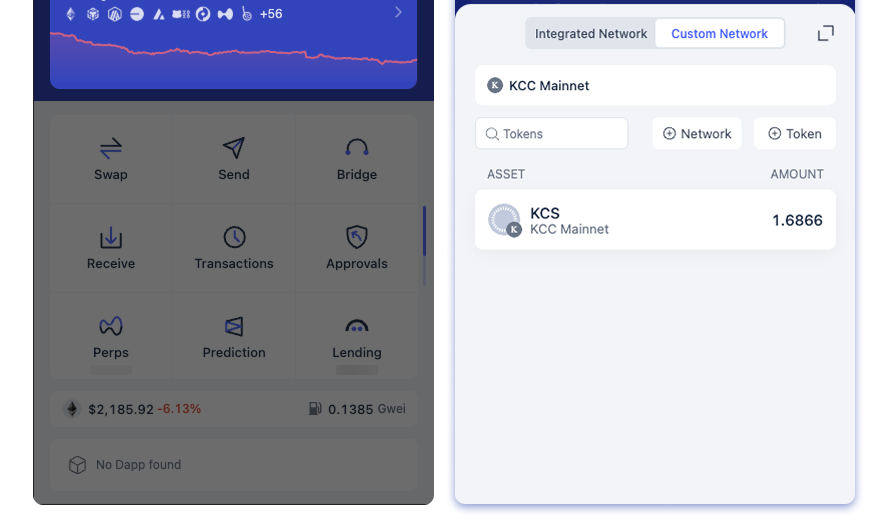
That explains a common confusing screen: a custom-network token can be present in its network section while the large top balance still omits its value. Rabby says custom-network assets show amount only—no price or total valuation—and transaction history for those networks is not available inside Rabby. A zero dollar total therefore cannot settle whether the token amount exists.
Does the public address still hold the PLSX?
Use the PulseChain explorer reached from the chain's own site, and look up the public address and token contract. This read-only check separates a wallet display problem from an actual on-chain transfer. For PLSX on PulseChain mainnet, PulseX’s official FAQ lists the contract as 0x95B303987A60C71504D99Aa1b13B4DA07b0790ab. Confirm it on that official page before relying on a token entry; a bridged asset on another chain can use a different contract. Compare the full address in the explorer with the one selected in Rabby. If the explorer shows the token amount and Rabby does not, keep investigating Rabby's network and token display. If the explorer also shows no amount, check the transaction history there before assuming the cause was a wallet update. The thread does not establish what happened to every participant's tokens.
Do not paste a seed phrase into an explorer, a “sync” site, or a support DM. A real explorer needs only the public address. Likewise, obtain PulseChain network details and the PLSX contract from a source you independently trust; a copied symbol alone can point to the wrong token.
What if the custom network is missing?
Rabby's setup instructions put Add Custom Network under Settings and let you enter network details or use Chainlist. Rabby explicitly does not supply RPC or chain ID details, so verify them against current official chain documentation rather than a forum reply. If the RPC is inaccessible, Rabby may show an error; that can prevent the wallet from reading a balance without moving funds.
The useful split is on-chain amount present → fix the selected address/network/token display; on-chain amount absent → inspect chain history. This guide cannot determine an individual wallet's balance from a screenshot of Rabby's total.
Official sources
Product interfaces and recovery policies can change. Confirm the current steps before acting.