Separate a hidden network, a different passphrase, and a different backup when Trezor Suite suddenly shows an empty wallet.
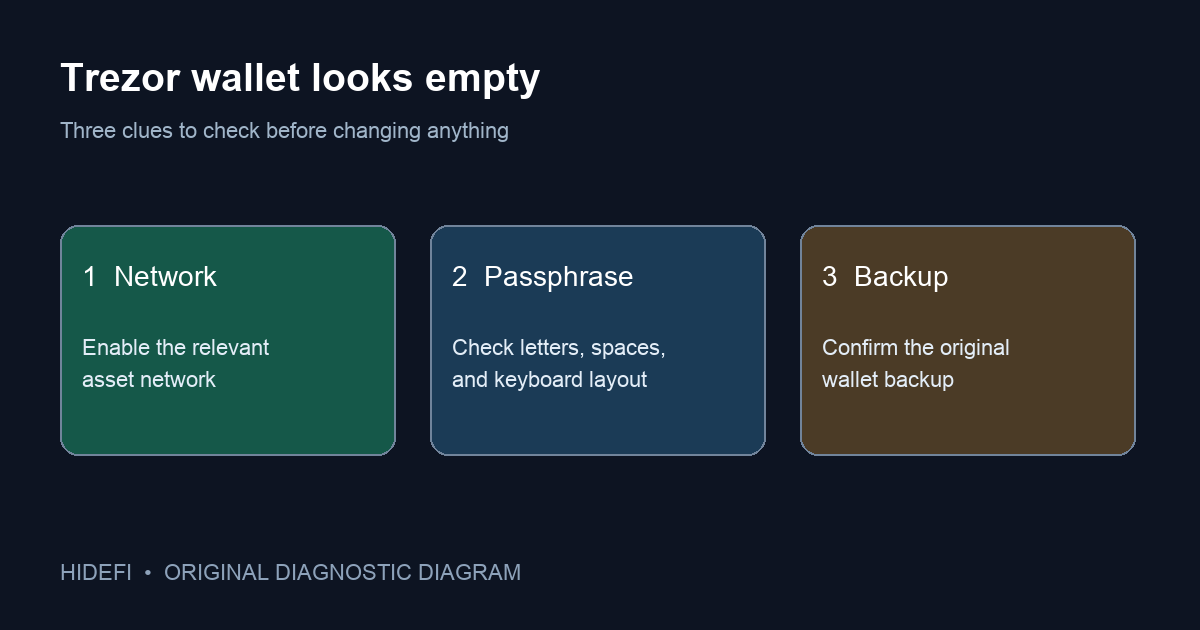
After a Trezor Suite update, a user reported that a familiar passphrase wallet now looked new and empty, while a previously used Bitcoin address still held funds on-chain. The frightening interpretation is that the update removed the coins. An empty passphrase wallet screen does not, by itself, show that funds moved. Trezor's current troubleshooting guide says the screen can result from a different passphrase or an enabled-network mismatch; the same passphrase with a different wallet backup also opens a different wallet.
Is the expected network enabled?
Start with the clue you can check without changing any keys: the asset network. Trezor Suite calls a passphrase wallet empty when it finds no balance or history on its enabled networks. If the old funds were Bitcoin and Bitcoin is not enabled, Trezor says to use + Add beside Ready on in the empty-wallet view, or go to Settings → Networks, then check again. If the account appears after enabling the right network, the wallet was a display/configuration problem, not a changed passphrase. If it stays empty, that check has narrowed the problem rather than solved it.
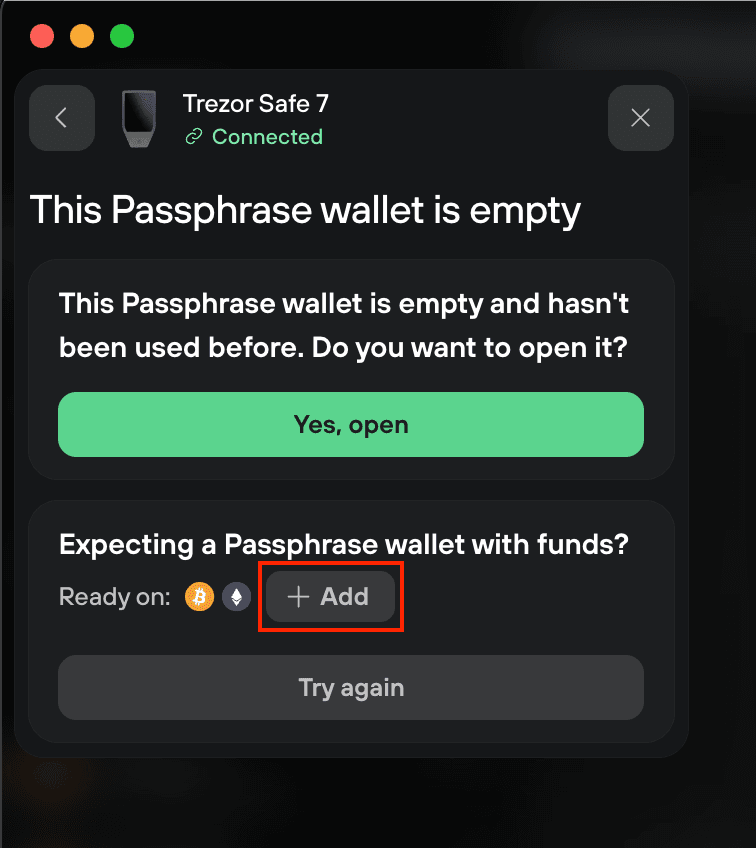
Did you open exactly the same passphrase wallet?
A passphrase is part of the wallet's identity, not just a login password. Trezor's passphrase explanation says each distinct string creates a distinct wallet. A capital letter, a leading or trailing space, punctuation, or a keyboard-layout change can therefore open a valid but empty wallet. Use your own securely kept written copy to compare the characters one by one. Trezor's guide also describes the Try again route and the eye icon in the entry field. Do this privately; no support agent needs to see the passphrase.
The public reporter had already tried repeatedly, so a typo was not established as the cause in that case. The article's purpose is to separate possible explanations, not to insist that one user remembered their passphrase incorrectly.
Did the device use the same wallet backup?
Trezor explains that the same passphrase on a different wallet backup produces a different passphrase wallet. If the device was reset or restored, check your own recovery records and device history offline before assuming the Suite update changed derivation. Do not type a wallet backup into a website, support chat, or browser prompt. Avoid resetting the device as a troubleshooting experiment: doing so can make access harder if the correct backup or passphrase is uncertain.
If you know an old public Bitcoin receiving address, check whether it appears in the address history of the same Bitcoin account and account type. Do not compare it only with the next Receive address: Trezor generates fresh Bitcoin receive addresses for the same account. If the old address is absent from that account’s history, recheck the selected account and address type before treating it as evidence of a different passphrase or backup. Trezor’s missing-crypto guide recommends checking the previously used receiving address in account history. If the expected address remains funded on-chain and the checks above do not recover the view, contact Trezor's official support route with the device model, Suite version, asset/network, and nonsecret error wording. Never send the backup words or passphrase.
The useful order is enable the relevant network → verify the exact passphrase privately → confirm the same backup/device history. An empty screen is a clue to investigate, not a diagnosis or proof of lost funds.
Official sources
Product interfaces and recovery policies can change. Confirm the current steps before acting.