Sparrow can time out while a private Bitcoin broadcast is still propagating. Check the original transaction and learn what the longer wait in 2.5.0 changes.
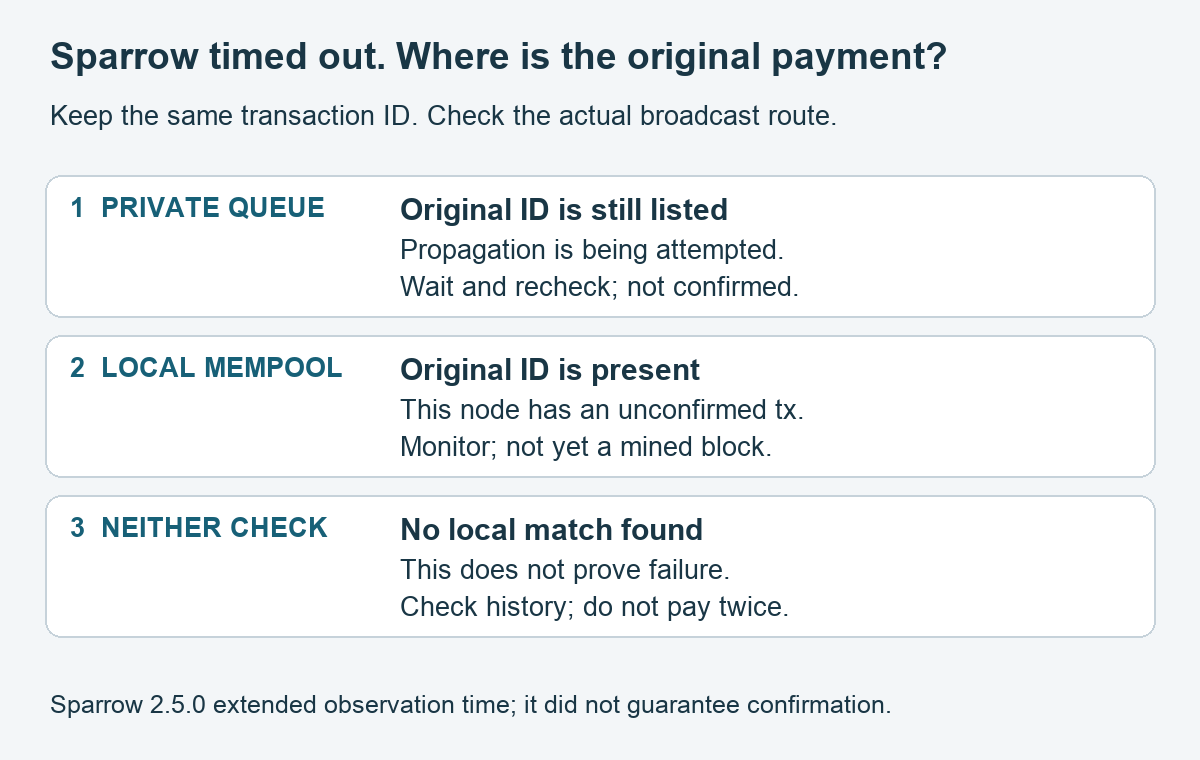
Sparrow’s “Timeout searching for broadcasted transaction” does not, by itself, tell you that a Bitcoin payment failed. If your setup actually submitted the transaction through Bitcoin Core’s privatebroadcast feature, propagation can take longer than Sparrow’s observation window. Keep the original transaction ID and check that same transaction’s status before sending another payment.
There is a specific improvement for this case: Sparrow 2.5.0 extended the post-broadcast wait. That reduces premature warnings; it does not guarantee confirmation or fix every server problem. This guide covers Bitcoin Core 31.0’s private-broadcast queue and the distinction between submission, observation and confirmation. It does not ask you to broadcast a test payment.
Why privatebroadcast can trigger the timeout
The clue came from a first-hand Sparrow report: a user testing Sparrow → Fulcrum → Bitcoin Core saw the warning after enabling private broadcasting. A second user reported the same issue. The maintainer subsequently extended the observation timeout from roughly 30 seconds to roughly two minutes, explaining that it should avoid most occurrences on a newly started node.
Bitcoin Core’s 31.0 release notes describe what changes with privatebroadcast: transactions submitted through sendrawtransaction can be relayed through separate Tor or I2P connections. The extra propagation stage helps explain why a wallet waiting to see the transaction back at its server can run out of time first.
Sparrow’s broadcast FAQ makes that last distinction explicit: it waits for the connected server to observe the transaction before reporting successful broadcast. A timeout is a failed observation within that window, rather than proof of a rejected payment.
First check whether this is your broadcast route
Open Sparrow’s application Settings → Server and note the selected server type, following its Bitcoin Core connection guide. This is a check of the existing setup; you do not need to change servers or authentication.
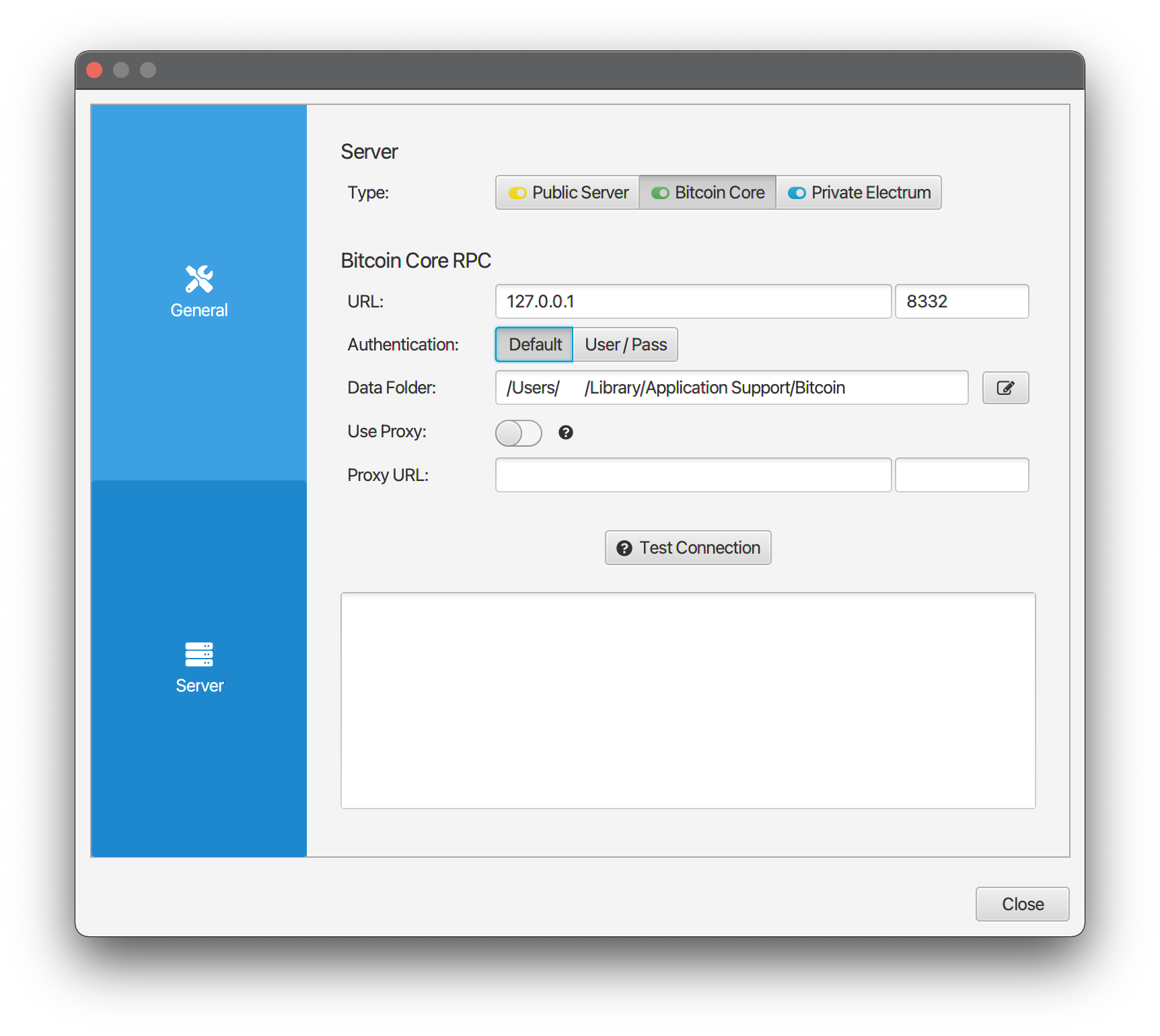
Source: Sparrow’s official connection guide. This documentation screenshot illustrates the server-type choices, not a HideFi wallet or a live transaction. Sparrow is licensed under Apache 2.0.
Bitcoin Core selected identifies a direct node connection. Private Electrum may instead be backed by Fulcrum and Bitcoin Core, as in the report. The latter label alone does not reveal the backend’s configuration; confirm it with the node operator.
There is another important boundary: Sparrow’s FAQ says that when Sparrow uses Tor, it broadcasts through a public server over Tor. Having privatebroadcast=1 on your own node therefore does not prove that this payment used your node’s private-broadcast queue. Check the actual route and transaction record. Keep your privacy settings intact while diagnosing it.
Check the original transaction on your own node
For readers who already administer the relevant Bitcoin Core 31.0 node, these are read-only commands using its existing bitcoin-cli access. Keep the same network and node that handled the payment. Replace YOUR_TXID with the original transaction ID locally; it is a placeholder, not a supplied transaction.
- Private queue: invoke
bitcoin-cliwith the commandgetprivatebroadcastinfo. - Local mempool: invoke
bitcoin-cliwithgetmempoolentry "YOUR_TXID".
The Bitcoin Core 31.0 RPC definitions establish the two different checks. The first reports transactions currently being privately broadcast. Match the original ID in its transactions list. The second looks for that ID in this node’s mempool—the local collection of unconfirmed transactions.
| What you observe | What it establishes | What to do next |
|---|---|---|
| Original ID is in the private-broadcast list | This node still tracks a private-broadcast attempt | Allow propagation and recheck the same ID; it is not a confirmation |
| Mempool entry is returned | This node has that unconfirmed transaction | Monitor its status; local acceptance is not a mined block |
| No queue match and “Transaction not in mempool” | Neither local check currently finds it | Check existing wallet history and confirmed status; absence alone does not prove failure |
A transaction can leave a mempool after confirmation, and a private-broadcast list is not a permanent transaction history. Those negative results cannot decide whether to pay again. If you do not operate the backend, ask its operator to check the original ID instead of exposing RPC access or copying wallet credentials into a troubleshooting site.
The queue response includes serialized transaction data and peer information. Keep the output local; share only a carefully redacted error summary if support needs it.
What updating Sparrow changes
The 2.5.0 release includes the longer wait introduced in commit e339c9f. The same polling threshold remains in the released 2.5.6 source, checked November 11, 2026.
If you are on an older release, use the official Sparrow download page and its verification instructions for an update. Preserve your wallet backups. The useful result is more time for observation; two minutes is not a promised delivery or confirmation deadline. Updating also does not determine the outcome of an already submitted transaction—check its original ID separately.
When this explanation does not fit
A timeout with no evidence of a private-broadcast route needs its own diagnosis. Connection errors, a server that cannot track its mempool, or an explicitly rejected transaction are different states. Do not turn a timeout alone into a low-fee diagnosis, raise a fee automatically, disable Tor, or submit a second payment to make the warning disappear.
For an unresolved case, note the Sparrow and Core versions, direct-Core or Electrum route, exact error and when it occurred. Sparrow’s FAQ provides Help → Show Log File. Redact wallet paths, addresses, transaction data and credentials before sharing logs through the official issue tracker.
If your problem is that Sparrow cannot authenticate to the local node at all, use the separate Bitcoin Core cookie-file checks. A node on another computer may instead need the macOS local-network permission check.
The outcome to establish here is the original payment’s actual state: still privately propagating, observed but unconfirmed, confirmed, or unresolved. The timeout dialog alone cannot choose between them.
Official sources
Product interfaces and recovery policies can change. Confirm the current steps before acting.
- Sparrow: privatebroadcast first-hand report and maintainer response
- Sparrow: 2.5.0 release
- Sparrow: post-broadcast timeout change
- Sparrow: broadcasting and log FAQ
- Sparrow: connect to Bitcoin Core
- Bitcoin Core: 31.0 release notes
- Bitcoin Core: 31.0 read-only mempool RPC definitions
- Sparrow: released 2.5.6 transaction controller