Find out whether Bitcoin Core is running, Sparrow points to the actual data folder, and local RPC is enabled before changing authentication.
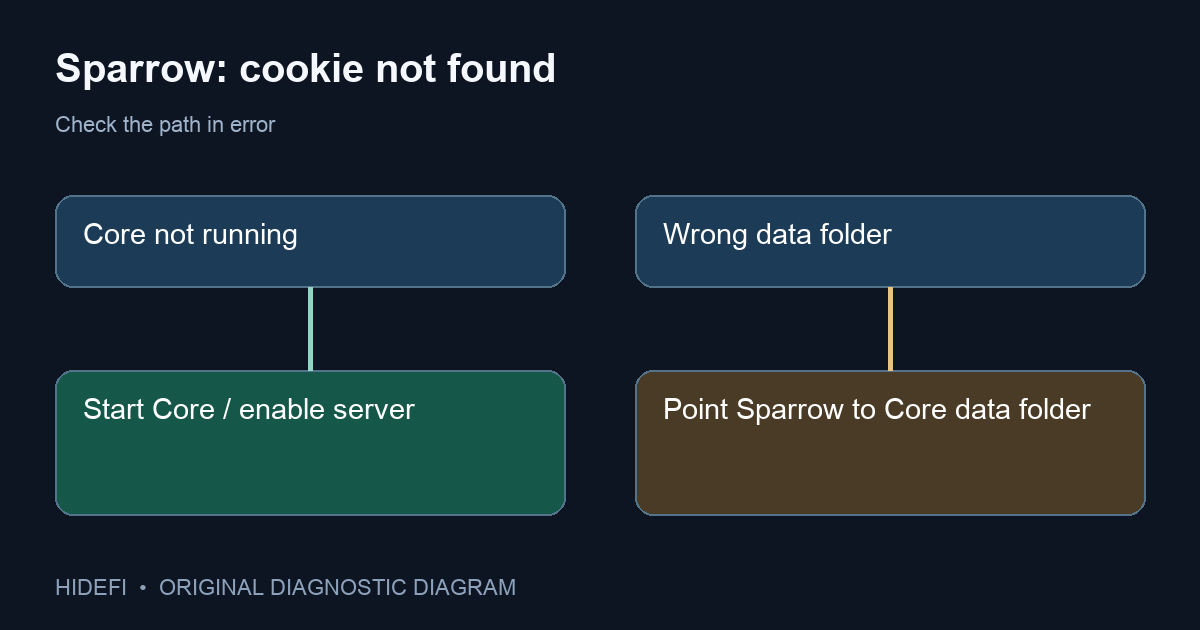
In a Sparrow support issue, a Linux user saw “cannot find Bitcoin Core cookie file,” then created a blank .cookie file by hand. The error changed to “connection refused,” but the connection still failed. Do not create a cookie yourself. Bitcoin Core writes its own authentication cookie when it starts. Sparrow must look in the actual Bitcoin Core data folder, according to Sparrow's official node guide.
Which folder is Sparrow checking?
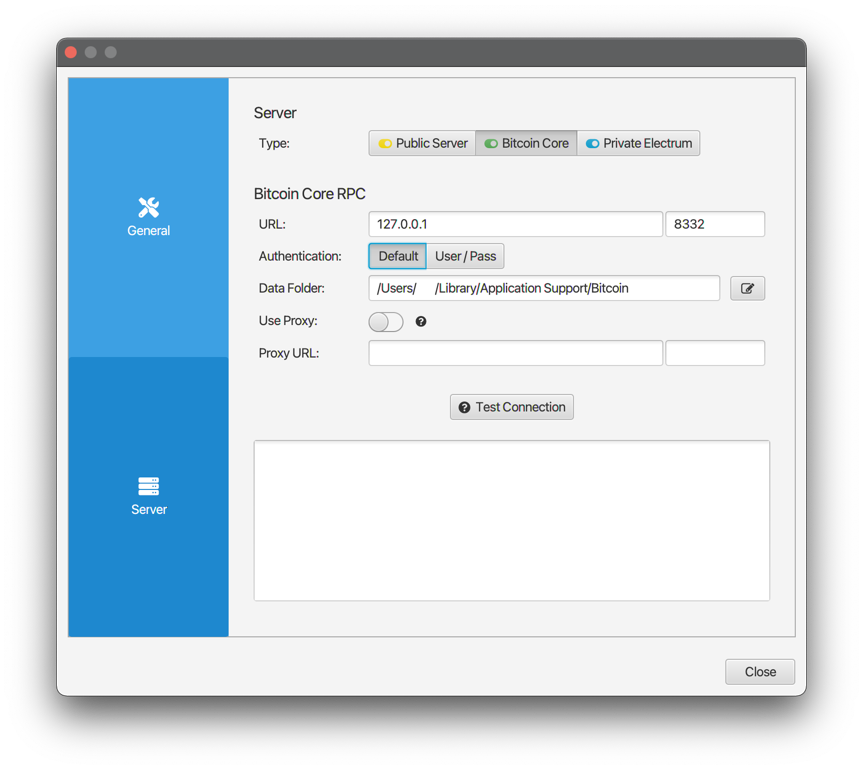
Read the full path in Sparrow's error, then compare it with the folder Bitcoin Core is actually using. The two may differ if you placed the blockchain on another drive, changed Bitcoin Core's data directory, or selected the wrong folder in Sparrow. Sparrow's documentation lists usual default data locations—~/.bitcoin on Linux, %AppData%/Bitcoin on Windows, and ~/Library/Application Support/Bitcoin on macOS—but those are defaults, not proof of your current setup. A separate Windows support issue even showed Sparrow looking under a Start Menu program shortcut rather than a Bitcoin data folder.
If the error points to the wrong location, select Bitcoin Core's data folder in Sparrow's Server settings, not the Bitcoin Core application folder or an individual .cookie path. With local defaults, Sparrow connects to 127.0.0.1 and reads the cookie from that data folder. The visual below distinguishes “wrong folder” from “Core never generated a cookie”; it is a diagnostic illustration, not a Sparrow screenshot.
Is Bitcoin Core running with RPC enabled?
If Sparrow points to the right data folder but no cookie exists, check that Bitcoin Core is actually running. Sparrow's guide says Core writes the cookie on startup. For the Bitcoin-Qt graphical app, the guide tells users to put server=1 in bitcoin.conf in the data folder and restart Core. It also says not to set disablewallet=1 for this direct setup. If your node is still syncing, the connection might work before historical wallet transactions appear; the guide recommends waiting for sync before expecting a complete history.
Do not copy a cookie from a stranger, expose it online, or leave a fake blank file in place. A cookie is a local authentication credential, so making a text file with that name does not create a valid Core session.
What if the node runs on another computer?
The local-cookie instructions do not apply unchanged to a remote node. Sparrow's remote setup section says to configure Bitcoin Core's network binding and use the User/Pass authentication option in Sparrow. Keep RPC access limited to the intended private network; never publish an RPC password in a screenshot or support post.
The checkable result is either a successful Test Connection in Sparrow, or a narrower error: wrong folder, Core not running/configured, or a separate RPC/network problem. That distinction is more useful than reinstalling both applications or fabricating a .cookie file.
Official sources
Product interfaces and recovery policies can change. Confirm the current steps before acting.