A one-launch OpenGL option resolved a Sparrow 2.5.6 startup crash on a patched Intel iMac. Check the scope before changing your Mac or wallet.
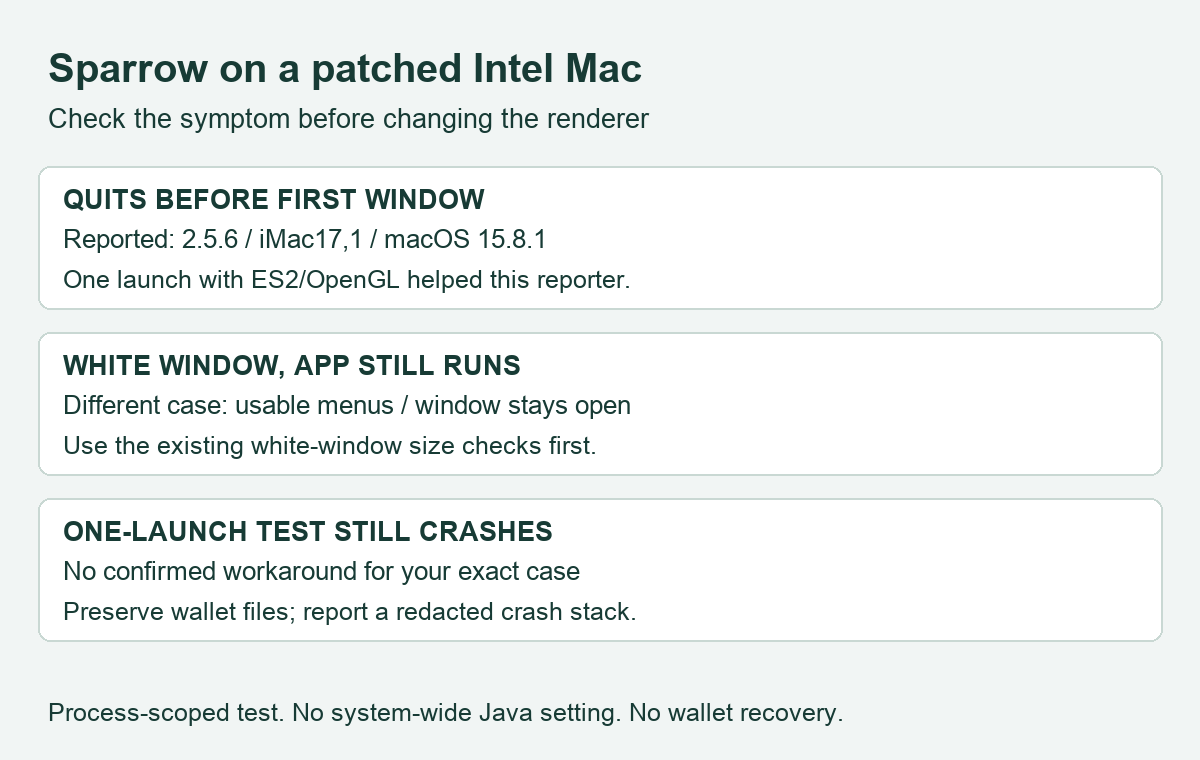
If Sparrow 2.5.6 quits before its first window on an OpenCore-patched Intel Mac, a single launch with the older OpenGL renderer is a confirmed workaround for one reported iMac configuration. This is a narrower problem than a white wallet window that stays open. Check which symptom you have before changing anything.
The original report describes macOS 15.8.1 on an iMac17,1 with a Radeon R9 M395X, using OpenCore Legacy Patcher. Sparrow never reached the main window. Its maintainer identified an assertion in JavaFX’s Metal renderer, the component that draws the window; the reporter then confirmed that launching with OpenGL stopped the crash. HideFi has reviewed that exchange, not reproduced it on this hardware.
Decide whether the workaround matches your crash
The useful clue is when Sparrow fails. A crash before any main window, together with a crash report naming QuantumRenderer-0, matches the reported rendering failure. Those clues alone are not proof that every startup crash has the same cause.
Check the installed Sparrow version, your Mac model, macOS version and whether the installation uses OpenCore. The documented successful test was Sparrow 2.5.6 on the patched iMac above. The maintainer had not reproduced it on the supported Macs they tested. Do not turn that narrow result into a claim about every older Mac or every AMD graphics card.
If the app remains running with a white window and usable menus, start with the separate Sparrow Mac white-window checks. That report led to a window-size and texture-limit diagnosis. Resizing a window cannot solve a process that has already crashed.
Launch the existing official app once with OpenGL
Quit Sparrow first. For the official app already installed in Applications, the maintainer supplied this Terminal command:
JAVA_TOOL_OPTIONS=-Dprism.order=es2 /Applications/Sparrow.app/Contents/MacOS/Sparrow
The first part supplies a Java startup option to this invocation. The second part starts the executable inside the existing Sparrow application. There is no download, wallet import, signing request or payment in this command. It does not need administrator privileges.
Use it only with the genuine app you already installed through Sparrow’s official download and verification route. If Terminal reports that the executable does not exist, check the app’s actual installation location. Do not substitute a downloaded script or an executable from a troubleshooting message.
This particular command does not save the option to your shell profile or change the renderer for every Java application. A later normal launch will use the application’s normal settings. Keep the scope that small while checking whether the renderer explains your failure.
What the next result tells you
| Result | What it supports | Next step |
|---|---|---|
| The main window now opens | A rendering-path difference affects this launch | Record the version and model; keep the workaround scoped to this launch |
| The same crash still occurs | This test did not resolve your case | Stop repeating it and report the exact crash through Sparrow’s official issue tracker |
| Terminal cannot find the executable | The supplied installation path does not match | Check the existing app location; this is not a wallet-recovery error |
Opening the window is the outcome being checked. It does not independently verify wallet balances, backups or node connectivity. Leave the wallet files intact. If a connection error appears after the UI opens, diagnose that separately using the macOS local-network permission guide when its symptoms match.
Why this option can change the outcome
OpenJFX 27 made Metal the default rendering pipeline on macOS while retaining the ES2/OpenGL option. The released Sparrow 2.5.6 build file specifies JavaFX 27.0.1. This connects the option to an actual bundled component, rather than a guess about your Bitcoin server.
The maintainer’s explanation ties this crash to the patched graphics environment. It does not establish a need to reinstall macOS, alter system protections, restore a seed or downgrade wallet software. This guide uses only the process-scoped launch test; persistent environment changes need separate consideration because they can affect other Java apps.
If the test fails, collect the Sparrow version, Mac model, graphics hardware, macOS version, patcher use and the relevant crash stack. Redact personal paths and wallet data before posting to the official issue tracker. Never include a recovery phrase or private key. A confirmed fix for one patched iMac remains a conditional workaround, not a guarantee for another machine.
Official sources
Product interfaces and recovery policies can change. Confirm the current steps before acting.