If a removed DeFi position still counts in OneKey iOS total assets, check the onchain action and refresh the DeFi tab separately from home Assets.
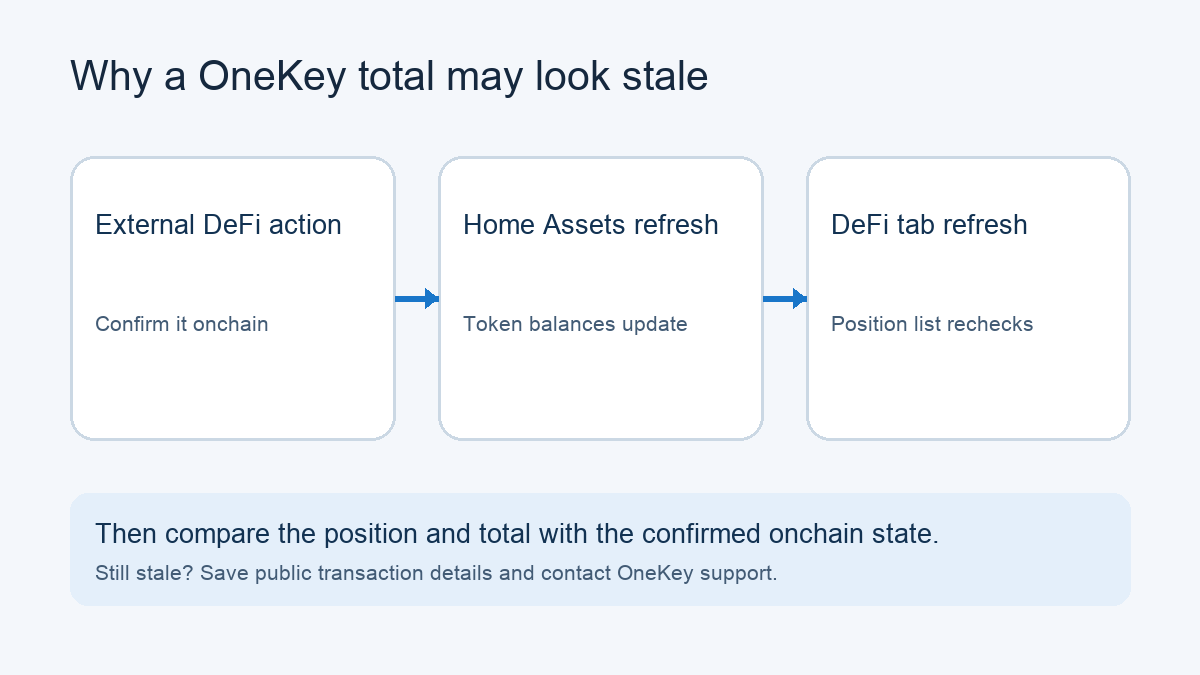
A OneKey iPhone user reported removing a Uniswap V3 liquidity position, then watching its old value remain in OneKey's total assets after pulling down on the home Assets view. That number is alarming, but the home refresh is not the same as refreshing DeFi positions. If the liquidity was removed outside OneKey, open the DeFi tab and pull down there to refresh its positions; then check the total again. That is the route a OneKey collaborator gave for this exact case. The reporter had not confirmed the result as of the last visible reply, so treat it as a diagnostic step, not a guaranteed fix.
Why the home refresh can leave an old DeFi value
OneKey's collaborator distinguished two kinds of refresh in the issue discussion. After an external DeFi action, pulling down on home Assets refreshes token balances, but it does not necessarily refresh the separate DeFi position list. An action initiated inside OneKey can trigger an automatic DeFi refresh after its pending transaction confirms. An external action has no such local pending transaction to trigger that update.
This distinction matters because the displayed total can still include a cached position even while the token balances have changed. OneKey's asset-panel guide describes separate token and DeFi views. That guide describes the desktop asset panel; the iPhone refresh behavior here comes from the collaborator's response to the iOS issue.
Check the position, then the total
First confirm that the external liquidity-removal transaction completed on the expected chain and address. Use a public block explorer or the protocol's position view to distinguish the onchain position from OneKey's display. You only need public details such as the address and transaction hash for that check; do not connect or sign merely to inspect them.
If the external action is confirmed, switch from home Assets to DeFi in the OneKey iOS app and pull down to refresh the position list, as the collaborator instructed. The current OneKey asset-panel guide illustrates the separate DeFi tab on desktop; this crop helps identify the section, while the iPhone refresh behavior comes from the issue response.
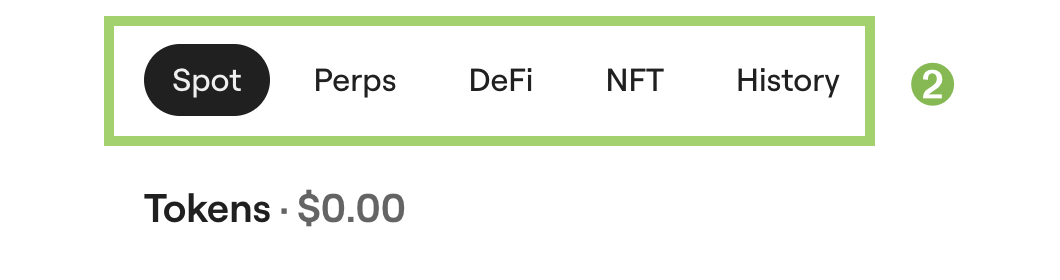
Crop from OneKey’s official asset-panel guide, checked November 9, 2026. It shows the desktop tab layout, not an iPhone refresh action.
Check whether the old position disappears or updates, then return to the total-assets figure. If both now agree with the confirmed onchain state, the stale display was the useful explanation. If the position still appears, the issue remains unresolved; save the public transaction hash, network, wallet address and a redacted screenshot, and report it through OneKey's official support or issue channel.
If the external transaction is not confirmed, refreshing OneKey cannot remove an active position. Investigate its transaction status and the address and network used before treating the total as a display error. Do not create another trade, withdrawal or approval just to force a refresh.
The documented workaround comes from a OneKey collaborator, but the original reporter only said they would try it. There is no confirmed success in that thread, and no basis to promise that every stale total will clear. For a different symptom where a wallet balance remains visible after a site is disconnected, see why disconnecting a site does not remove a OneKey balance.
Official sources
Product interfaces and recovery policies can change. Confirm the current steps before acting.