Check the receiving address on a HyperEVM explorer, then verify network 999 and the wallet's token view before assuming a transfer failed.
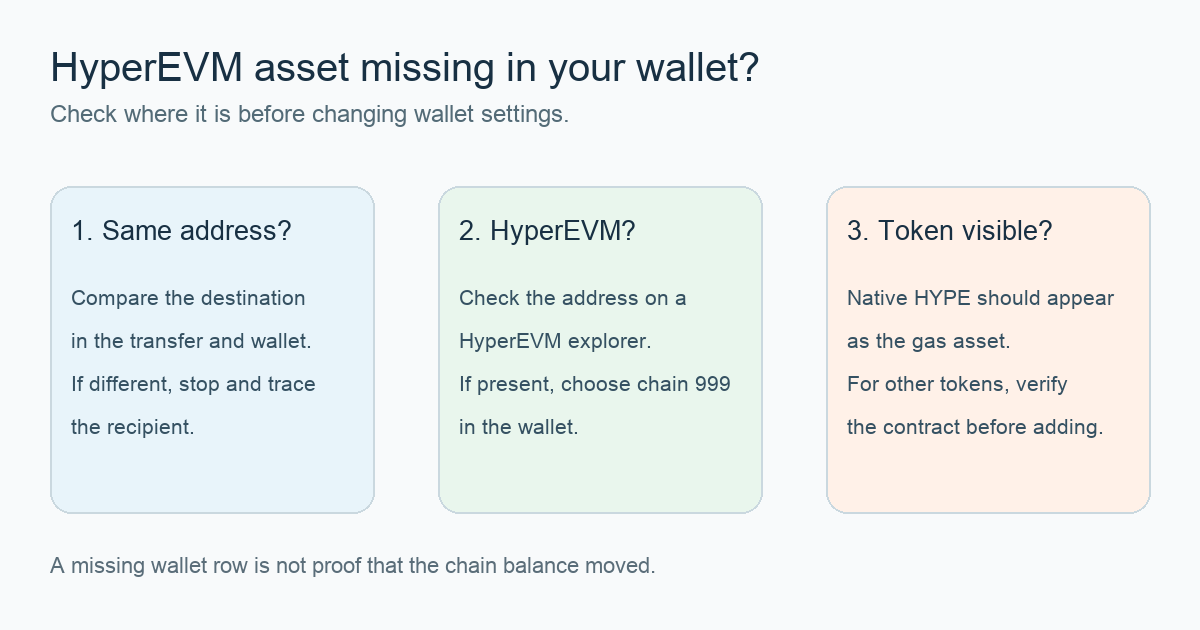
“I sent some HYPE to my Rabby wallet using the HyperEVM network but it’s not populating in the wallet. Did I miss a step?” That first-hand question captures the alarming part: a transfer can seem complete while the wallet looks empty. Start by checking the destination address on a HyperEVM explorer. If the asset is there, select HyperEVM (chain ID 999) in the wallet; for a non-native token, verify its contract and add it to the display if needed. These are the two visibility checks in Hyperliquid's current wallet-extension guide. They do not prove that an individual transfer succeeded.
I would resist the urge to send a second test transfer before answering two simpler questions: did the first transfer go to this exact address, and did it go to the HyperEVM rather than HyperCore spot or another chain? The original diagram above keeps those checks separate from the wallet's token list.
Does the HyperEVM explorer show the same address and asset?
Copy the public destination address from the transfer record, then compare every character with the selected Rabby address. Use a HyperEVM explorer linked from Hyperliquid's onboarding guide to inspect that address and the transaction. An explorer needs a public address or transaction hash, never a recovery phrase. If the recipient or network differs, stop at the transfer record; changing the wallet's token settings cannot move assets to a different address or chain.
If the expected balance is visible on HyperEVM for the same address, the next question is how the wallet displays that chain. A wallet list that omits an asset is a display observation, not an on-chain verdict. If the transfer instead ended in HyperCore Spot, a HyperEVM wallet extension will not show that balance merely by selecting chain 999. Hyperliquid's HyperEVM overview describes HyperCore and HyperEVM as separate states; use the Hyperliquid portfolio view and our Core-versus-EVM balance guide to investigate that branch. Do not use a bridge or send funds again as a display fix.
Is your wallet looking at HyperEVM, chain 999?
In a wallet extension that supports custom networks, compare its selected network with Hyperliquid's current configuration: chain ID 999, network name Hyperliquid, RPC https://rpc.hyperliquid.xyz/evm, and native currency HYPE. Add or select that network only through the wallet's own interface and verify the values against the official page yourself. Rabby may already present HyperEVM as an integrated network; do not create a duplicate custom entry just because a different wallet needs one.
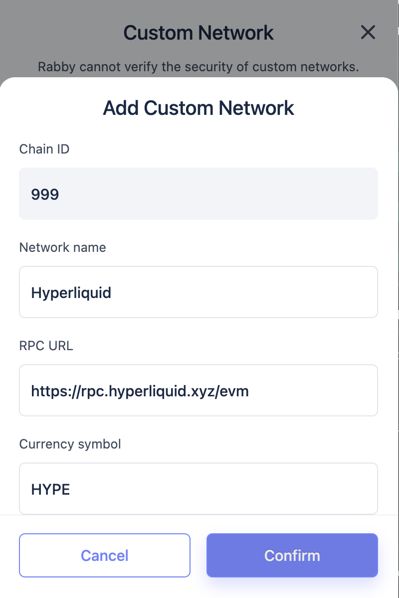
Official Hyperliquid HyperEVM guide screenshot, resized. Wallet menus can differ; verify the live values on the official page before adding a network.
After switching, check the same address again. HYPE is the native gas currency on HyperEVM, as the official guide says. Do not paste an arbitrary token contract to make native HYPE appear. If a different token is present on the explorer but absent from the wallet list, continue to the token-display check.
The chain is right, but a token is still missing
Hyperliquid's asset-display instructions say a specific HyperEVM token may need to be added by its contract address. Its Trade page places a wallet icon next to a spot asset's contract; the cropped official image below shows the icon. For a manual addition, obtain the full contract from a HyperEVM explorer or the official asset page and compare it carefully. A symbol or shortened address in a screenshot is not enough to identify a token.
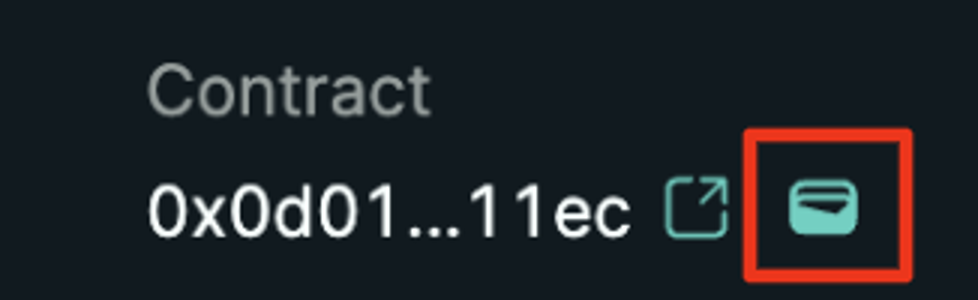
Official Hyperliquid asset-display guide screenshot, cropped to show the wallet icon; the shortened contract is illustrative and must not be copied as a token address.
If the explorer shows no asset at the expected address, the wallet-display steps above cannot solve it. Recheck the sending transaction's chain, recipient, and result, and use the sender's official support route when those details remain unclear. If the explorer does show the asset but the wallet still omits it after the correct chain and contract checks, document the wallet version and public transaction hash for its official support. Do not enter a seed phrase into a “sync” site or approve an unknown signature to make a balance appear.
Official sources
Product interfaces and recovery policies can change. Confirm the current steps before acting.