Compare the Portfolio account, network, and on-chain balance with your wallet, then use the official Import token control if the token is supported.
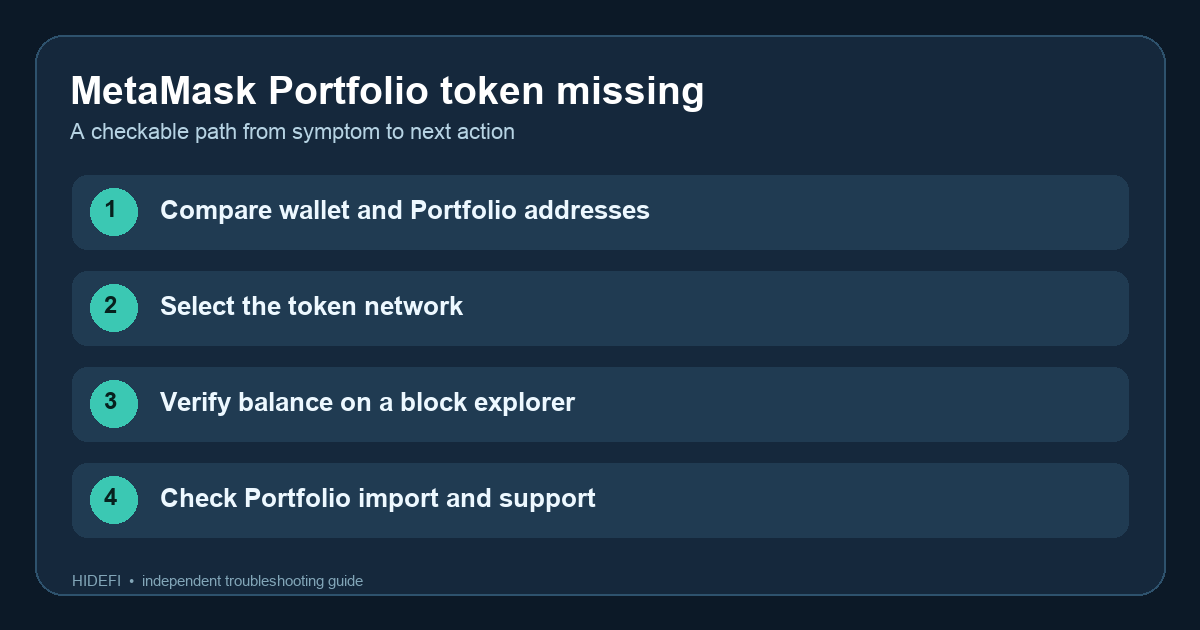
You open MetaMask Extension and see a token, then open MetaMask Portfolio and it is missing from Overview. It is easy to read the blank row as missing funds. First compare the public account and network in both views. MetaMask says the wallet and Portfolio are separate applications; adding a token in one does not automatically add it in the other. A missing Portfolio row alone does not tell you whether the on-chain balance changed.
Here is an illustrative troubleshooting path, not an account HideFi accessed. It starts with the same question people search for — why MetaMask Portfolio is not showing a token that the wallet shows — and ends with a checkable result instead of a guess about the dashboard.
Are Portfolio and the wallet looking at the same address?
I would copy the public address from the account selected in Extension and compare it with the account connected to Portfolio. The Portfolio dashboard can also include a view-only account, so a familiar-looking account label is not enough. MetaMask's mismatch guide describes these as separate connections. If the addresses differ, select or add the intended account in Portfolio before looking for the token. Do not enter a Secret Recovery Phrase into a dashboard to make an account appear.
Then check the network. A token contract on one network is not the same asset as a similarly named token on another. Compare the exact contract address and token balance for that public account on the relevant block explorer. If the explorer shows no balance, importing a Portfolio row will not fix an incomplete transfer or wrong address. If it shows the balance, the problem is narrowed to Portfolio's account, network, or token display. The original diagram above shows this order of checks.
Is that network or token supported in Portfolio?
MetaMask's current mismatch page says a token may be absent from Overview when its network or token is unsupported. It lists the supported Portfolio networks there; check the current list rather than relying on an old forum answer. If the network is unsupported, the missing row is a product-coverage limit. The token can still be held by your address on-chain.
This also separates the case from an Extension token that is missing in both places. For that state, follow our MetaMask missing-token checks before treating Portfolio as the cause.
How do you add a token to MetaMask Portfolio?
If the public balance is on a supported network and Portfolio is viewing the matching account, use MetaMask's Portfolio import guide. In the current Portfolio interface, More beside the network selector opens Import token. Search for the token or use the Custom Token tab with details verified against the correct chain's explorer. Compare the contract address, not just the symbol; lookalike tokens can reuse a name. The cropped official image below shows only the menu path, with account and balance details removed.
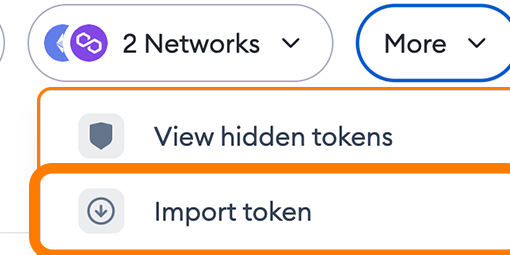
MetaMask says you cannot add a token to Portfolio unless a connected account holds it. If the import still fails, recheck that Portfolio is using the exact address and supported network, then use official MetaMask support with public identifiers. Do not transfer funds just to make a dashboard line appear, and do not connect to a third-party “sync” site. HideFi is independent of MetaMask and cannot inspect your wallet.
Official sources
Product interfaces and recovery policies can change. Confirm the current steps before acting.