Sparrow accepts a 64-character BIP39 passphrase. Check hardware input limits before choosing one, and keep the original full passphrase for an existing wallet.
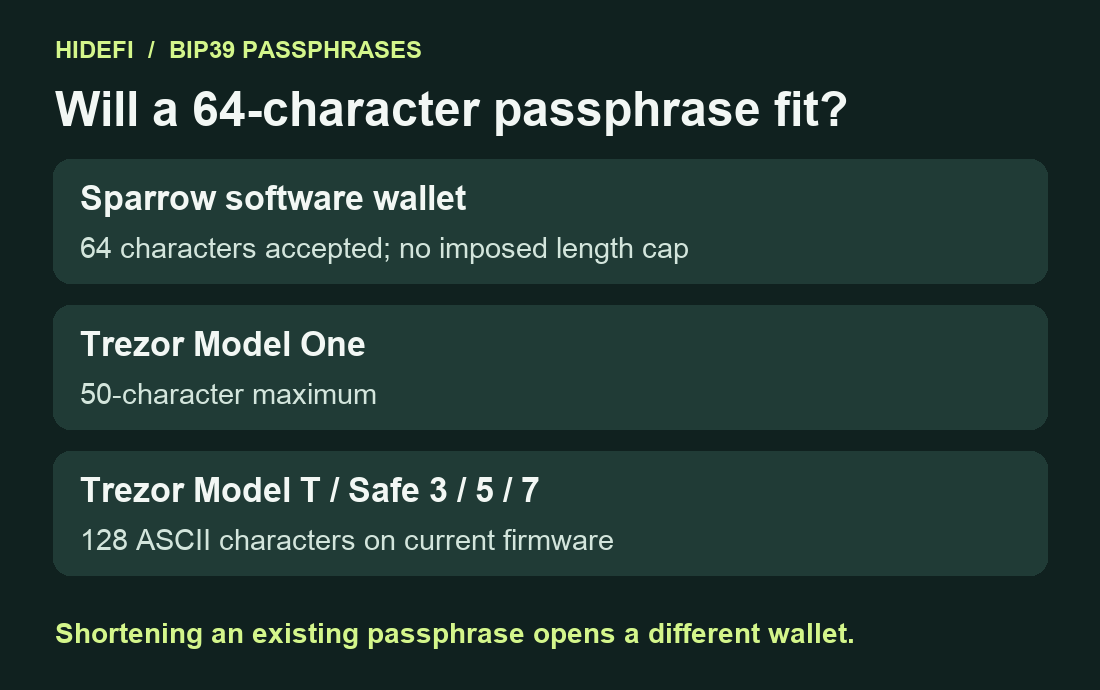
A Sparrow user was already using a 64-character BIP39 passphrase and wanted to know whether the wallet allowed more. Sparrow imposes no BIP39 passphrase length cap, and the maintainer confirms that it uses the full 64-character string. A hardware wallet can have its own input limit, so check the exact model before planning to use the same wallet there. Sparrow maintainer’s answer.
What the 64-character answer applies to
This answer concerns a BIP39 wallet whose seed is handled by Sparrow’s software keystore. A passphrase is an extra input combined with the backup words to derive the wallet. The nickname “25th word” refers to this additional text input. BIP39 specifies how the mnemonic and passphrase produce the seed. Sparrow 2.5.6 feeds the full normalized passphrase into that derivation. BIP39 specification, Sparrow’s pinned seed code.
A USB-connected hardware wallet handles its own keys and performs signing on the device. Each model sets its own input limits. Sparrow’s hardware-wallet guide.
Check the model’s limit before choosing a new passphrase
Model One accepts up to 50 characters. Model T and Safe 3, Safe 5 and Safe 7 accept up to 128 ASCII characters on current firmware. A 64-character ASCII passphrase is beyond Model One’s limit and within the listed length limit for the newer models. That only answers whether the text fits. The backup format and account type must also match the wallet you intend to access. Trezor’s current model-specific limits.
The Sparrow issue reply mentions a 50-character Trezor example. Use the manufacturer’s current model-specific limits when comparing devices. Firmware and supported characters matter as well as the number of characters. Sparrow issue reply.

For a wallet you have yet to create, choose a passphrase that the hardware you plan to use can accept and record it accurately offline. The comparison above covers Sparrow and the named Trezor models. Check another vendor’s own limits before relying on a different device.
Keep the full passphrase for an existing wallet
If your wallet already uses 64 characters, trimming it to 50 derives a different wallet. Sparrow’s FAQ explains that an incorrect passphrase produces different addresses and can show an empty balance. It may still show your old labels, so verify the addresses as well as the labels. Sparrow’s FAQ.
Preserve the complete original passphrase and the backup. BIP39 normalizes Unicode text before deriving the seed. Case, spaces and meaningful character differences still matter. Keep the exact offline record and use the same wallet and account type when checking access. For a Trezor wallet showing an unexpected empty balance, use the passphrase-wallet checks.
If a hardware wallet rejects the original input, stop and check its exact model and firmware support. Keep any working device intact. Never type a hardware wallet’s backup words into a website or desktop app to work around a length limit.
Official sources
Product interfaces and recovery policies can change. Confirm the current steps before acting.
- Sparrow issue #2112 — Maintainer’s passphrase-length answer
- BIP39 — Mnemonic-to-seed derivation
- Sparrow 2.5.6 dependency — BIP39 seed derivation
- Sparrow — Passphrase and empty-wallet FAQ
- Sparrow — Connected hardware wallet guide
- Trezor — Current model-specific passphrase limits
- Trezor — Passphrase verification and input options