Phantom blocks sending with “Transactions Disabled”? Check the exact warning and public balance, then assess Phantom’s official second-wallet route safely.
A Phantom user reported that a small SOL withdrawal failed with “Transactions Disabled. Your address is unable to transact using Phantom,” even though the wallet had enough SOL for the fee. They could still receive deposits, which made the message especially confusing. Phantom currently describes this exact warning as a restriction on sending or swapping through its app, not proof that the SOL disappeared. Phantom’s current explanation says it applies after a Terms of Use violation and that Phantom does not provide details about individual restrictions.
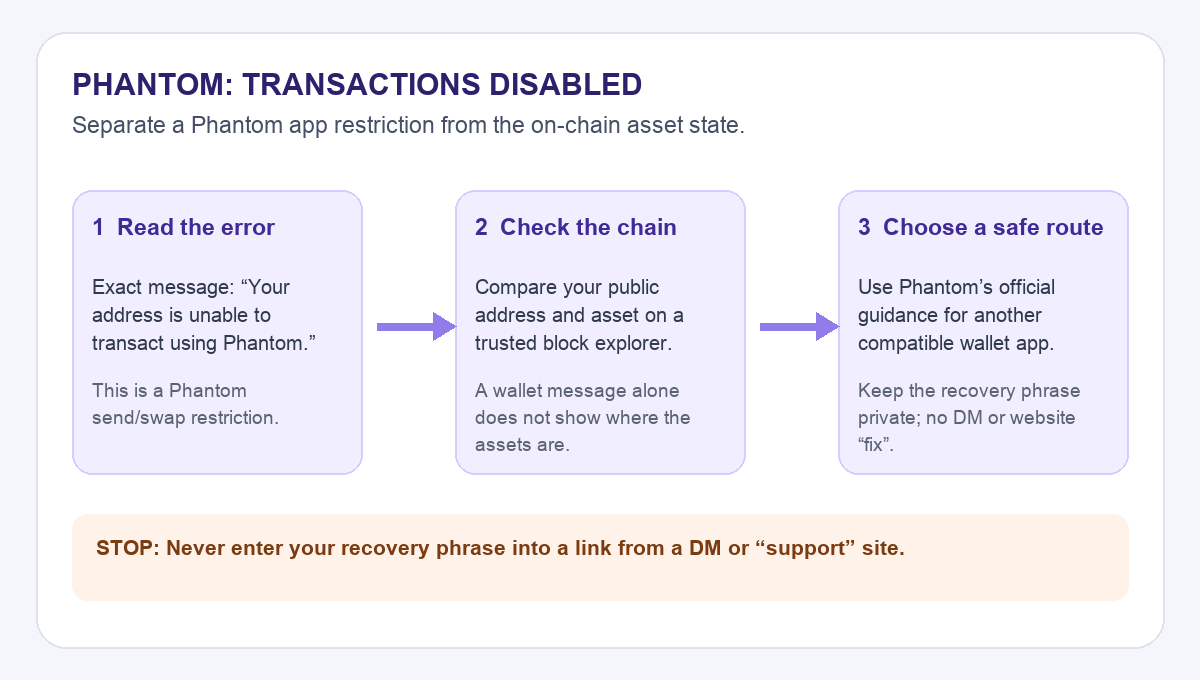
Here is an illustrative way to work through that question; HideFi did not access the reported wallet. The decision diagram keeps the app warning, the public chain record, and the private-key decision separate.
Is “Transactions Disabled” a gas error?
I would read the message word for word before trying to change settings. If it says “Your address is unable to transact using Phantom,” Phantom identifies it as a restriction on sending or swapping through its app. Adding more SOL for gas or repeatedly submitting the same transfer does not address that stated restriction. A different error, such as an insufficient-fee message, needs a different diagnosis.
The restriction is about using Phantom with that address. It is not a statement that a blockchain transaction has already moved the assets. Phantom says the owner still has access to the assets and describes a separate-wallet route, but that route depends on controlling the correct recovery credentials and using a wallet compatible with the relevant network.
Where are the assets right now?
Before making any recovery decision, copy the public address for the relevant network from Phantom’s address guide. Look up that public address on a trusted explorer for the same chain. This is a read-only check; nobody needs your recovery phrase. Compare the asset and amount there with Phantom’s display.
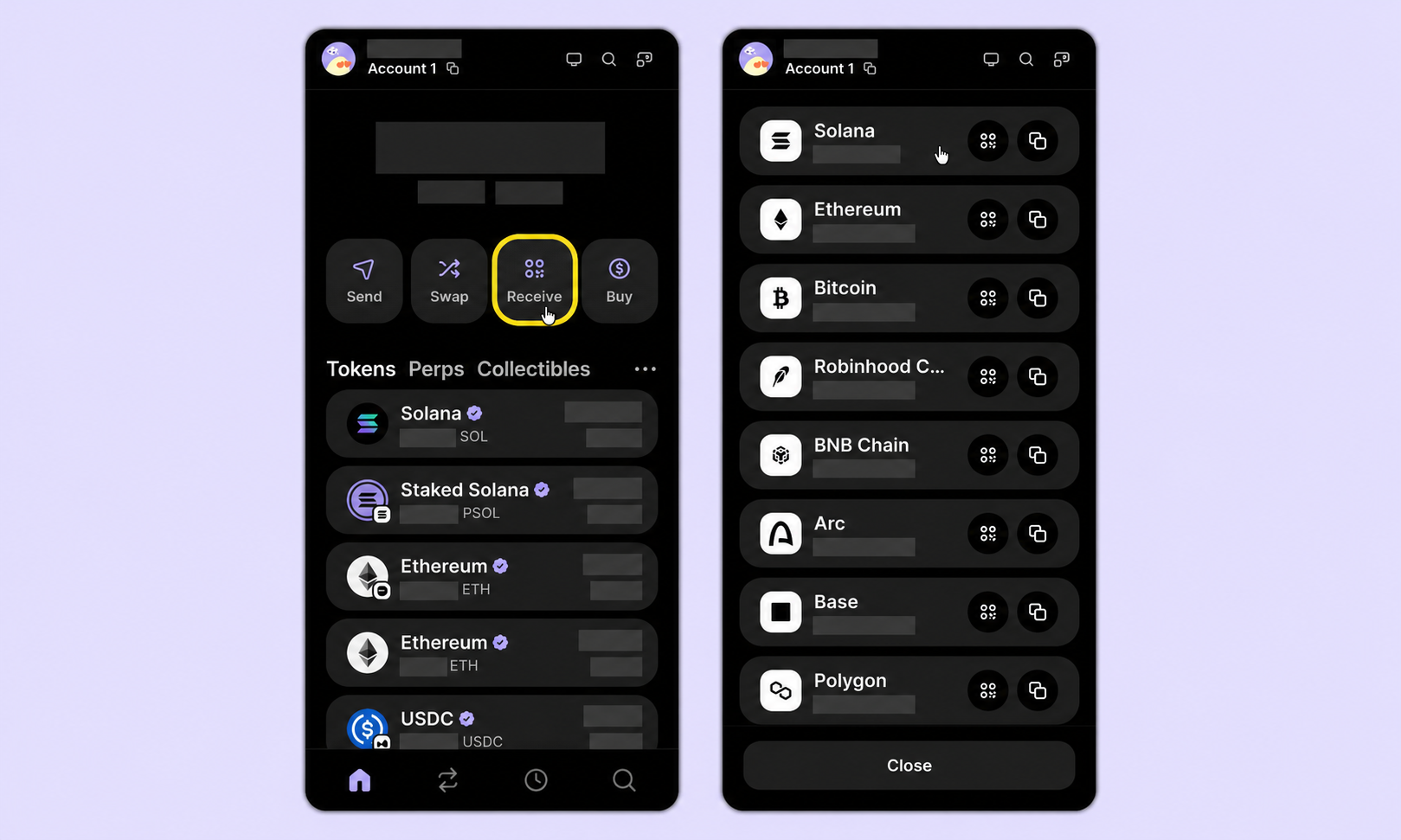
Adapted from Phantom’s address guide; sample account details are hidden. Use your own network and public address for the explorer check.
If the explorer still shows the asset at that address, the immediate problem is access to a way of signing a transfer, not locating a missing deposit. If the explorer does not show it, stop treating the Phantom warning as the whole explanation. Check the transaction history and chain before concluding where the funds went. A wallet balance label cannot settle that question by itself.
Can I transfer the funds through another wallet app?
Phantom’s official article says a user with the wallet’s Secret Recovery Phrase can import it into another compatible wallet app and transfer from there. The older user report above describes doing that successfully in their case; a later follow-up did not establish why Phantom originally showed the warning. Neither source guarantees that every address, asset, network, or account setup will work the same way. This route does not remove Phantom’s restriction; it uses another app to control the same on-chain address.
Treat the phrase as the key to the entire wallet, not as a support code. Phantom warns that anyone who obtains it can control the wallet. Only follow Phantom’s own instructions for viewing it and the chosen wallet provider’s genuine app instructions for import. Never enter it into a website, a form sent by direct message, or a “wallet validation” page. If the account came from a connected hardware wallet, Phantom says it cannot reveal that device’s phrase; do not expect Show Recovery Phrase to export the hardware wallet’s secret.
Before signing anything in another app, check that it shows the expected public address and network. Review the recipient and network on the wallet and, if a hardware device is involved, on the device itself. If you cannot confirm those details or do not control the credentials, stop and use Phantom’s official support chat rather than trying an unverified workaround.
What if the phrase is unavailable or the transfer still fails?
Without the correct credentials, a second app cannot sign for the address. Our Phantom sign-in and recovery guide explains which access paths may still exist; it cannot recover a phrase that was never backed up. If the other app shows a different address, do not send a test transfer to “see if it works.” Recheck the source account and the import method using the wallet provider’s official guidance.
The practical result is narrow: the exact error points to a Phantom-side transaction restriction; a public explorer tells you whether the assets remain at the address; Phantom documents a second-wallet route for someone who controls the correct credentials. None of those checks requires sharing a secret with HideFi or a person in a chat. HideFi is independent of Phantom and cannot lift account restrictions.
Official sources
Product interfaces and recovery policies can change. Confirm the current steps before acting.