Locked out of Phantom without your recovery phrase? Check your original Apple or Google login, any signed-in device, and the limits of a public address.
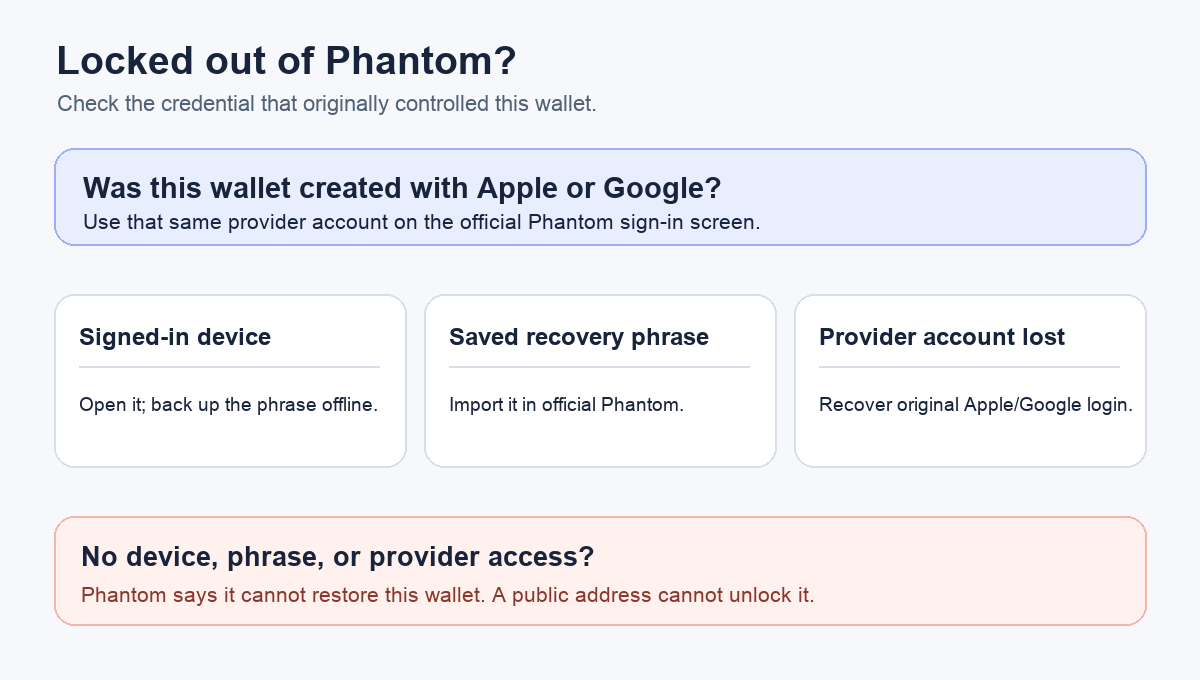
A Phantom user described being logged out and then finding that Apple or email sign-in did not get them back into the wallet. They no longer knew the recovery phrase and asked whether a “public seed” could help. The question is understandable: an email address, a phone unlock, and a public wallet address can all look like ways back in. The useful check is which recovery method actually created this wallet. A public address cannot unlock it. If the wallet was created with Apple or Google, the same provider account may restore it; an already exported recovery phrase is the other route. Phantom's current sign-in guide distinguishes those methods.
Can Apple or Google sign me back in without a phrase?
First ask whether you originally chose Continue with Apple or Continue with Google when creating this particular wallet. If you did, Phantom says to use that same account on its welcome screen. On mobile, choose the matching Continue option and follow the provider prompt; Phantom may then ask for the four-digit PIN. In the browser extension, its sign-in guide lists I Already Have a Wallet → Connect Email Wallet, followed by Apple or Google. A new provider account, even one with a familiar email alias, is not proof that you reached the old wallet. Compare the restored public address with a previous receive address if you have one.
If you created the wallet with a Secret Recovery Phrase instead, Phantom's guide says to import that phrase. Apple or Google sign-in is not a substitute for a phrase-created wallet. This is the clue I would check before repeatedly trying a login button: was this wallet ever set up through the provider, or was it only unlocked locally with a password, PIN, or Face ID? Those device-level locks are not the recovery method, as Phantom explains in its wallet-security overview.
What if I lost access to the Apple or Google account itself?
The answer changes again if you can no longer enter the original provider account. Phantom's lost-provider-access guide gives three checks, in order:
- Another device still opens this wallet: Keep that session intact. Phantom says you can view the Secret Recovery Phrase there and store it securely offline. Its backup guide has the current Mobile and Extension paths. Do not reset or uninstall the working copy before you have a verified backup.
- You previously saved the phrase: Use the official Phantom app or extension's recovery-phrase import route. Check the resulting public address. The phrase is secret; never enter it into a website or send it to someone claiming to help.
- No signed-in device and no phrase backup: Recover the original Apple or Google account through that provider's own account-recovery process. If that also fails, Phantom says it cannot restore the wallet for you.
The diagram above separates a login that is merely failing from lost access to the provider account. That difference matters: the first may call for checking the original sign-in method, while the second leaves only a working device, an existing phrase backup, or provider account recovery. I would not erase a device that still opens Phantom just to test which branch applies.
Can a public wallet address or “public seed” recover it?
No. A public address can help you identify the wallet on a block explorer or compare it with one you restored, but it cannot authorize transactions. Phantom's security explanation distinguishes the public address from the private keys and recovery method that control access. There is no safe “derive my phrase from my address” step. Treat anyone offering one, or asking you to reveal a phrase or private key, as a risk.
If you are on a new phone and simply see Phantom's sign-in screen after moving your apps, read the separate new-phone sign-in checklist. That situation may still have a usable original login. Here the key outcome is narrower: no original provider access, no still-open wallet, and no saved recovery phrase means no verified recovery route under Phantom's current guidance. Preserve any working device and use only the official provider and Phantom help channels while checking those conditions.
Official sources
Product interfaces and recovery policies can change. Confirm the current steps before acting.