Native SOL unstaking and conversion to PSOL are separate routes. Identify the existing stake and its status before choosing a withdrawal action.
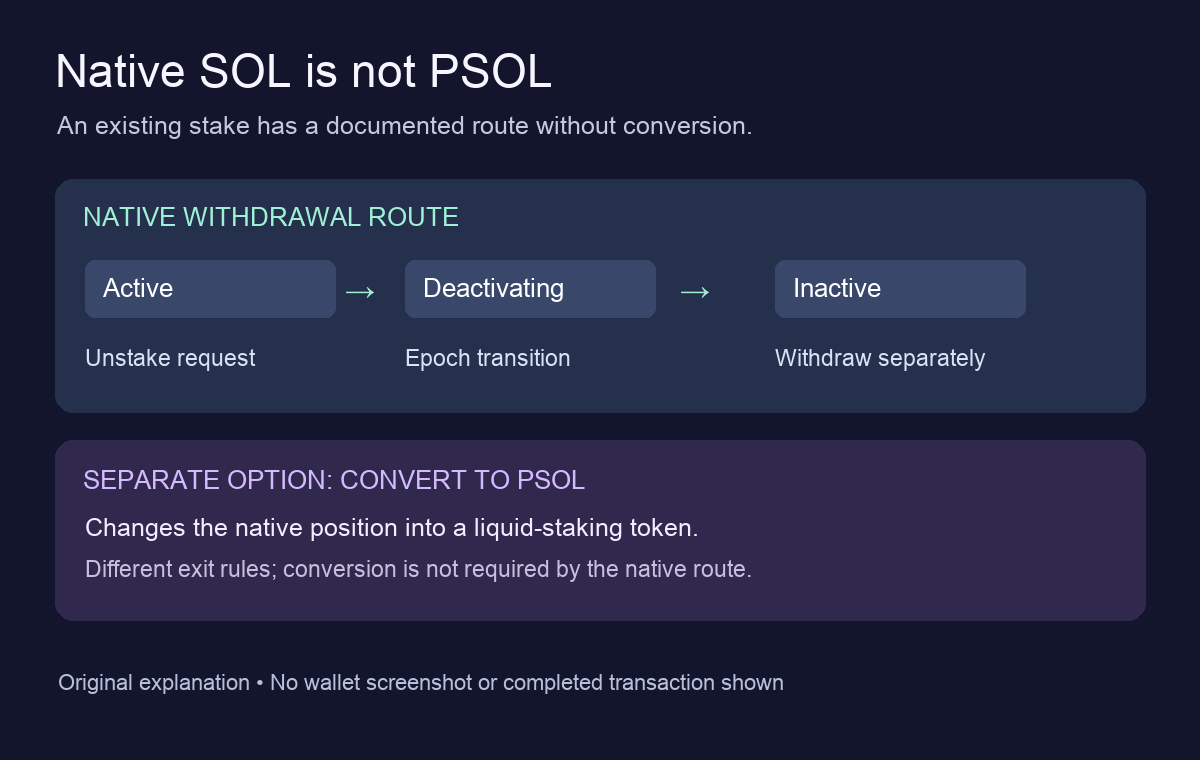
Phantom's documented native SOL withdrawal route does not require converting to PSOL. Its native-staking guide describes Unstake and Withdraw Stake separately. Seeing only Convert to PSOL does not establish that conversion is compulsory.
An existing staker's question makes the confusion concrete: several validator stakes were still present, but the familiar unstake option had disappeared. The post does not identify an app build or confirm a repair. HideFi has not tested that wallet; the checks below distinguish the documented routes.
Find the existing native position first
In the current mobile instructions, existing stakes sit under Solana → View SOL → Your Positions → Native. Open the relevant stake account to read its status. The browser extension instead lists them under Solana → Native Stakes → Other.
This is a different task from opening a new native stake. If the latter is what you need, see why mobile only offers PSOL for a new stake. That restriction does not establish that existing stakes must be converted.
Match the status to the remaining task
The native guide distinguishes Active, Deactivating and Inactive:
| Observed state | What remains | What it does not prove |
|---|---|---|
| Active native stake | A decision whether to request unstaking | That conversion is required |
| Deactivating | The network's unstaking transition | That SOL has reached the wallet balance |
| Inactive | A separate withdrawal action | That withdrawal already happened |
The transition normally follows Solana epochs, typically two to three days. Treat that as an estimate, not a promised completion time.
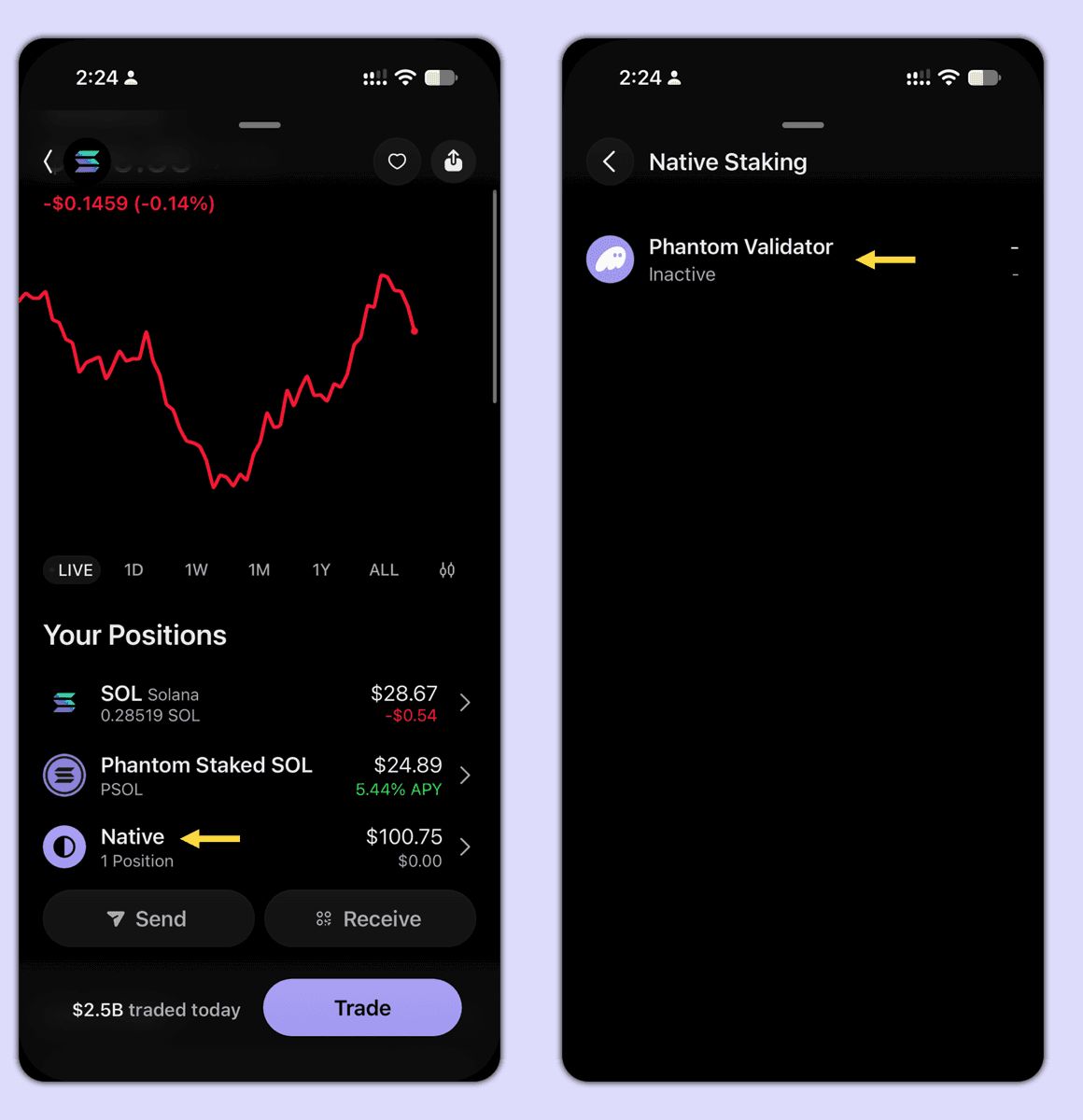
An Inactive stake has a separate Withdraw Stake action in Phantom's instructions. Merely reaching that status does not establish that SOL is back in your spendable balance. Check the selected account and status before approving any action that changes or moves the stake.
What converting to PSOL would change
Phantom's PSOL guide describes conversion as a separate option that deactivates the native stake and converts it into the liquid-staking token. It is not just another name for returning plain SOL to the wallet. The native-versus-liquid comparison also distinguishes a manual native withdrawal from an exit through a liquid-staking token. Native actions still incur network fees.
PSOL has its own exit rules: a 0.1% exit fee applies, and insufficient reserve liquidity can produce a native stake instead of immediately returning SOL. That branch still needs native unstaking and withdrawal. Do not take this detour simply because its button is visible.
If Unstake is still absent
Record the platform, app version, stake status and the menu you actually see. Ask Phantom Support about the missing control before approving an alternative action. Keep account details out of public posts.
The documentation establishes a route without conversion. It does not establish why the original poster's control was missing, or guarantee that following the menu will resolve every build-specific problem. HideFi performed no staking, conversion or withdrawal transaction.
Official sources
Product interfaces and recovery policies can change. Confirm the current steps before acting.