Separate Cash recipient setup costs from card funding, token conversion and bank withdrawal fees. Check which action and quote apply before confirming.
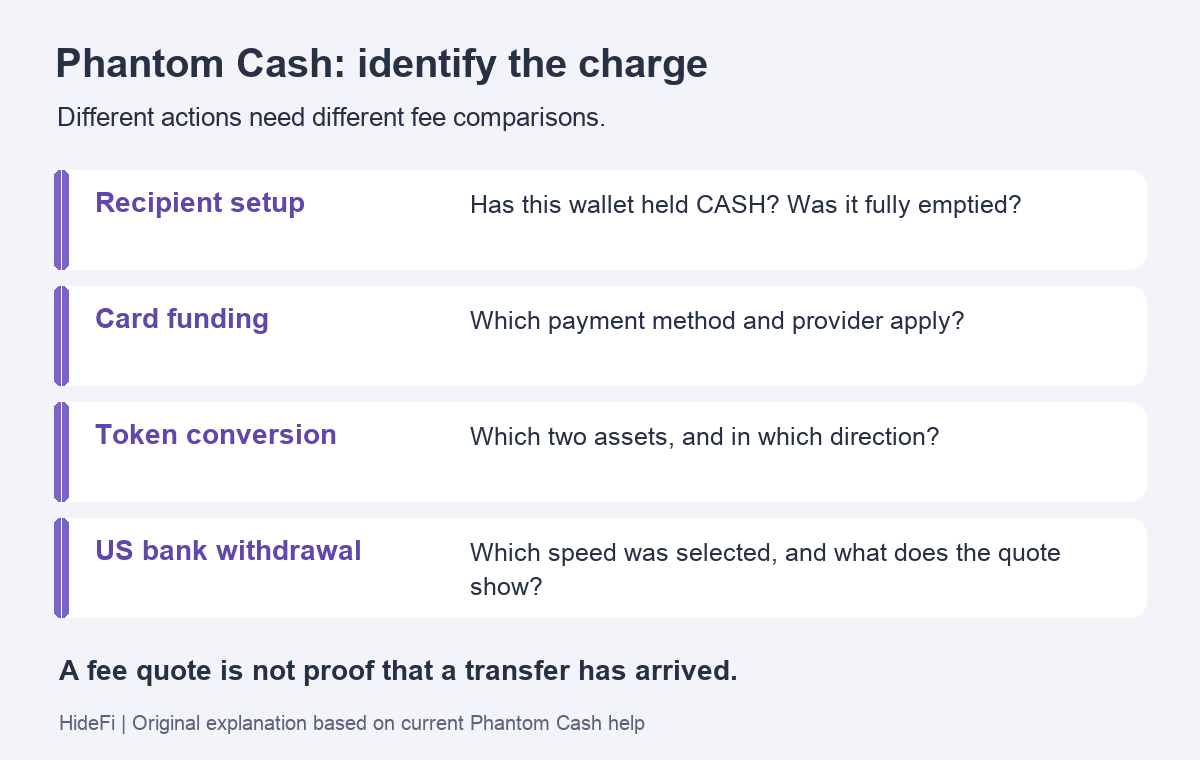
Phantom Cash fees depend on the action you are taking. A recipient setup cost, card-funding charge and bank-withdrawal fee do not describe the same service. A transfer described as free may still need a Solana setup cost for its recipient. Phantom's fee page says applicable fees appear before confirmation.
The useful question is what the charge is for. Comparing the amount with an old card-loading rate or another transfer can otherwise lead to the wrong conclusion. This guide explains the distinction; it does not report a payment HideFi tested.
Confirm that you are using Cash
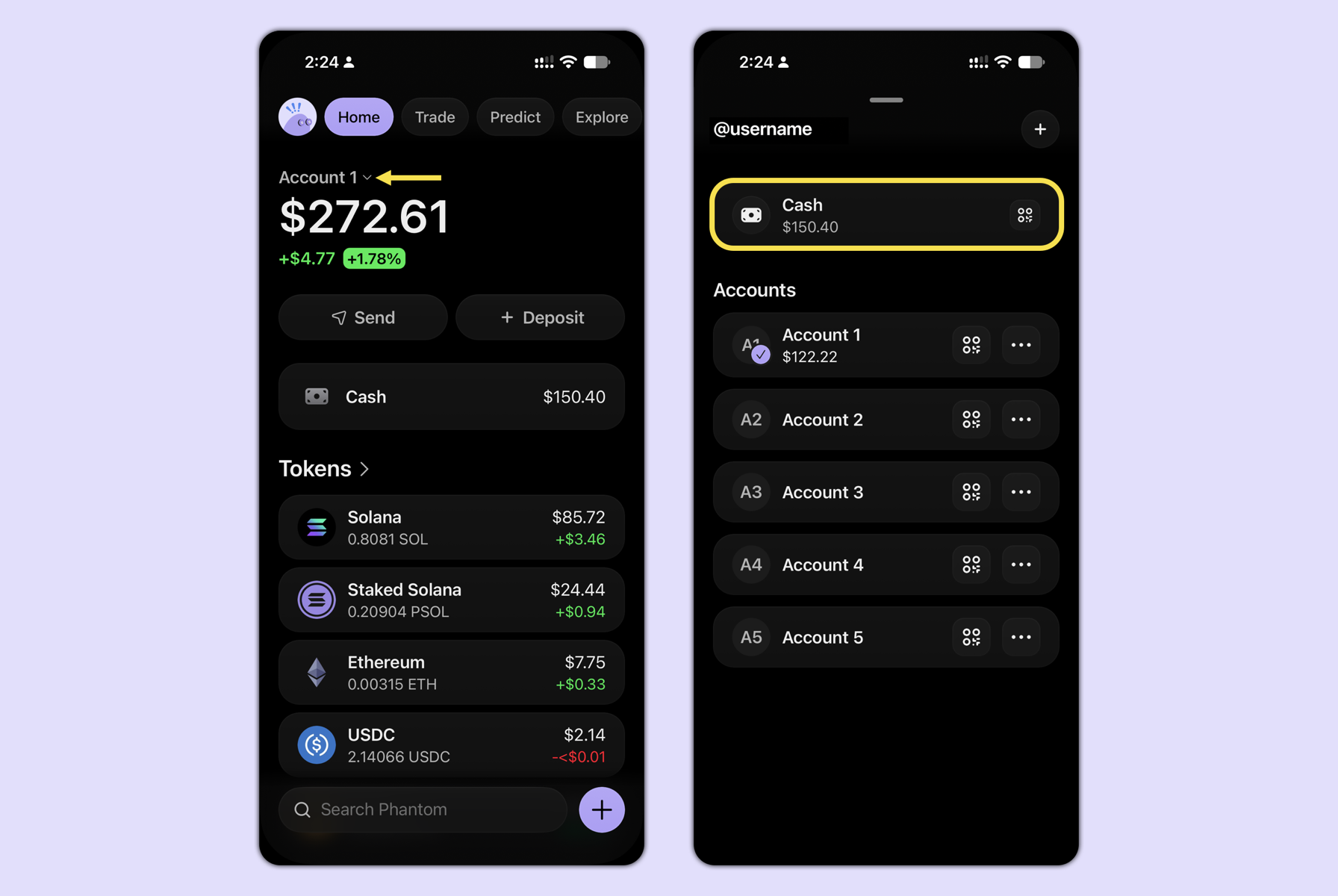
Phantom describes Cash as a separate Solana wallet linked to your profile. It holds the CASH stablecoin and has a different address from your main Solana account.
That matters before comparing charges: buying SOL through a provider in the main wallet is not automatically the same action as adding money to Cash. Available Cash funding methods also depend on region and provider. Establish the account and action first, without posting account or bank details.
Match the charge to the action
Use the current fee schedule to classify what the quote describes.
- Sending CASH to a wallet or username: check whether the recipient needs setup. A free transfer is not a promise of zero setup cost.
- Adding Cash with a card: identify the payment method and provider. A bank-deposit rate is not a card-funding rate.
- Converting to or from Cash: record both assets and the direction. Stablecoin conversion routes do not all carry the same fee.
- Withdrawing to a US bank: check standard or fast withdrawal. Speed changes the fee being quoted.
The setup cost is a Solana network requirement and varies with SOL's price. It can apply again after the receiving account has been fully emptied of CASH. Treating it as a permanent, once-per-person fee would miss that condition.
A fast withdrawal fee does not mean instant bank receipt
This bank route is available in the US excluding New York and requires identity verification. Phantom's US bank-withdrawal guide asks users to review both speed and expected arrival before confirming. It distinguishes a withdrawal marked Completed from the bank making the money available.
Once a transfer is successfully processed, its withdrawal fee is non-refundable. A delay alone therefore does not establish a refundable fee. Keep the selected speed and transfer status separate from the bank's receipt status when seeking support.
Stop at an unexplained quote
If the action or charge still does not match, pause before confirming. Recheck the official help for that action and use Phantom Support through the app or help center. Keep financial details out of public posts.
If the problem is that an old US virtual card stopped working, that is a card-replacement problem, rather than a reason to repeat a Cash transfer. The fee comparison above does not establish why any particular payment failed.
Official sources
Product interfaces and recovery policies can change. Confirm the current steps before acting.