If Phantom replaced your US virtual card, check the card selected in your phone wallet and with merchants. A decline alone does not establish the cause.
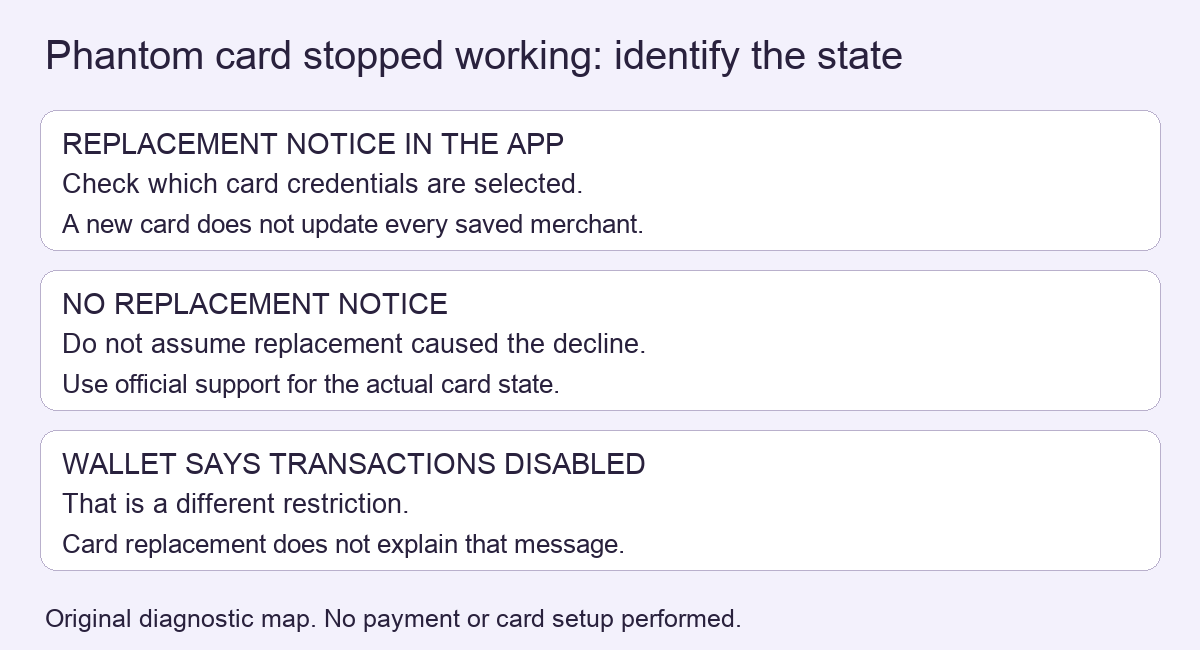
If your old US virtual Phantom card stopped working and the app says it has been replaced, first check the card details being used. Phantom’s current US replacement notice says the previous card stops working when replaced. That is a card-credentials change, not evidence that the Cash balance disappeared.
This is a conditional explanation based on documentation checked November 11, 2026. HideFi has not tested a personal card or payment.
Does the app show a replacement notice?
The notice describes a new issuer and new card number. It requires Phantom mobile version 26.33 or later. Without the replacement notice, a decline alone does not identify its cause; use Phantom Support for the actual card state.
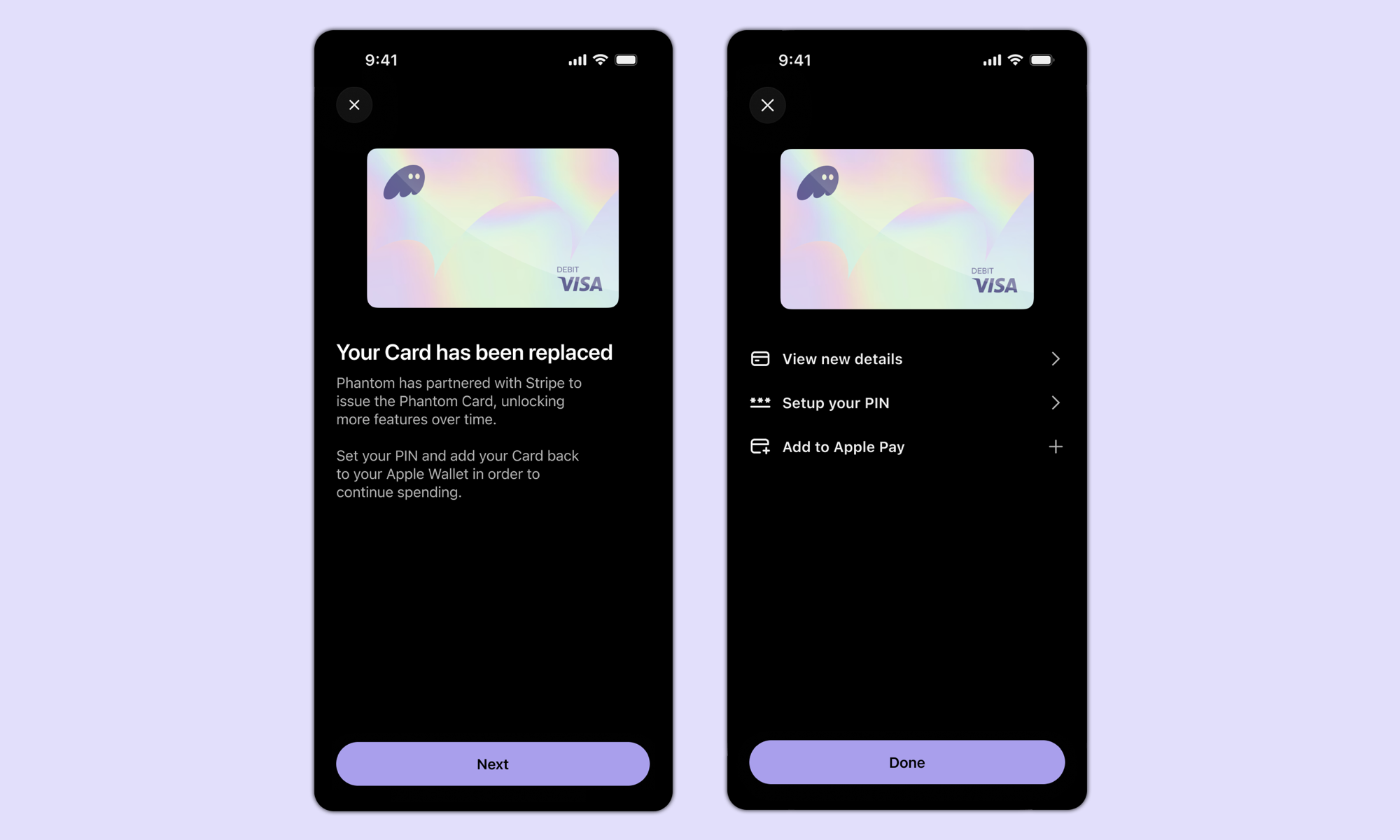
Which saved card is the payment using?
Treat a phone wallet and a merchant’s saved payment method as separate places to check. Adding the replacement to Apple Wallet or Google Wallet does not update a subscription stored directly with a merchant. Review the selected card before retrying a payment; this article does not ask you to make a test purchase.
| Observation | Next check | Limit |
|---|---|---|
| Replacement notice appears | Compare the card selected for that payment | The notice does not explain every decline |
| Phone wallet was updated, subscription still fails | Check the merchant’s saved card | Wallet setup does not update merchant records |
| No replacement notice or details cannot be viewed | Use official Phantom Support | Do not guess an account-specific cause |
Is the wallet itself restricted?
If Phantom instead displays “Transactions Disabled,” use the separate wallet restriction guide. A card replacement and a wallet sending restriction need different explanations. Keep card numbers and security codes inside the official app or intended payment service, never in a public support post.
Official sources
Product interfaces and recovery policies can change. Confirm the current steps before acting.