If MetaMask says a missing token is already added, check the account and network, then the extension's site access setting on Chrome, Edge or Brave.
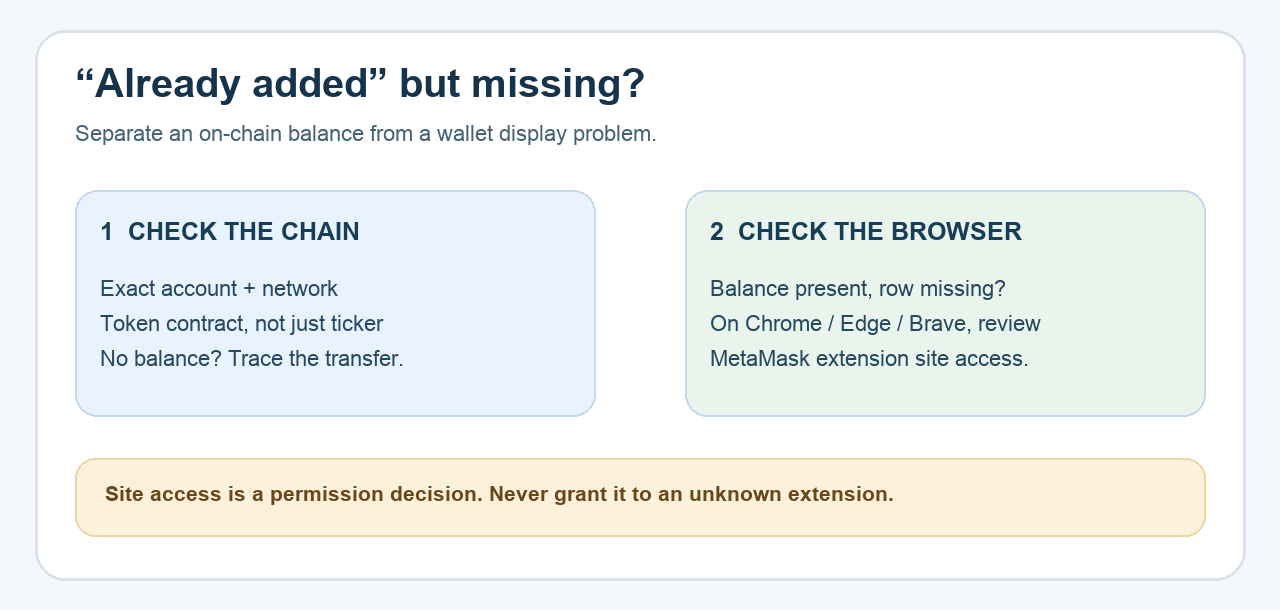
A MetaMask user reported that their tokens would not display even after repeated imports. Trying the same contract again produced the maddening message “Token has already been added.” Another user described a loading-token screen with the same error. The message is a clue about MetaMask's local token list, not proof that the token balance is zero or that a transfer failed.
The quick answer depends on where the mismatch is. First compare the public address, network and token contract with a trusted block explorer. If those match and the token is present on-chain, MetaMask's current help page points Chromium users to an extension site-access setting that can block token loading. This is an illustrative troubleshooting path, not a wallet HideFi accessed.
Is the token in this account on this network?
Before changing the browser, copy the public address for the selected MetaMask account and check it on the explorer for the network where the token actually lives. Compare the token's contract address, not just its ticker; symbols can be reused. A token on another network or under another account will not appear simply because you retry Import tokens here. The broader missing-token guide walks through those transfer and explorer checks.
If the explorer shows no balance for this exact address and contract, stop treating “already added” as a display fix. Investigate the transfer or account selection. If the explorer confirms a balance but MetaMask stays on “loading tokens” or hides the row, continue with the browser check. Do not enter a recovery phrase into an explorer or a troubleshooting page.
Does your browser let MetaMask read site data?
For Chrome, Edge and Brave, MetaMask's official article says to open the MetaMask extension's browser menu, find This Can Read and Change Site Data, and compare When You Click the Extension with On All Sites. The screenshot below is MetaMask's own example of that menu; labels can differ by browser version. In the 2026 MetaMask forum discussion, a helper also asked the user to check this setting after checking the network and token list.
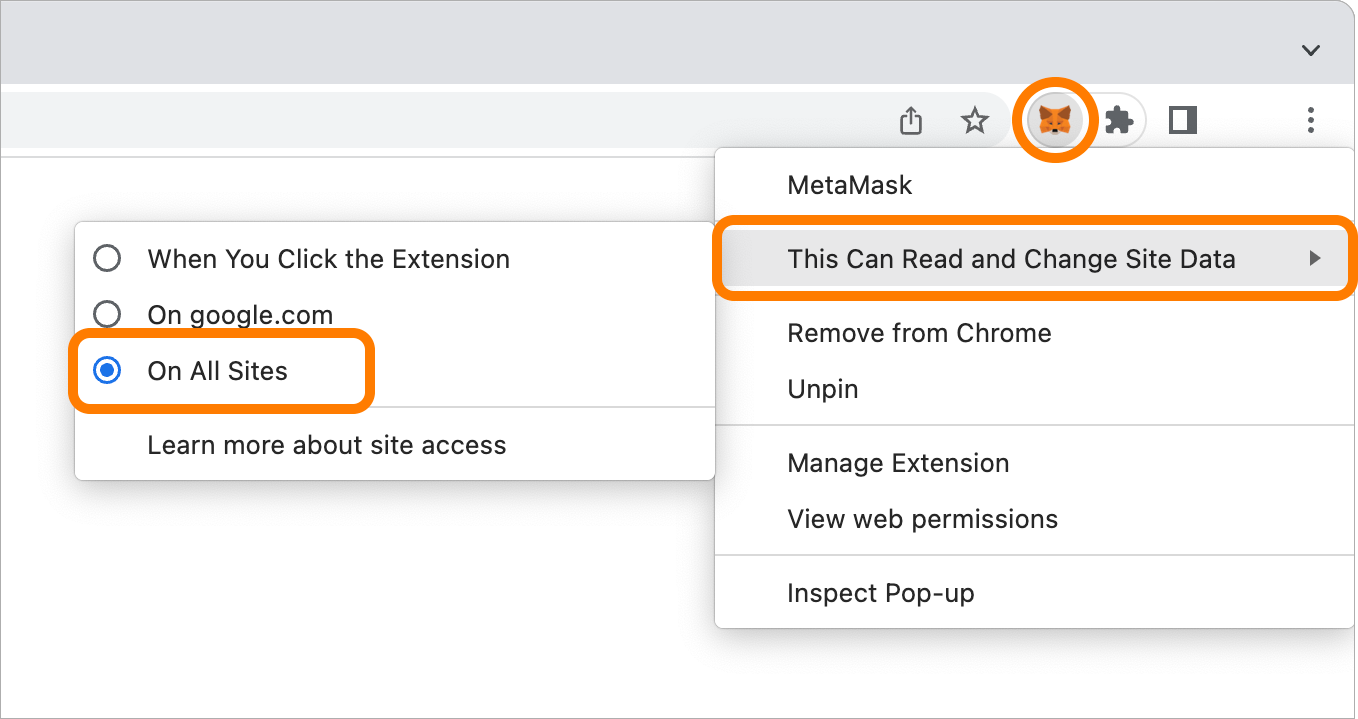
On All Sites broadens the extension's site access. Make that change only for the genuine MetaMask extension, after you understand and accept the permission; it is not a setting to grant to an unknown extension or a website that asks you to install one. Then close and reopen the browser and see whether the same token row loads. MetaMask also suggests trying a different internet connection if needed. Do not reset or reinstall your wallet as a first diagnostic step.
What if I use Firefox, or the error remains?
MetaMask says this particular Chromium permission fix does not apply to Firefox, where the extension already requests the required permission. On Firefox, or if the setting and restart make no difference, return to the observable facts: exact account, network, contract, explorer balance and error text. Check whether a token filter is hiding zero-balance tokens. A confirmed on-chain balance with a persistent MetaMask display failure is a support case; use the official MetaMask help center, and share only public details needed to describe the issue.
The result is one of three states: the token is in a different account or network, the token is present on-chain but the browser permission or connection affects MetaMask's display, or the display still fails and needs official support. “Already added” by itself cannot distinguish them. No one needs your Secret Recovery Phrase to make a token row appear.
Official sources
Product interfaces and recovery policies can change. Confirm the current steps before acting.