A known password can reveal a lost MetaMask phrase only in the right wallet state. Compare working access, setup screens and biometric-only access.
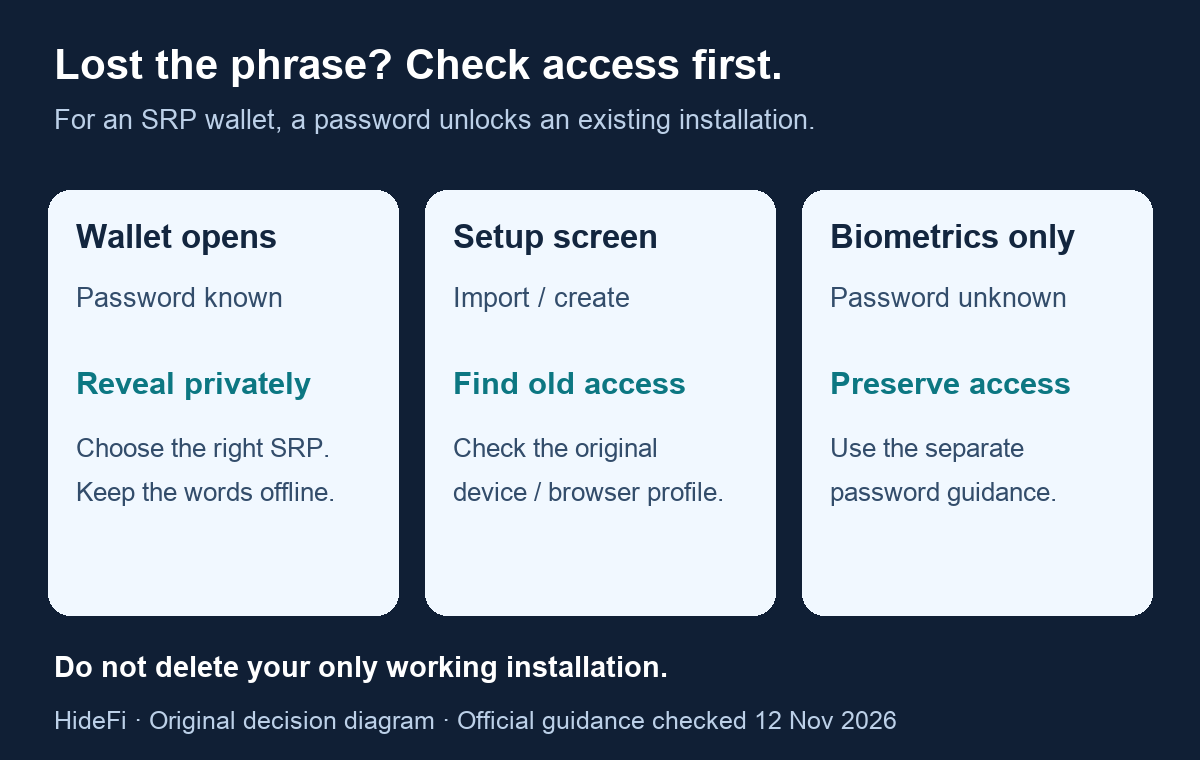
A MetaMask user asked in February 2021 why knowing their password was not enough: the extension offered import or create options instead of a password login. They had lost their seed backup. The thread does not establish what removed the old wallet or report a successful recovery.
If you lost your MetaMask recovery phrase, first identify which installation still opens. The current official reveal guide supports revealing the phrase when the wallet is unlocked and you know its password. A remembered password alone does not establish those conditions.
Which screen are you looking at?
For a wallet originally created with a Secret Recovery Phrase (SRP), the password unlocks a particular installation. It is not a universal login that recreates the wallet on another device. That distinction comes from MetaMask's password explanation.
| What you can observe | What to check next | Limit |
|---|---|---|
| Your familiar accounts open, and you know the password | Use the current in-wallet reveal route below | Select the SRP belonging to the intended wallet |
| You only see wallet setup or import choices | Check whether an original installation on another device or browser profile still opens | This screen alone does not reveal why the old wallet is absent |
| Biometrics open Mobile, but you cannot supply the password | Keep that working access and use the forgotten-password guide to identify your setup | Being inside the app does not prove you can complete password-protected reveal |
Do not reset, uninstall or replace the only remaining installation while investigating. MetaMask's access scenarios warn that removing the extension generally deletes its local wallet data. This article does not provide a vault-extraction procedure or establish that a deleted wallet is recoverable.
If the wallet opens and you know its password
Open the genuine MetaMask app or extension yourself. The current documented settings routes differ:
- Extension: Settings → Security and password → Manage wallet recovery. Select the intended SRP and choose Reveal.
- Mobile: Settings → Security and privacy → Reveal Secret Recovery Phrase. Select the intended SRP.
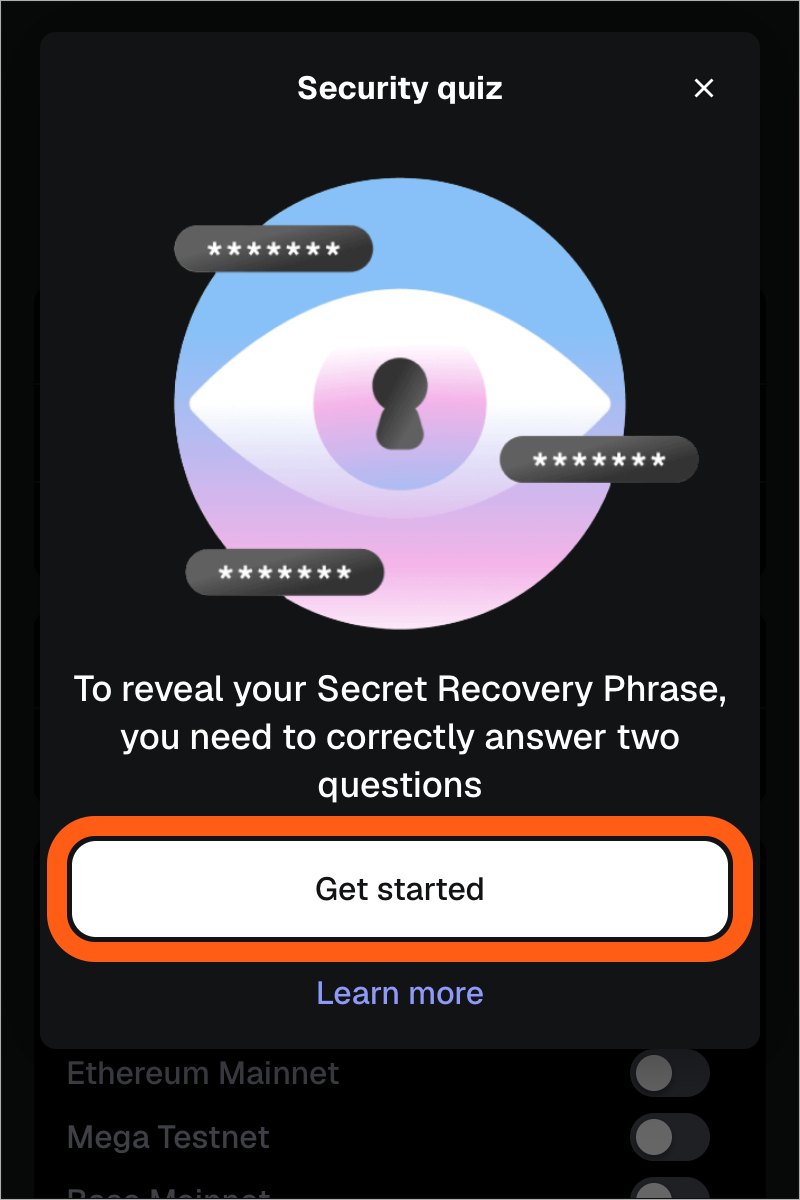
Follow MetaMask's own prompts privately. Extension includes a security quiz; the reveal flow requires the password and a hold-to-reveal control. If you cannot meet a prompt, stop rather than guessing a recovery workaround.
A saved phrase may not cover every account you see
An SRP covers accounts derived from that particular phrase. A private key covers one account. The current SRP and private-key explanation makes that boundary important when several wallet origins appear in one app. Revealing one phrase is not proof that every separately imported or hardware-backed account has been backed up. See MetaMask accounts missing after restore for that separate problem. Never enter a hardware wallet's phrase into MetaMask.
MetaMask recommends recording the words accurately, in their original order, in secure offline storage. Keep them off screenshots, chats, cloud documents and support forms. Nobody helping with this problem needs to see them.
What if you originally used Google, Apple or Telegram?
That is a separate access method. The official access guide says an originally linked social account together with the MetaMask password can provide access in a new instance. Creating a social login now does not establish a link to an old SRP wallet. The password rules also explain why the social account alone cannot reset a forgotten MetaMask password while locked out.
The useful result is a privately secured backup for the intended wallet, or a clear understanding that your current screen does not meet the normal reveal prerequisites. Neither an onboarding screen nor an old password is evidence that the funds disappeared.
Official sources
Product interfaces and recovery policies can change. Confirm the current steps before acting.