Ledger rolls out updates in stages. Check the app, official download page, and release list when a help page shows an older version.
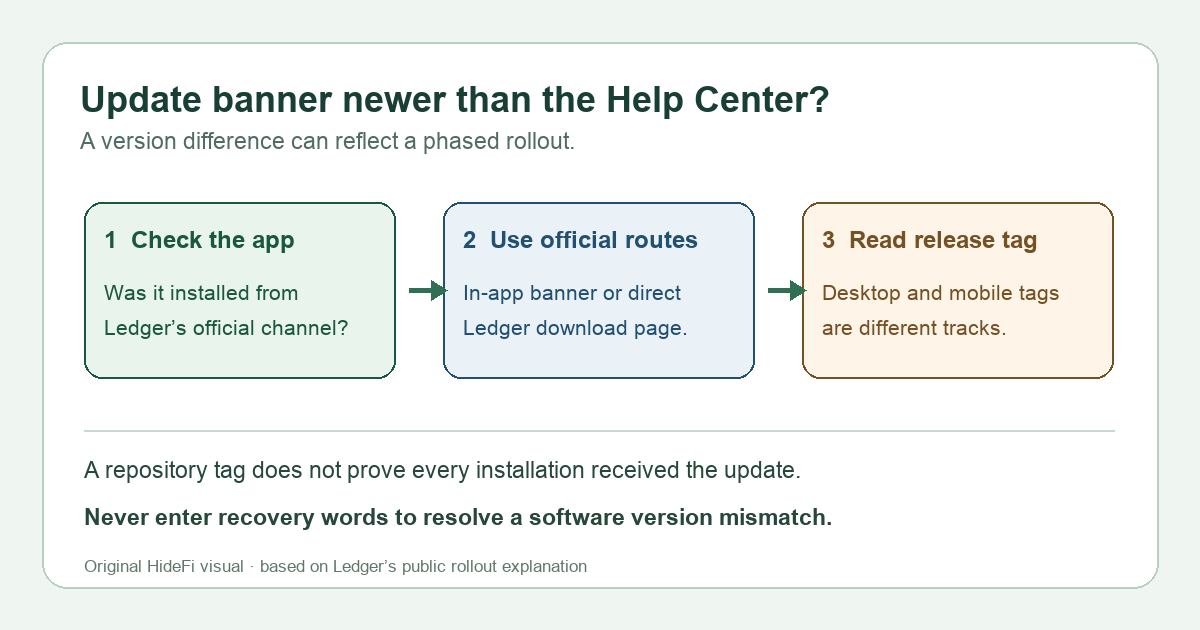
A Windows user had Ledger Wallet 4.24.1 installed. The app offered “New update, install and relaunch,” while a Ledger help page still called 4.24.1 the latest desktop version. Their practical question was whether the in-app update could be legitimate if the website had not caught up. In that first-hand exchange, a Ledger customer-success representative explained that updates roll out progressively and Help Center pages are normally updated after rollout reaches everyone. A version mismatch between the app's update prompt and a help article can therefore be normal. It is a reason to check the update's source, not proof that the prompt is fake or that any particular version is universally available.
Why does the app offer a version the Help Center does not list?
Ledger's representative answered the exact 4.24.1 question: releases are phased, and a Help Center article may lag until the rollout is complete. Ledger's official release history also lists desktop release tags separately from the Help Center's prose. These are different surfaces with different update timing. A repository tag shows that code was released; it does not by itself prove that every installation has received the update or that the tag is the current installer served to your device.
At the November 9, 2026 review, the public conversation mentioned 4.26.0, and Ledger's repository had a desktop 4.26.0 release. That historical example explains the mismatch; do not use 4.26.0 as a standing latest-version claim. The displayed version can change again, and desktop and mobile have separate release tracks.
How can I check the update without following a fake download?
Start with the Ledger Wallet desktop app you already installed through Ledger's official channel. If it shows its own update banner, Ledger's current update guidance says you may update through that notification. If you prefer a fresh installer, navigate yourself to Ledger's download page and choose your operating system there. The image below is a screenshot of that official download section as reviewed November 9, 2026; it shows the Windows, macOS, and Linux choices, not a promise about a particular version.
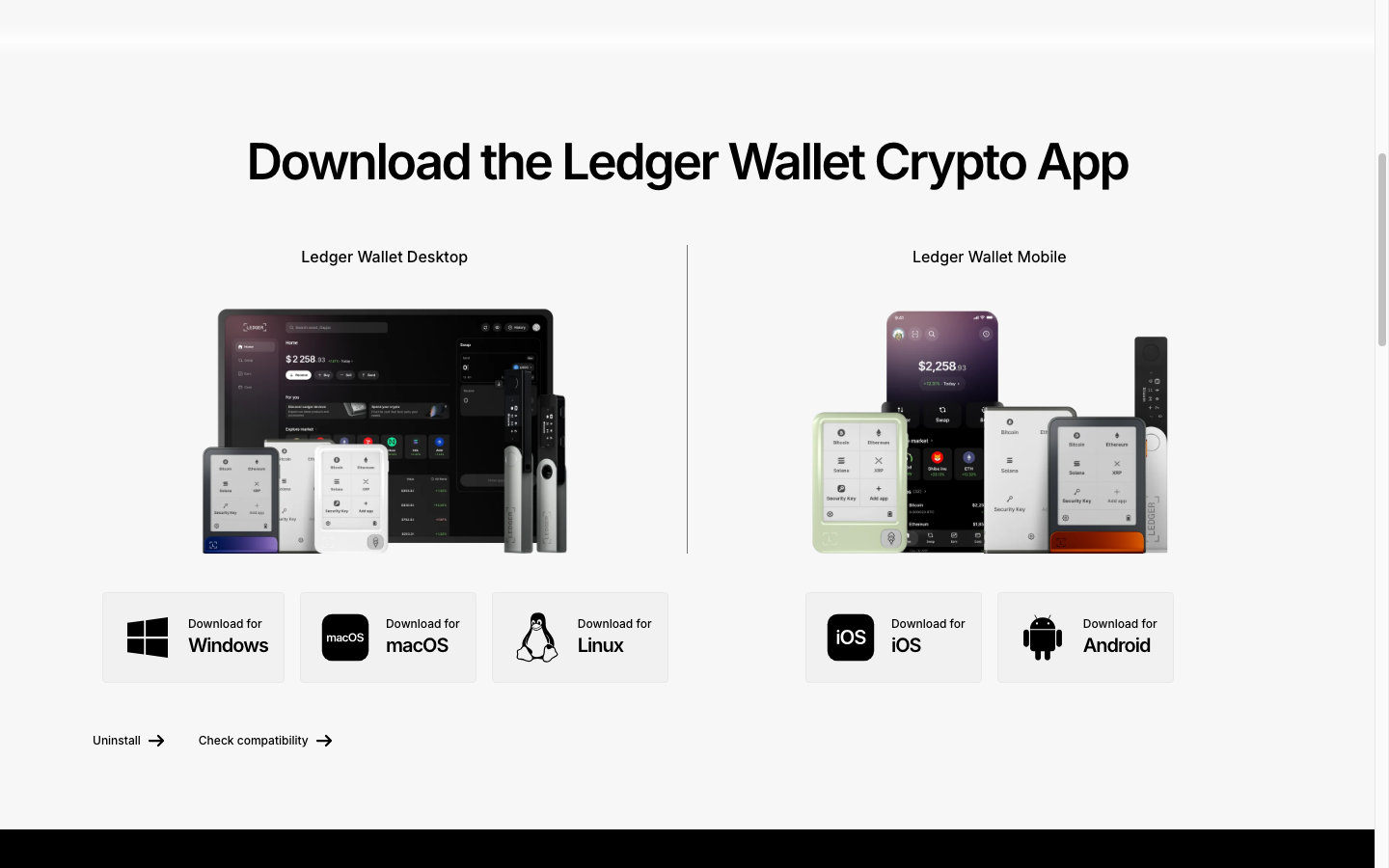
Screenshot captured from Ledger's official download page, November 9, 2026. Product mockups use example balances; no personal account identifiers are visible.
Check the domain before downloading, especially if you arrived from a search ad, email, social message, or “support” DM. Do not use an attachment sent by someone claiming to fix the version mismatch. If the app's prompt leads to an unexpected website or asks for your 24-word Secret Recovery Phrase, stop and use Ledger's official support entry point. An app update should not require typing your recovery words into a computer or website.
Which version should I trust?
Treat these as three separate checks. The installed app's update banner tells you whether that installation is being offered an update. Ledger's official download page is the direct installer route. Ledger's release list provides a dated technical record, but includes both desktop and mobile releases, so read the tag name carefully. A Help Center “latest” line may describe a rollout stage rather than the newest tag visible in the repository. The original report was about desktop on Windows; do not apply its specific version numbers to iOS or Android.
The decision is therefore conditional: if the update appears inside your authentic Ledger Wallet installation, use Ledger's documented in-app route or the official download page. If you cannot establish the app's origin, do not click through the prompt; open Ledger's site independently and ask official support if the routes disagree. Do not reset the Ledger device, enter its recovery phrase, or move funds merely because two version displays differ. A version-list mismatch alone is not evidence that your assets changed.
If your problem is instead an app missing on the Ledger device after updating, see the Bitcoin device-app guide; that is a different issue from the desktop software version.
Official sources
Product interfaces and recovery policies can change. Confirm the current steps before acting.