Ledger Flex frozen after a mobile update? Match the device screen, check the desktop My Ledger resume prompt, and know when to contact Ledger Support.
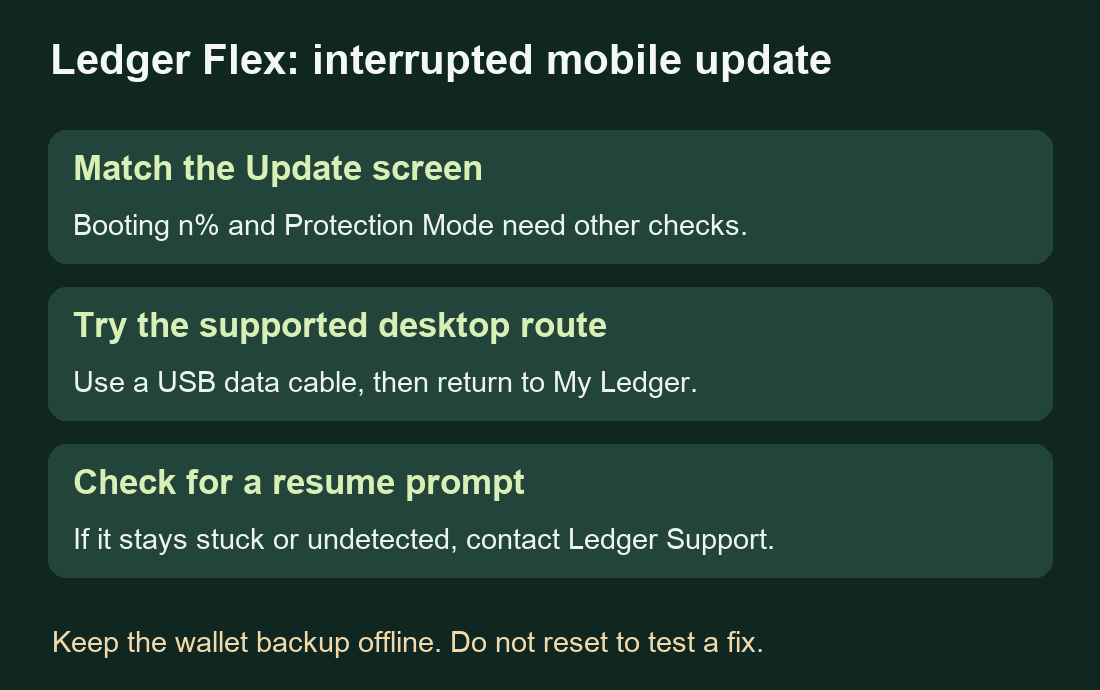
A Ledger Flex owner started an update over Bluetooth. The connection dropped after the device entered its update screen, and the progress stopped moving. Ledger's current Flex instructions give a desktop route for an interrupted mobile update: connect the device to the computer and return to My Ledger so Ledger Wallet can offer to resume. This applies to the update screen; check the wording on your device before proceeding. Original question, Ledger's model-specific instructions.
Match the screen before choosing a repair
The support article contains several different device states. Open its Ledger Stax, Ledger Flex and Ledger Nano Gen5 tab under the Update or Bootloader section. That is the branch used here. The separate Booting n% section describes a process that can reset a device. A Protection Mode message also needs its own guidance. Avoid applying those instructions just because the screen looks frozen. Current Ledger explanation.
An interrupted update does not establish that your wallet has been erased. Keep your offline wallet backup available and do not turn a stuck screen into a reason to factory-reset or enter recovery words in an app.
Look for the update in desktop My Ledger
Use the current desktop Ledger Wallet from the official download page. Connect the Flex with a USB data cable. The Ledger support response recommends a computer connection for this interrupted mobile-update case; its follow-up also distinguishes data cables from charging-only cables. Ledger support's replies.
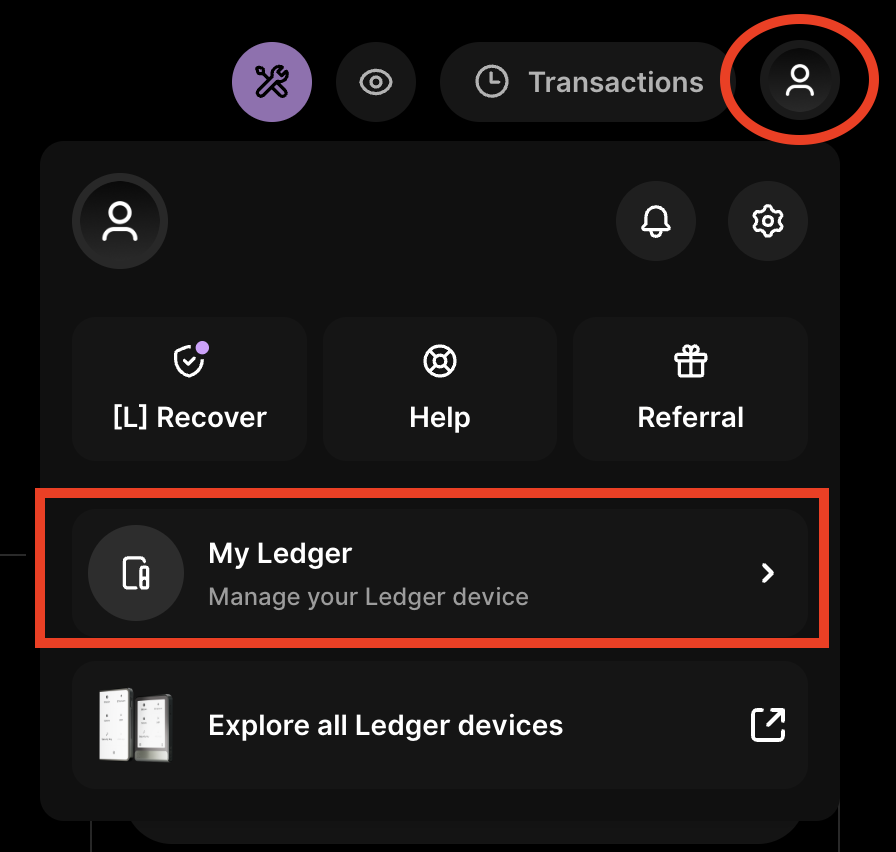
In Ledger Wallet, open the Profile icon at the top right and select My Ledger. If you were already there, move to another section and return. The official Flex branch says this should bring up the interrupted update. Review that prompt and use Continue if offered to resume the intended update. If it never appears, close and reopen Ledger Wallet, then check My Ledger again. Flex resume guidance, case-specific Continue instruction.
Check the result instead of repeating resets
If the update resumes and finishes, check the device normally. Ledger says an interrupted OS update can leave blockchain apps, language packs or lock-screen pictures needing manual reinstallation. A missing Bitcoin app afterward is a separate app-installation check.
If the computer cannot detect the Flex, or the same screen persists after the supported resume checks, contact Ledger Support. Describe the exact screen, whether the update began on mobile, and the cable and desktop version you tried. A later post by the same owner reported a failed PC connection, so this desktop route is not a guaranteed repair for every frozen Flex. Keep recovery words offline; decline any supposed repair that asks for them on a computer or website.
Official sources
Product interfaces and recovery policies can change. Confirm the current steps before acting.