WalletConnect pairs but Trezor Suite rejects DelegateResourceContract? Compare Suite and firmware support before treating pairing as a working delegation.
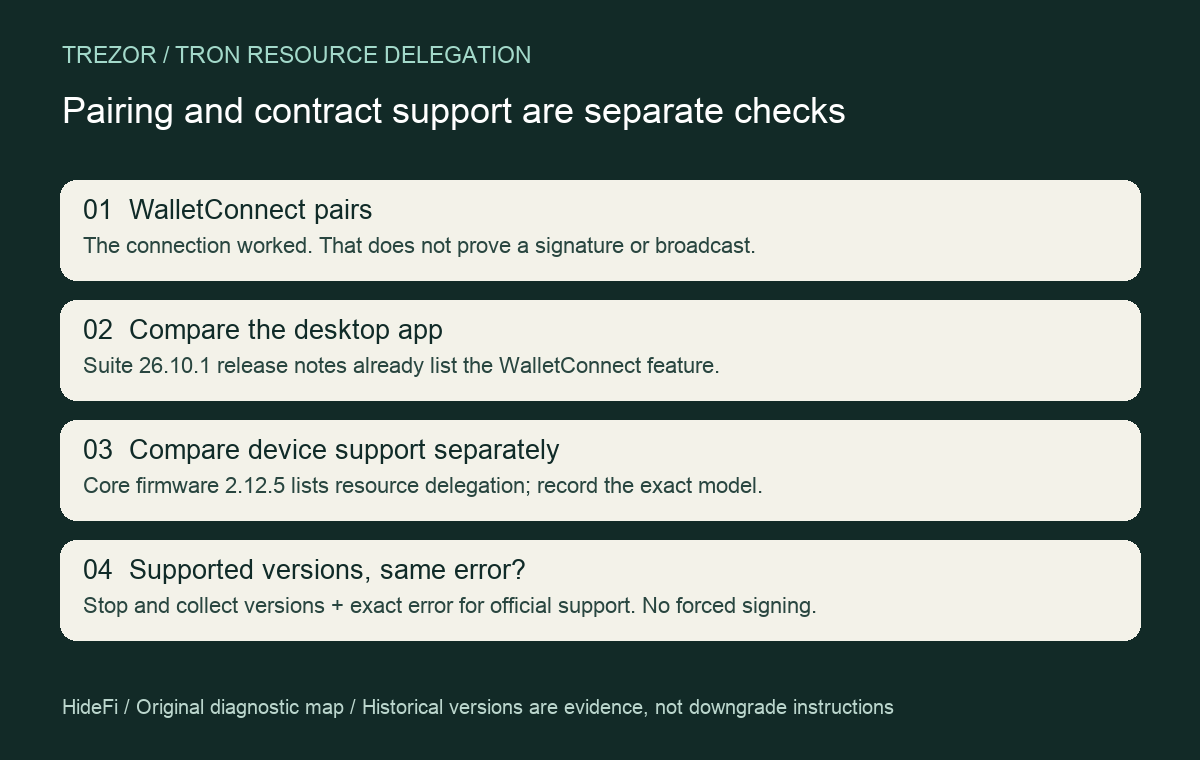
If WalletConnect pairs but Trezor Suite reports Unsupported Tron contract type: DelegateResourceContract, check Suite's version as well as the device firmware. A connection can succeed before the app processes the requested transaction type. Firmware support alone does not establish that the desktop app supports the same operation.
A September user report describes that exact split: pairing eventually worked, but resource delegation still failed. The reporter did not confirm their installed Suite version or a later successful delegation. This historical complaint is not proof of a current outage.
Compare the two release records
There are two useful pieces of evidence. The core firmware 2.12.5 changelog lists TRON resource delegation. Separately, Suite 26.10.1, released October 15, explicitly lists signing resource delegation and undelegation through WalletConnect. 26.10.2 repeats that feature. It was therefore already documented before 26.10.2; that later release is not a proven minimum requirement.
Find the installed versions without signing anything
Record your device model, installed firmware and installed desktop Suite version. Trezor’s desktop layout guide places both version indicators in the bottom-left area. Its firmware guide also shows the installed firmware under Settings → Device, in the Security section. Reading these numbers does not require approving a delegation.

A firmware update is a separate decision. Trezor warns that an interrupted update can erase device memory, so check the official backup prerequisites before starting one. This diagnosis does not require a reset, a firmware installation or a test transaction.
If Suite predates the release documenting the WalletConnect feature, a newer firmware number by itself does not settle compatibility. Compare against the current official Suite release notes; do not install an old release merely because this guide names it.
If your versions already include the documented support and the error remains, the release notes do not explain your individual failure. Stop there and give Trezor Support the exact error, versions, model and whether pairing completed. HideFi has not tested a delegation or established the original case's fix.
Resource delegation is a different task from staking
The current native staking guide describes freezing TRX and voting for a representative. Those actions are not interchangeable with delegating resources through a dapp. It lists Model T, Safe 3, Safe 5 and Safe 7 for native TRX staking; do not apply a core firmware version to Model One.
A successful pairing is a connection checkpoint, not evidence that a delegation was signed or broadcast. Do not approve a new request just to test the error, import recovery words into TronScan, or relax signing protections to bypass an unsupported contract.
If the connection itself never completes, use the separate Trezor Connect handoff checks only to distinguish a connection-stage problem. This guide concerns the later contract-type rejection, after pairing works.
Official sources
Product interfaces and recovery policies can change. Confirm the current steps before acting.