SOL sent to a Solflare SPL token account? Check the destination, token balance, and close authority before trying to reclaim it.
A Solflare user described the frightening version of this mistake: they copied the receive address for an SPL token account, sent SOL from an exchange, and saw nothing in their main SOL balance. In their follow-up, they said closing that token account returned the SOL. That outcome is possible when you control the account and it can be closed, but it is not a promise for every transfer.
An SPL token account is a separate Solana address used to hold one kind of token, such as USDC. It can also hold SOL at the account level even though Solflare does not show that SOL as a normal wallet balance. The useful question is: which account actually received the transfer, and can your wallet close it?
First, confirm where the SOL went
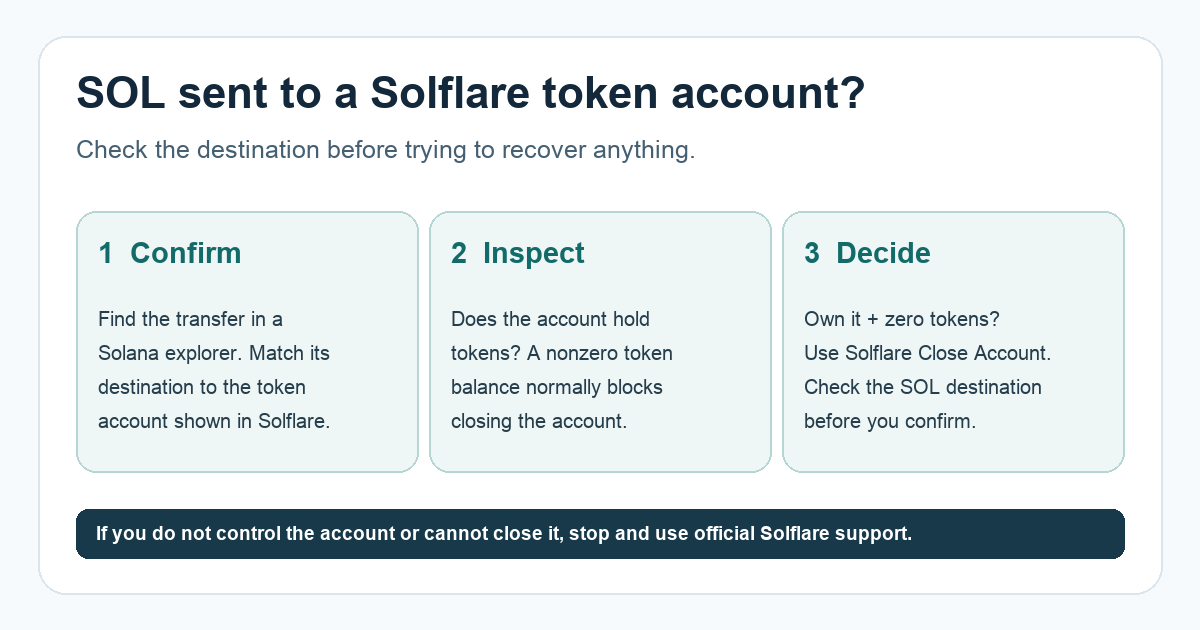
Find the withdrawal or transfer transaction ID in the sending app and open it in a Solana explorer. Compare its destination address with the token account address shown under your Solflare wallet. A successful transfer to a token account and a transfer to an unrelated address are different problems. Do not assume the word “Solflare” on your screen proves you control the destination.
If the explorer has no confirmed transfer, investigate the sender's withdrawal status first. If the destination does not match an account you control, the close-account route below is not available to you. Keep the transaction ID and ask the sender and official Solflare support for help; do not enter a recovery phrase into a website that offers to “unlock” the SOL.
When does closing the account return the SOL?
If the destination is a token account you control, inspect its token balance, which is separate from the SOL sitting in the account. Solana's current rule is that an ordinary token account must have a zero token balance to close. The account owner or its close authority must sign. A successful close transfers the account's SOL, including its refundable storage balance, to the destination chosen in that transaction. It does not send the money automatically to whoever originally created the account.
Solflare's help article says to find the relevant token account in Portfolio, verify that its token balance is zero, and use its Close Account action. If the action is available, review the transaction and SOL destination before confirming it in the wallet. Then verify the close transaction and the receiving balance on an explorer. The current menu may differ from the older help article, so use Solflare's own interface and support if you cannot identify the account or destination.
What if the token balance is not zero, or Close Account is missing?
Stop before signing. A nonzero token balance normally blocks closing; deleting or selling the token just to make the button appear may create an unwanted trade or loss. Some accounts have different authorities or token extensions, and Solana documents extra close checks. The same documentation also treats wrapped SOL accounts as a special case. Do not apply the ordinary empty-account steps to a wrapped SOL account without confirming its type.
At this point, give official Solflare support the public transaction ID and destination account address. Never provide your recovery phrase, private key, or a signature to anyone offering an off-platform recovery. The clear outcome is conditional: confirmed transfer + account you can close + zero token balance gives a documented way to reclaim its SOL; any missing condition needs more investigation before you act.
Official sources
Product interfaces and recovery policies can change. Confirm the current steps before acting.