Paid through Solflare BUY but no SOL arrived? Check the vendor order, on-chain transfer and receiving address to find the right support route.
A Solflare buyer described paying for SOL through the wallet’s BUY flow, seeing no SOL, and watching the payment widget stay on “Transferring tokens.” They even made a second purchase because the first looked lost. A payment debit is not yet proof of an on-chain SOL transfer. The useful next step is to identify the payment provider, find that provider’s order or receipt, and ask for its status or transaction signature. Solflare says third-party vendors process BUY payments and delivery; the timing varies by vendor and card issuer.
I paid through Solflare BUY. Where is the order?
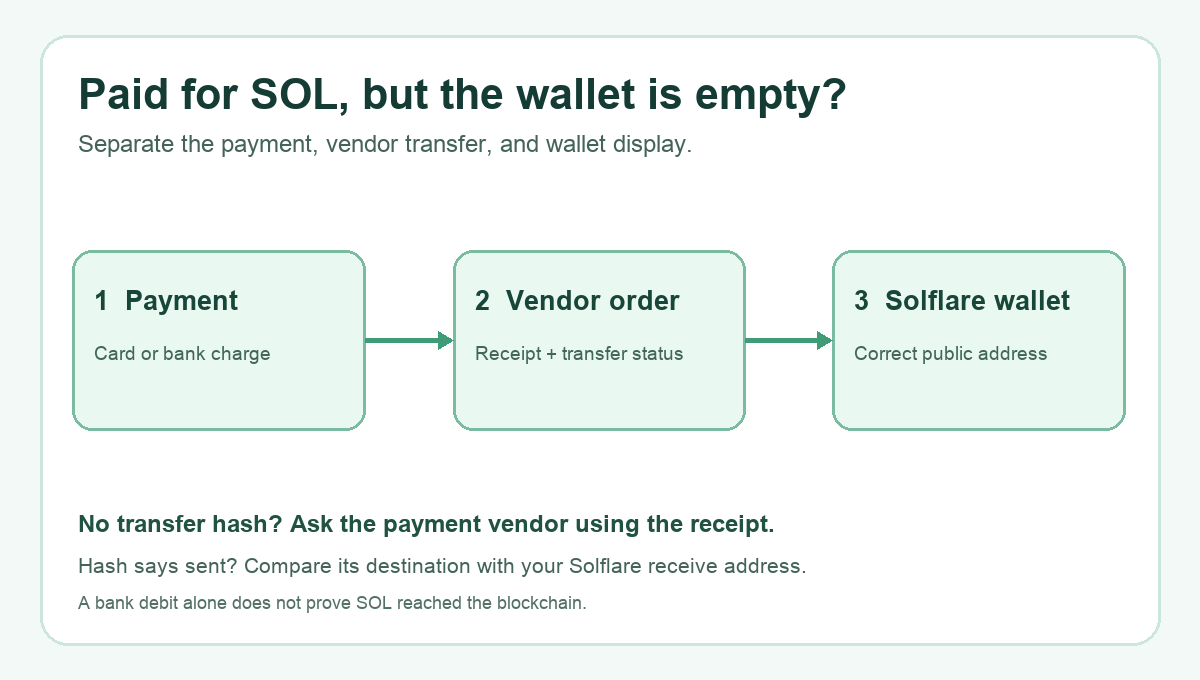
Imagine opening the wallet after the card or bank app says “paid” and finding the same old SOL balance. I would first separate three records: the payment, the vendor’s crypto order, and the wallet’s on-chain balance. The diagram above shows why: each record can be at a different stage. A bank charge tells you about the first stage. It does not show whether the vendor has broadcast a Solana transaction.
Check the email or screen from the provider selected inside BUY. Keep the provider name, order or payment reference, time, amount, and the Solflare public receiving address you supplied. If you closed a widget and have no order number, the payment reference and receipt still give the provider a starting point. Solflare’s BUY delay guide directs payment and refund questions to the specific vendor, usually through a support link on its invoice. Do not send the vendor your recovery phrase, private key, or wallet password.
The buyer in the public report later said one order arrived after several hours. That is one outcome, not a delivery-time promise for another provider or order. Repeating the purchase can create two separate charges and does not repair the first order. I would investigate the existing reference before paying again.
“Transferring tokens” is still showing. Who can check it?
That wording belongs to the payment provider’s process, not necessarily to a completed transaction in Solflare. If the provider is Onmeta, its current order-status guide distinguishes payment received, crypto transfer initiated, transferred on-chain, and completed. Other vendors can use different labels. Ask the vendor for the order status, destination address, and Solana transaction signature if one exists. The signature is a public identifier for the on-chain transfer; no signature may mean the provider has not supplied evidence of a broadcast transfer yet. It does not by itself tell you whether a refund is due.
Solflare’s on-ramp support article makes the boundary clear: Solflare provides the wallet and connects you to vendors, but its support cannot directly settle a vendor’s payment or refund. Use the support link in your own invoice or the provider’s official site, not a link sent by an unsolicited account in a forum or direct message.
The vendor says SOL was sent, but I still cannot see it
Now the question changes from payment processing to destination and wallet display. Ask for the Solana transaction signature and the receiving address used. Compare that address with the one in the same Solflare account you expected to receive the SOL. Solflare’s address guide says the current receive address is available under RECEIVE. Copy it instead of retyping it; Solana addresses are case-sensitive.
If the provider gives a public signature, inspect it in a reputable Solana explorer and compare the destination and result with your copied address. A confirmed transfer to a different address is not fixed by refreshing Solflare; take the mismatch to the provider with the order reference. If the transfer is confirmed to the correct address but Solflare still does not display the balance, contact Solflare support with the public signature, public address, approximate time, and a screenshot of the display problem. Do not share secrets. If the provider cannot give a transaction signature or a clear order status, keep the case with the provider.
The practical answer is a fork: payment received but no proven transfer → vendor support; confirmed transfer to your address but missing wallet display → Solflare support. Neither branch guarantees recovery or a particular refund. The evidence you collect determines which team can investigate the actual stage where the purchase stopped.
Official sources
Product interfaces and recovery policies can change. Confirm the current steps before acting.