If Slush Mainnet transactions work but a zkLogin personal message fails verification, check the adapter version, signing chain and verifier network.
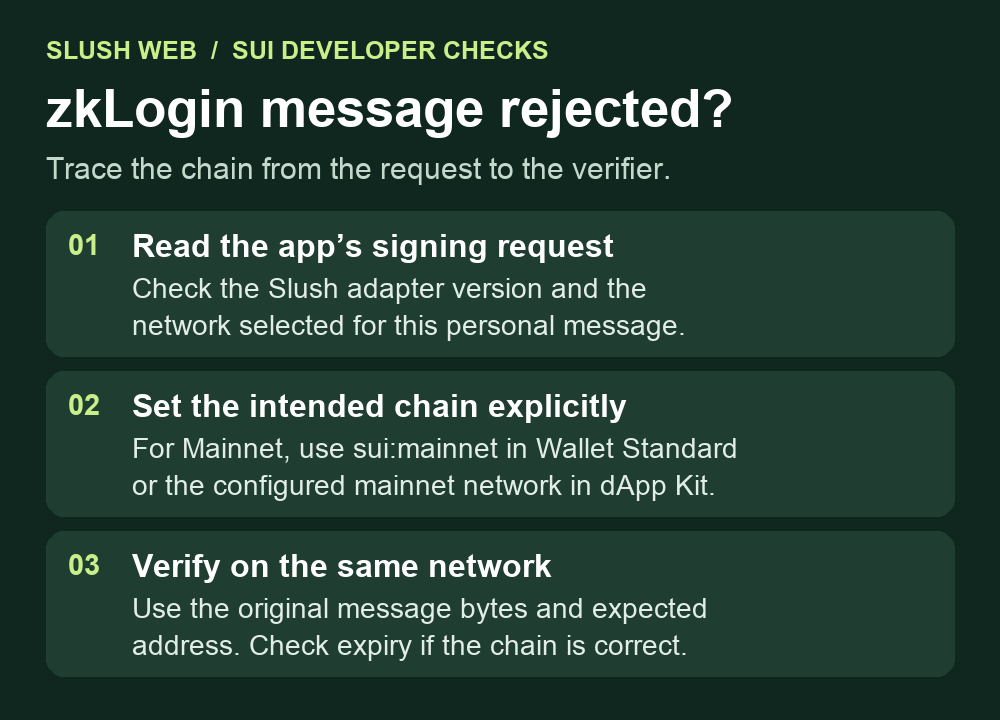
A developer using Slush Web could submit Sui Mainnet transactions, but personal-message signatures for a Seal session failed verification. The app was passing a Mainnet chain for transactions and leaving it out for messages. Check the chain on the personal-message call and the chain used by the verifier. Mysten’s adapter fix explains why the older default could produce a Devnet signature for a Mainnet app.
Check the adapter version and the request separately
In the reported integration, the app pinned @mysten/slush-wallet 1.1.13. A missing chain let the adapter pick the first advertised chain, which was Devnet. The resulting zkLogin envelope had a maxEpoch that looked expired when compared with the Mainnet epoch. Sui’s zkLogin reference explains how this value bounds the temporary signing key. A low epoch on the wrong chain and an expired session on the correct chain are different conditions.
Look up the adapter version actually resolved by your app’s lockfile. The 1.1.22 changelog lists the correction to the default. The current adapter source honors an explicit chain and prefers Mainnet when the connected account advertises it. A current wallet interface alone does not establish which adapter your app shipped.
Make the app’s intended network explicit
For a Mainnet integration that calls the raw Wallet Standard feature, pass chain: 'sui:mainnet' with the existing account and message arguments. The reporter confirmed this worked on the pinned adapter before upgrading. If you call the current dApp Kit action instead, use its network option with the identifier configured for Mainnet, commonly 'mainnet'. dApp Kit maps that identifier to the signing chain and rejects unsupported chains. For an app targeting another network, use that network’s configured identifier and matching chain.
Keep the change in the application integration. A user who sees the error in someone else’s app can report the failed action and app version. They do not need to move funds or send their signature or login proof to a support chat. If the problem is a missing Slush account after login, start with the wallet address comparison.
Verify the original message on the same network
In your own test environment, use the exact message bytes and expected account address when checking the resulting signature. Mysten’s SDK verification guide explains that zkLogin verification uses a network client and that the expected address can be passed as an option. For Testnet, the guide shows supplying a Testnet GraphQL client. Verifying only the temporary key’s signature does not check the whole zkLogin envelope.
If the full verification still fails with matching networks, check the envelope’s expiry against the intended network’s epoch and confirm that the verifier is using the original bytes and expected address. Keep the verification failure in place while investigating. A successful transaction signature from the same wallet does not establish that the separate personal-message request was constructed correctly.
Official sources
Product interfaces and recovery policies can change. Confirm the current steps before acting.