Rabby can intentionally open Ledger’s official Ethereum app. Separate custom-app compatibility from device detection and other signing failures.
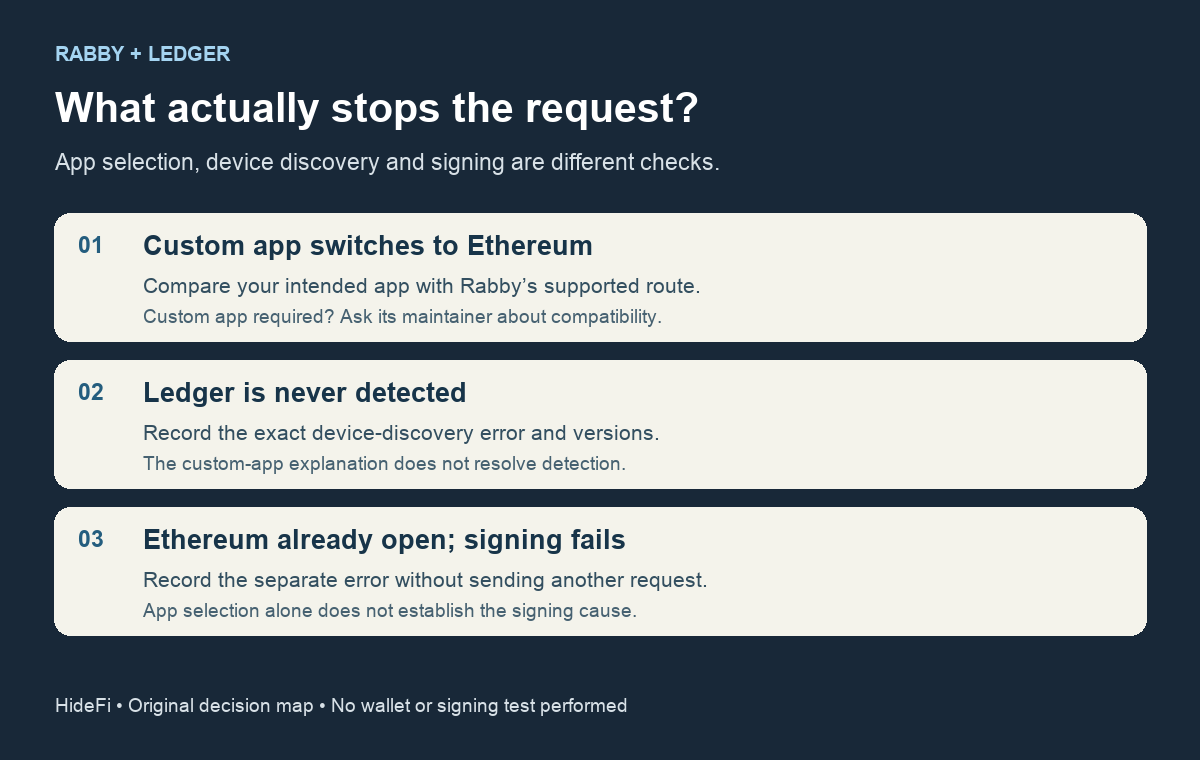
If Rabby switches your Ledger from a custom app to the official Ethereum app, the switch can be intentional. Rabby’s supported Ledger integration targets the official app. Reopening a custom app does not make that workflow supported.
A developer reported this exact interruption in Rabby 0.93.98: their custom Ethereum app was open, but Rabby tried to open the main Ethereum app before submitting the signing request. A repository collaborator explained that this followed Rabby’s move to Ledger’s Device Management Kit and Ethereum signing library. Custom Ledger apps were outside the supported integration.
Check whether this is actually an app switch
Separate what you observed into three states. If the device is recognized and Rabby opens the official Ethereum app, compare your intended app with the supported route. If the device is never detected, this explanation does not establish a USB or connection fix. If the official Ethereum app is already open and signing still fails, collect that separate error rather than assuming a custom-app restriction caused it.
There is another easy mix-up: an account can be visible without having signing authority. If Rabby explicitly says watch-only, use the separate watch-only account checks. That message concerns the selected account’s signer, not which app a connected Ledger opens.
Does the current release still select Ethereum?
HideFi checked the source tagged v0.94.15, released November 5, 2026. Its Ledger keyring implementation sets the target app name to Ethereum, builds Ledger’s Ethereum signer, and passes that target to the device’s app-opening action. That is a current code match for the collaborator’s explanation; it is not a signing test on your device or proof that every installed build behaves identically.
The distinction matters when deciding whether to retry. A custom-app workflow needs explicit support from the integration’s maintainer. An ordinary workflow using the official Ethereum app may still have a different connection, account or request error. Record your installed Rabby version, Ledger model, firmware and app version, plus the exact nonsecret error, when asking through Rabby’s official support route.
If your task requires the custom app
Stop at the compatibility question. Ask the relevant maintainers which supported integration, if any, handles that exact app. The issue also contains a user-proposed code modification; that is not the collaborator’s supported solution. This guide does not recommend modifying the installed extension, disabling signer checks, importing a hardware wallet’s recovery phrase, or sending a test transaction.
The result of these checks is a narrower diagnosis: an intentional app-selection boundary, a device-discovery failure, or a separate signing failure. HideFi reviewed public source and the official repository discussion only. No wallet was connected and no signature or transfer was attempted.
Official sources
Product interfaces and recovery policies can change. Confirm the current steps before acting.