MetaMask flagged a site you expected to use? Check the exact URL and learn how to report a possible false positive without bypassing protection.
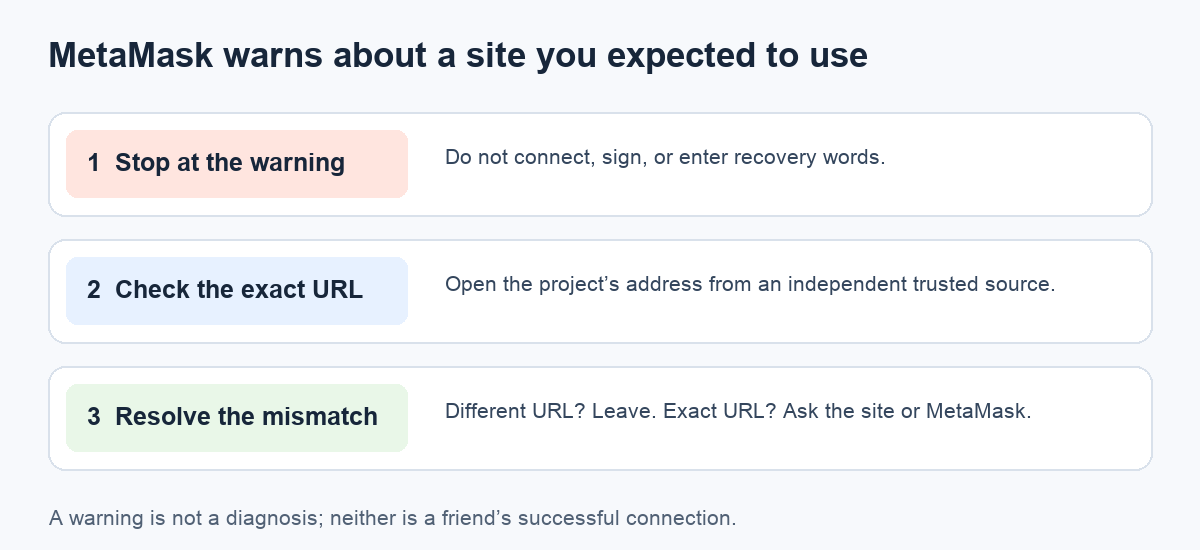
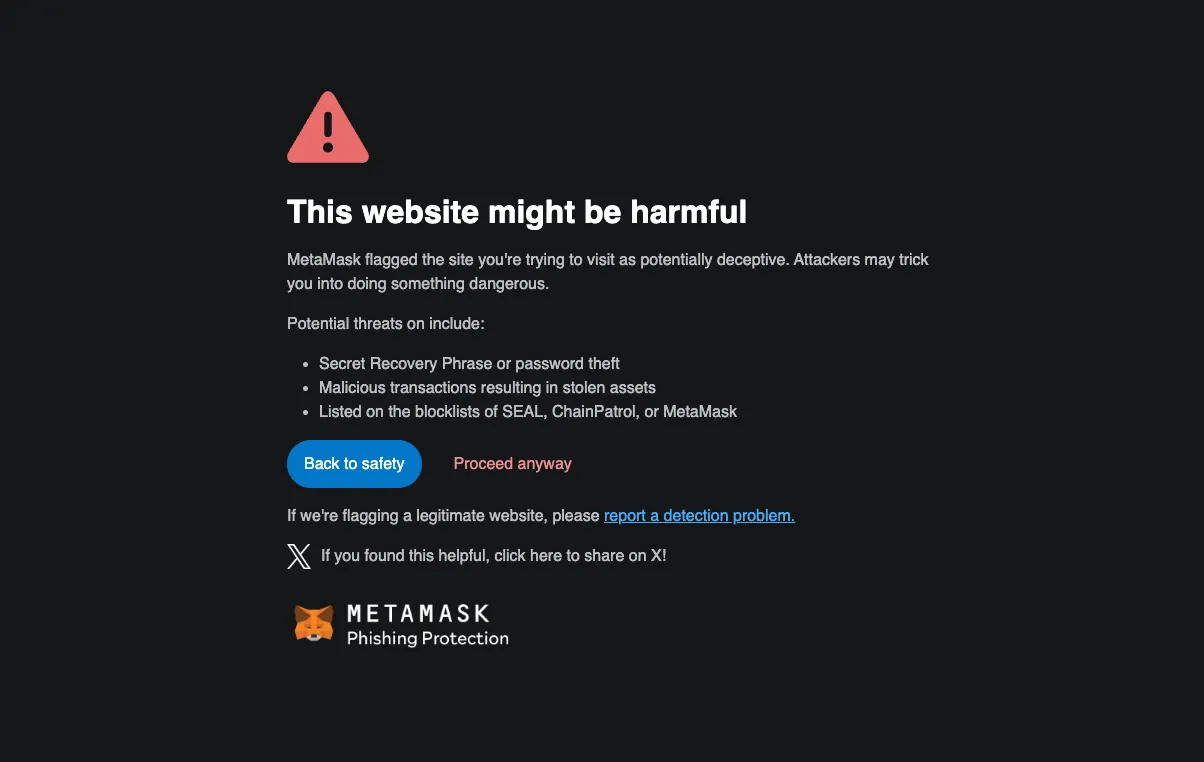
MetaMask stops you with “Deceptive site ahead” or a warning that “This website might be harmful”—on a site you thought you knew. Do not click through or connect just because the name looks familiar. First compare the exact address with one you found independently. If it differs, leave. If it matches and you suspect a false positive, stop the wallet interaction and use the site operator’s or MetaMask’s official review channel. MetaMask’s current warning guide recommends against connecting to a flagged site.
The uncertainty is real. In one first-hand user thread, a person saw this warning for a familiar local service, while another said a trading site was flagged only in their own Chrome setup. A more recent user asked why familiar sites had suddenly been marked malicious and later said the flags disappeared. Those reports show that a warning can be disputed or change; they do not verify that any particular flagged site is safe.
An illustrative way to work through this: I open a saved bookmark, see the red MetaMask page, and initially think, “It worked yesterday.” The useful clue is not yesterday’s visit. It is the full address in today’s browser bar and whether I can confirm that address without using a link on the warning page, a search ad, or a stranger’s message.
Is the blocked address really the site you meant to open?
Read the whole hostname, including subtle spelling changes and the ending after the last dot. Compare it with the address published by the project through an independent channel you already trust, such as its established official documentation—not a reply in a direct message. Also check whether the browser unexpectedly redirected you from the address you typed. MetaMask’s guide to recognizing impostors describes how convincing copies of sites and wallet screens can be.
If the addresses differ, treat the flagged page as the wrong destination: go back, close it, and do not sign or enter your Secret Recovery Phrase. If the addresses match, that still does not prove a false positive. MetaMask says its protection checks URLs against potential phishing signals, and a normal-looking site can change or be compromised. A friend’s successful connection, or a clean result in another browser, does not settle the risk for your current URL.
What if you think MetaMask blocked a legitimate site?
Keep the wallet disconnected while the warning is unresolved. Contact the site through a separately verified support channel and ask them to investigate the exact domain. If you own the domain, MetaMask’s warning guide directs site owners to file a case in the MetaMask phishing-detection issue tracker. That is a review request, not an instant whitelist or proof that the site is safe. An ordinary user can also reach MetaMask Support from the official help site or the wallet’s own Support entry; do not trust unsolicited support messages. The official guide’s screenshot may show a “report a detection problem” link, but interface labels can change.
MetaMask documents a privacy setting for opting out of this protection. Turning it off solely to reach a flagged site removes a safety check without resolving why the site was flagged, so it is not a troubleshooting fix. This guide does not establish that any specific domain is malicious or benign. The practical outcome is a decision: wrong address → leave; exact address but unresolved warning → ask for review and wait; never use a recovery phrase or signature to “verify” the site.
Official sources
Product interfaces and recovery policies can change. Confirm the current steps before acting.