Think your Phantom wallet was scammed? Secure any exposed wallet first, keep public transaction evidence, then report through the routes Phantom recommends.
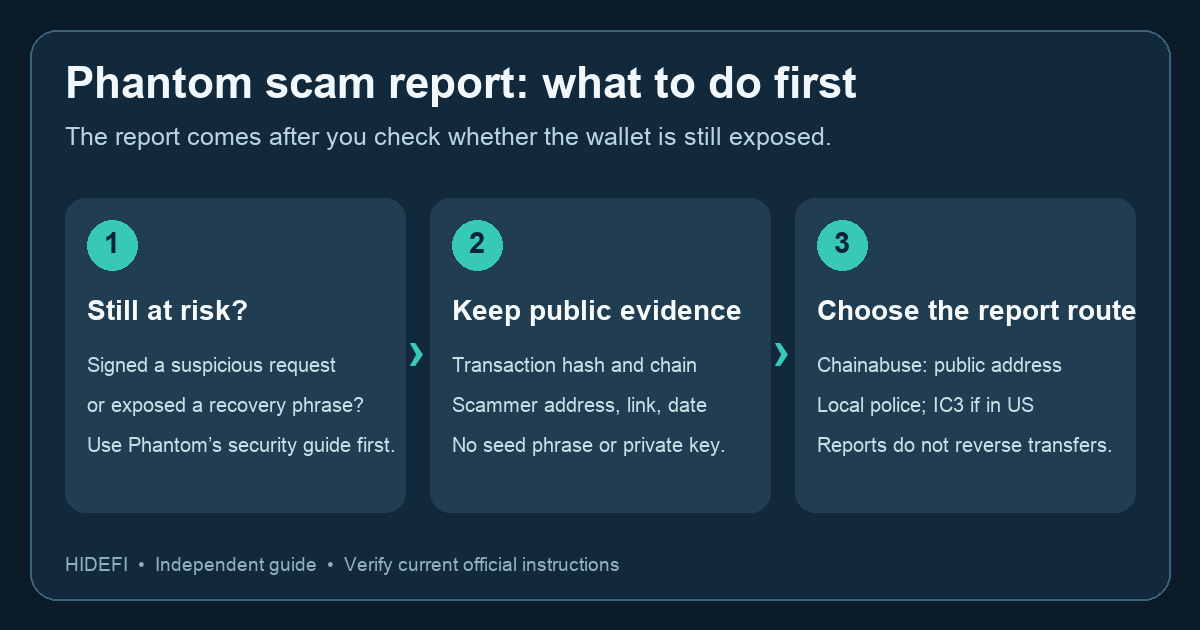
If a suspicious Phantom transaction has already confirmed, it is natural to search for a Report scam button and hope that the report will stop it. Phantom says it cannot reverse a blockchain transfer or recover stolen funds. Its reporting routes are Chainabuse and, where appropriate, law enforcement. First check whether your wallet is still exposed; the report can wait until you have addressed that risk.
Illustrative example: After following a fake mint link, you notice an outgoing transfer and want to warn others. The first useful clue is the public transaction record: it shows whether a transfer actually happened, which chain it used, and the receiving address. It does not tell you whether an earlier approval or exposed recovery phrase still gives someone access. That is why the security check comes before the report.
Is the wallet still at risk?
If you signed a suspicious request, connected to a malicious app, or entered your recovery phrase or private key anywhere, use Phantom's current scammed-wallet guide before spending time on a reporting form. It separates disconnecting an app from revoking token approvals; disconnecting alone may leave spending permission active. If a recovery phrase or key was exposed, Phantom says to stop using that wallet and move trusted remaining assets to a new wallet. Check for staked assets and other positions before acting. Never transfer an unknown token merely to test it, and never give a recovery helper your phrase.
If you only saw a suspicious message and did not connect, sign, or expose a secret, do not assume the wallet was drained. Keep the link or screenshot as evidence, avoid opening it again, and check your wallet history against a public explorer before describing a loss that has not occurred.
What should I include in a Phantom scam report?
Once the immediate risk is handled, record the public transaction hash, chain, suspected scammer address, website or social link, date, and a short account of what happened. Phantom's guidance lists these as useful report details. Keep private keys, recovery phrases, login codes, and full device backups out of every report. A public transaction hash helps someone inspect an on-chain transfer; a screenshot of your wallet balance alone does not identify where funds went.
Phantom directs users to Chainabuse to create a public report tied to a suspected scam address. For a loss, it also suggests local law enforcement; in the United States, it names the FBI's IC3 as an option. Use the current links from Phantom's report page, not a recovery link sent by a stranger. Save any case number or report confirmation for your own records.
What happens after reporting?
A report can warn others and may help an investigation; it does not cancel a confirmed transfer. Phantom says it has no control of your private keys or the stolen assets. If someone replies with a guaranteed recovery offer, a fee request, or a request to connect your wallet, treat it as a new scam risk. The checkable outcome here is a secured wallet where needed, a report with public evidence, and a clear record of what remains unresolved.
Official sources
Product interfaces and recovery policies can change. Confirm the current steps before acting.