If the Collectibles section vanished in Phantom mobile, check whether the NFT is on your address, then use Phantom's documented pinning route when appropriate.
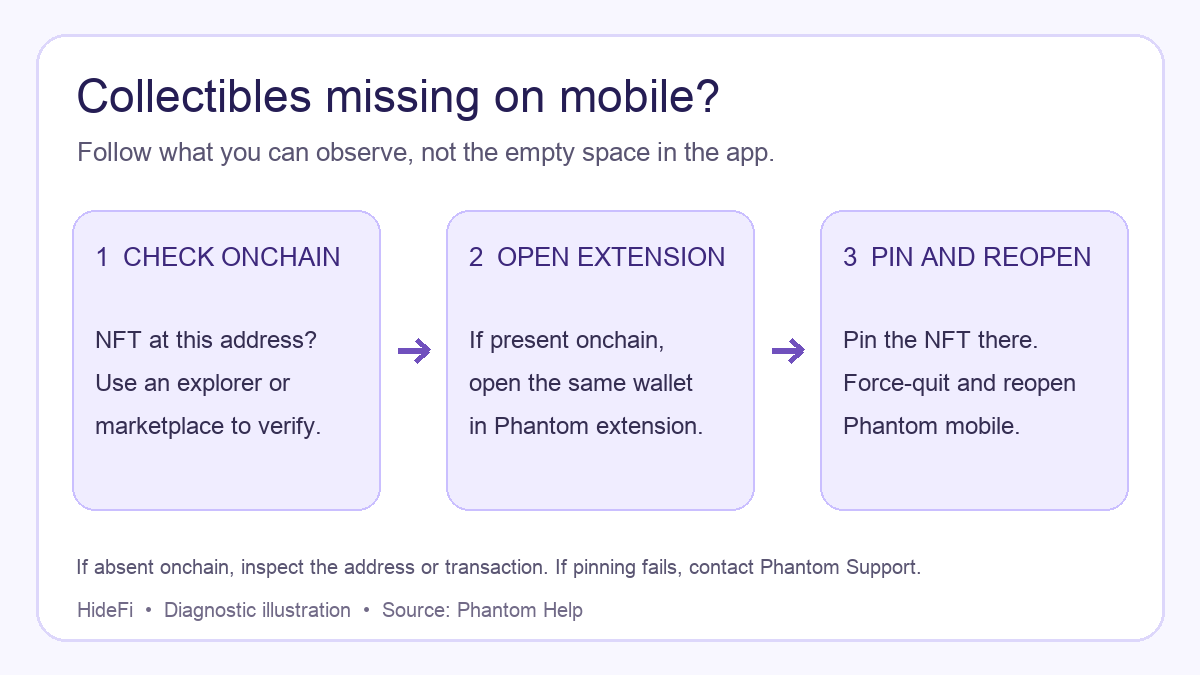
A Phantom mobile user asked where the Collectibles tab had gone. Their post does not give an app version or a public wallet address, so it does not show whether any NFT is still held. That is more unsettling than one NFT missing from a visible list: there is no list to open at all. The first useful check is outside the app. Confirm that the collectible still belongs to the wallet address on its blockchain. Phantom says the mobile Collectibles section may disappear if none of the collectibles it can display are verified through its supported sources. The missing tab, by itself, does not tell you whether an NFT moved. Phantom explains this distinction.
Check the address before changing the app
Compare the wallet address you are viewing in Phantom with the address that received the NFT. Then open a blockchain explorer for that NFT's network, or a marketplace such as OpenSea or Magic Eden, and check the asset at that public address. This establishes the onchain state independently of Phantom's gallery. Phantom recommends this verification. You do not need to connect the wallet or sign anything merely to inspect a public address.
If the NFT is absent from that address, the pinning steps below cannot make it appear there. Check the transaction history and the address or network you used. If the NFT is present onchain, the problem is with what Phantom shows, and the next check is worthwhile.
If the NFT is onchain but Collectibles is missing on mobile
Phantom's documented route uses its browser extension to surface a collectible that the mobile app is not showing. Install the extension from Phantom's official route, and open the same wallet there. In the extension, open Collectibles, select the NFT, and choose Pin. Then force-quit and reopen the mobile app. Phantom says the pinned item should bring the mobile Collectibles section back. Once it appears, you can pin other wanted items from mobile. These are Phantom's current steps, not a promise that every missing gallery has the same cause.

Check the address in the extension before pinning. Opening a different account would give you a misleading empty gallery. Use only the official extension; never type a recovery phrase into a website or a support chat. If you cannot safely open the same wallet in the extension, do not import an unfamiliar account just to test the tab. If the tab remains missing after reopening, stop there and use Phantom's official support route.
If Collectibles is visible but one item is hidden
That is a different branch. On the mobile Home tab, open Collectibles, use the sliders icon, and check whether the item is hidden. Phantom says you can toggle it visible there, but unhiding does not verify that the asset is safe. Do not open links or approve transactions attached to an unfamiliar NFT.
The outcome is therefore conditional: an onchain NFT with a missing mobile section has a documented extension-and-pin route; an NFT absent from the public address needs an address or transaction check; a visible section with one hidden NFT needs the hidden-items control. If your missing asset is a token rather than a collectible, use the separate Phantom token visibility guide.
Official sources
Product interfaces and recovery policies can change. Confirm the current steps before acting.