Stellar activation spins in MetaMask’s full-screen tab? Locate an existing extension request and separate it from XLM reserve or fee problems.
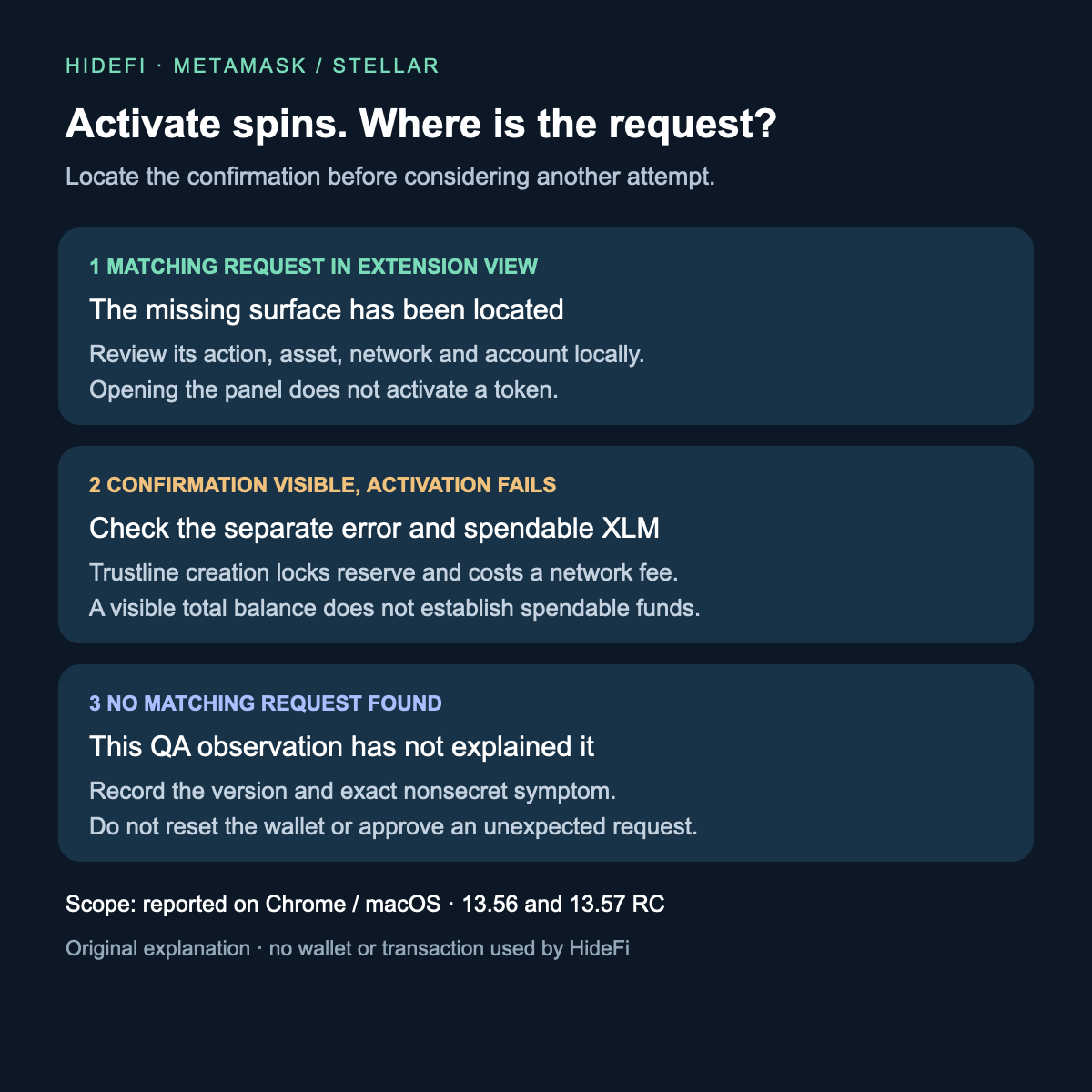
If Stellar token activation stalls in MetaMask’s full-screen tab, inspect the existing request in the extension popup or sidebar before trying again. MetaMask’s public QA report documents a confirmation appearing there while the tab remains stuck. Finding that request is not the same as activating the token or confirming an on-chain transaction.
This is a narrow case: issue #47822, reported November 11, 2026, covers Chrome on macOS and names both 13.56 production and 13.57 release-candidate builds. The latest official stable release checked for this guide was 13.56.0. The issue remains open; this guide does not claim a released fix or extend the observation to every browser or mobile app.
Is the tab waiting for a request elsewhere?
The reported sequence starts with an Inactive Stellar classic token. After Activate is selected, the control becomes disabled with a spinner, but no confirmation appears inside the full-screen tab. The attached recording shows an activation request in MetaMask’s extension side panel.

Crop from the recording attached to MetaMask issue #47822, around 18 seconds. The example token is AQUA. Browser URLs, account identifiers and balances are excluded; this is QA footage, not a HideFi wallet test.
Open MetaMask from its browser extension icon and look for an already pending request. In the recording, the request heading identifies an AQUA trustline. Your asset may differ. Compare the requested action, asset, network and account locally before deciding what to do. Do not approve an unexpected request simply to clear a spinner, or start another activation while the first request is unresolved.

Second crop from the same 18-second frame: the pending request heading is visible in the side panel. Account details and approval controls are excluded. The report covers 13.56 production and 13.57 RC; the recording does not independently identify its exact build.
If a matching request is there, you have located the missing confirmation surface. That observation does not establish that you approved anything or that Stellar accepted it. If no request appears, this particular report has not explained your case. Keep the installed version, browser, view type and nonsecret symptom together for official support; avoid resetting or importing the wallet as a display test.
A visible confirmation can still have a separate funding problem
A Stellar trustline lets an account hold a particular asset. MetaMask’s Stellar guide explains that creating one is an on-chain operation: it locks an additional 0.5 XLM reserve and costs a network fee. Those costs come from spendable XLM, which differs from the displayed total balance.
A missing confirmation in the tab does not, by itself, diagnose insufficient XLM. Conversely, locating the request does not remove reserve or fee requirements. If activation completes, the official guide says its creation can be checked in Activity. Opening the popup alone is not that outcome.
The QA report also describes the missing full-screen confirmation for Remove. Removal is not a harmless display reset: the official guide requires the token balance to be exactly zero and explains the reserve release. Do not remove a trustline to troubleshoot where a confirmation appears.
Keep other missing-prompt problems separate
A website failing to detect MetaMask is a different problem from this built-in Stellar activation flow. Use the separate dapp connection-prompt checks if the failure occurs when connecting a website.
The useful result here is one of three states: an existing request located in the extension view, a separate activation error after review, or an unresolved missing request. HideFi reviewed the public report, its recording and current official guidance only. No wallet was opened, connected or used to approve a transaction for this review.
Official sources
Product interfaces and recovery policies can change. Confirm the current steps before acting.