MetaMask opens but a dapp says to install it or shows no prompt? Test for another wallet extension blocking the connection without reinstalling MetaMask.
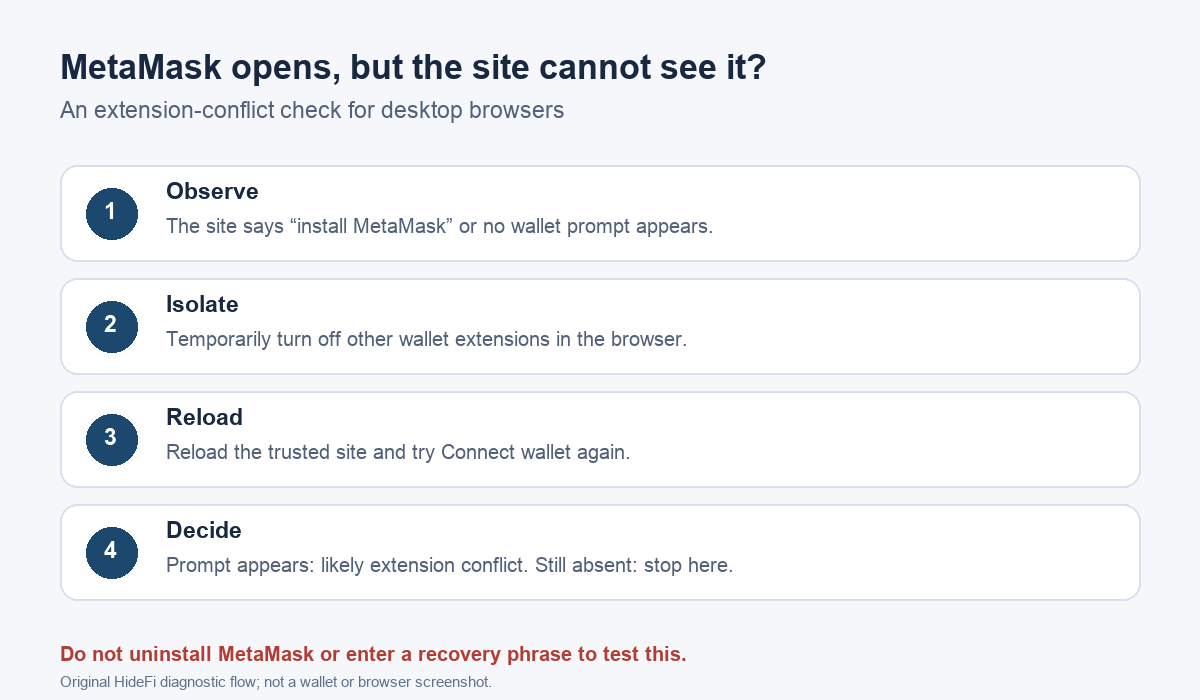
One Chrome user said MetaMask itself opened, yet websites still asked them to install it. It worked in another browser profile. Reinstalling MetaMask did not help; temporarily switching off another wallet extension did. If the wallet opens but a trusted dapp never displays a MetaMask connection prompt, test for another active wallet extension before changing your MetaMask installation.
Does MetaMask open in this browser profile?
Open MetaMask directly from the browser's extension area. If it opens, the problem is narrower than a missing installation: the website may not be receiving the wallet connection it expects. The profile difference in that user's case was an important clue. A new profile can have a different set of enabled extensions, even in the same browser. Do not uninstall the only working wallet instance or enter your recovery phrase into a website as a test.
If the site instead shows a Deceptive site ahead warning, stop the connection attempt and follow our MetaMask deceptive-site warning guide. A connection problem does not make a flagged site safe.
Are two browser wallets active at once?
MetaMask's current dapp-connection guide says an active second browser wallet is a common cause when clicking Connect wallet produces no MetaMask prompt. In your browser's extension manager, identify other wallet extensions, then temporarily turn one off. Keep MetaMask enabled. Reload the dapp and try its Connect wallet button again. The check is reversible: you can turn the other extension back on after comparing the result.
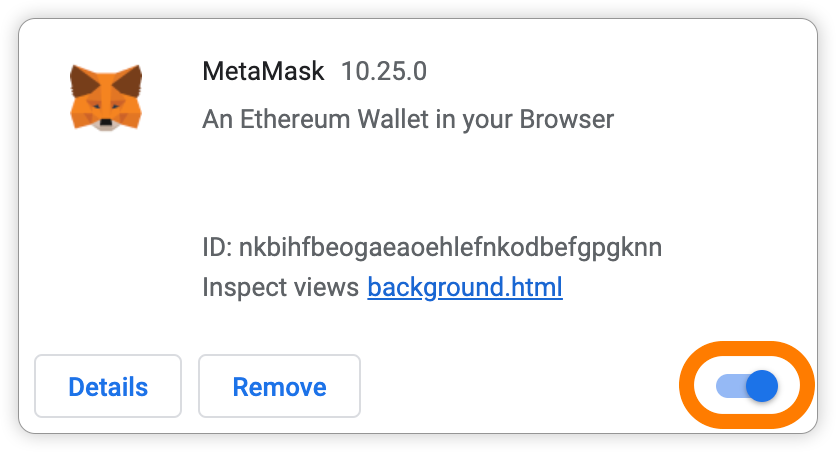
MetaMask lists the browser extension-manager locations as Chrome's chrome://extensions, Brave's brave://extensions, Firefox's about:addons, and Edge's edge://extensions. Type the matching address directly into your browser's address bar. These are browser settings, not websites where you should enter wallet secrets.
What did the reload change?
If the MetaMask approval prompt now appears, that supports an extension conflict in this browser profile. The user who reported this exact symptom said disabling the competing wallet extension restored the connection. You may leave only the wallet needed for that session active, then re-enable the others when finished. Still inspect the site address and what the wallet requests before approving anything.
If nothing changes, the extension-conflict check has not explained the problem. Turn the other extensions back on. Check whether the failure is limited to one dapp or happens across trusted sites, then use MetaMask's current support channel with the browser, extension and site behavior you observed. Never share your Secret Recovery Phrase or private key with a support contact. A missing prompt does not justify a reset, a phrase import, or a blind signature.
Official sources
Product interfaces and recovery policies can change. Confirm the current steps before acting.