Find Jupiter’s current Stop Loss selector, distinguish a fixed price from a trailing stop, and check slippage, vault custody and execution limits.
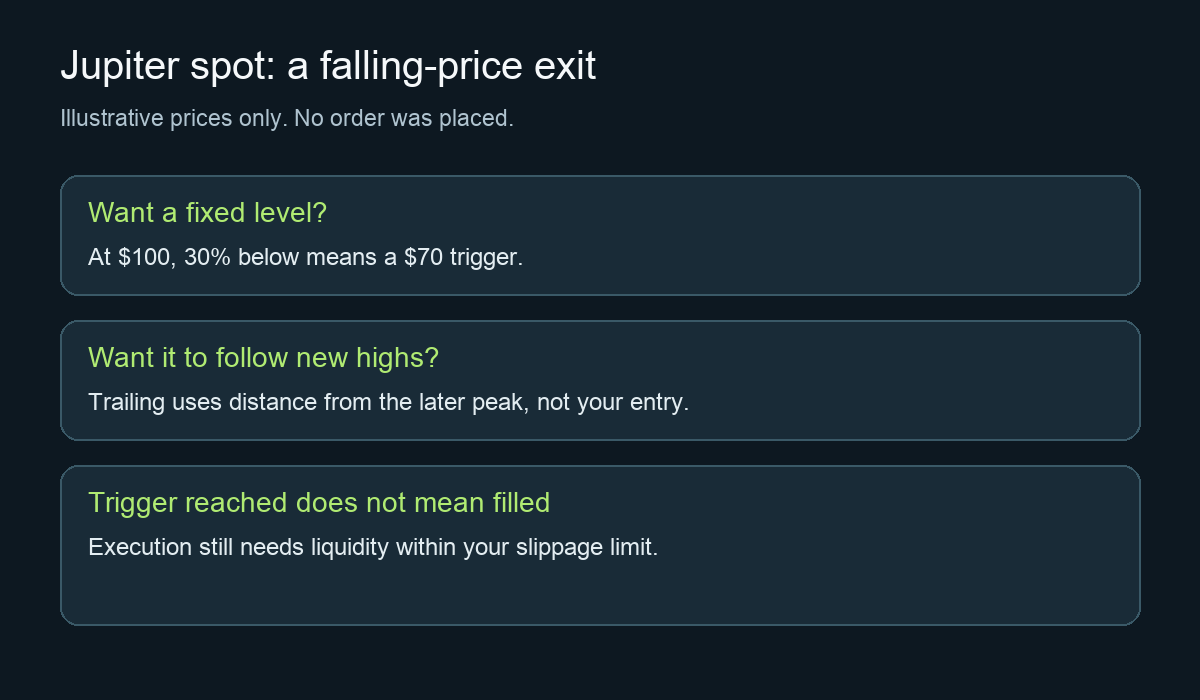
Jupiter spot now supports stop-loss orders. On jup.ag/limit, open the Limit order-type menu, choose Stop Loss, and use Fixed Price for a specific price below the market. A stop sets a condition for selling; it does not guarantee a sale or its final price.
The confusing part is the old answer. A January 2025 user question asked whether a token at $100 could be sold after falling to $70. The reply then said stop loss was unavailable. That describes an older product. Jupiter’s current Limit Orders guide lists Stop Loss under Limit V2, and the current web form exposes it.
Where the Stop Loss option is now
In the web form, the Limit tab also displays the selected order type, such as Limit - Take Profit. Open that menu and select Stop Loss under Sell. Check that Sell names the token whose falling price you want to watch, and that Receive names the asset you intend to receive.
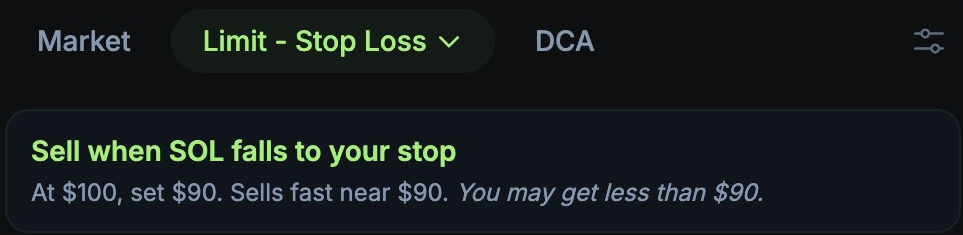
HideFi capture of the disconnected Jupiter web interface, November 11, 2026. This excerpt shows the selector and explanation; no wallet was connected and no order was submitted.
The form has Fixed Price and Trailing modes. For the original question’s fixed $70 level, keep Fixed Price and review the field labeled Sell when 1 [token] falls to. Also inspect the amount, receive asset, slippage and expiry before considering any submission. These are web-interface observations, not a tested trade.
A 30% drop from which price?
Illustrative calculation: if the reference price is $100, a 30% drop gives $100 × 0.70 = $70. That arithmetic chooses a trigger, not a recommended exit or an expected payout. If the reference is your purchase price, use that price in the calculation rather than assuming today’s market price is the same.
Trailing answers a different question. It follows the highest price reached after activation and keeps the chosen percentage below that peak. A later rise therefore changes its trigger. Jupiter’s trailing-stop explanation also distinguishes the trigger from the eventual execution price.
Why hitting the stop can still leave you holding tokens
In our disconnected form check, the Stop Loss slippage control displayed 20%. That is a setting to review, not a recommendation. Jupiter’s Trigger V2 documentation confirms that default and explains that the output depends on liquidity and execution conditions.
A tighter tolerance can leave a fast-moving order unfilled; a wider one can accept a substantially worse price. Low liquidity can prevent a fill altogether. Read the actual order state rather than treating a price-chart touch as proof of a completed sale. For an already open order, see the Jupiter order-not-executed checks.
Know where the selling tokens will be
Creating a V2 order deposits tokens into a Privy-managed custodial vault, rather than leaving them available in your wallet. The official V2 overview documents that deposit flow. Do not send tokens directly to a vault address.
Before submitting anything, understand the displayed fees, expiry and wallet request. If an order later shows Pending Withdraw, cancellation alone has not returned the remaining tokens; the separate withdrawal step matters. This article verifies the current selector and its limits; it does not promise execution or choose a trading strategy for you.
Official sources
Product interfaces and recovery policies can change. Confirm the current steps before acting.