Read the exact dYdX banner: Close-Only still permits withdrawal through the frontend, while Blocked does not. Check the deadline and official support route.
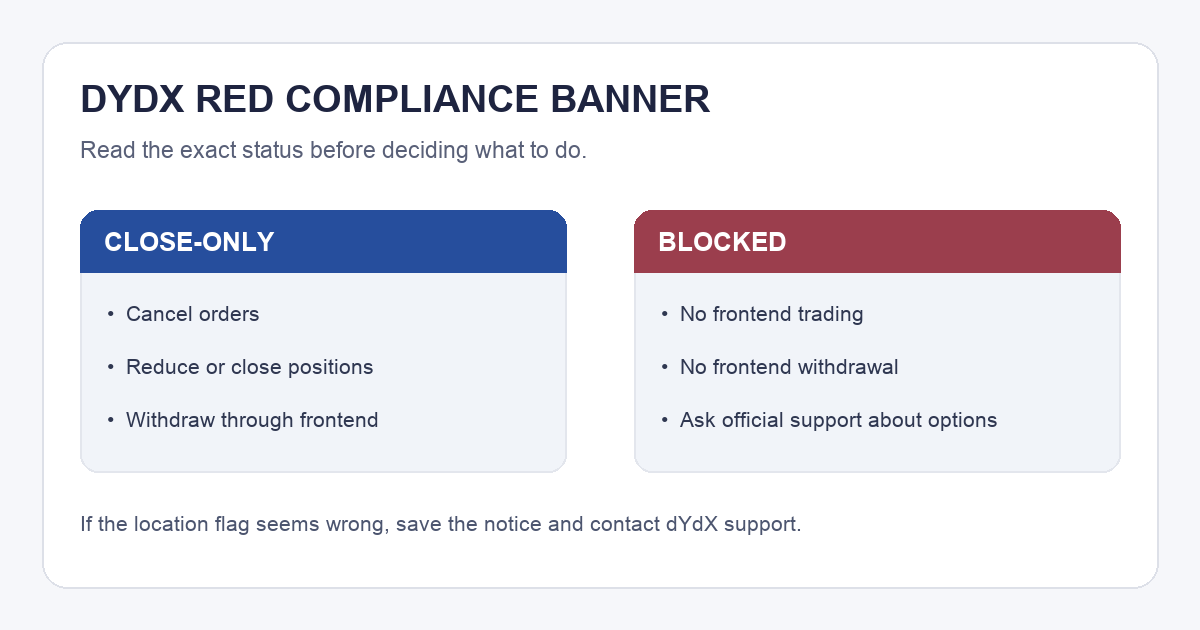
Imagine opening dYdX to a red compliance banner when you still have an open position. Your first question may be whether your funds can leave. Read the status in the notice before trying another trade: dYdX's current Geo Restrictions & Site Access policy distinguishes Close-Only, which permits withdrawal through its frontend, from Blocked, which does not. The banner alone cannot tell HideFi why your wallet was flagged.
Does the red banner say Close-Only?
In Close-Only, the published dYdX rules permit cancelling orders, reducing or closing open positions, and withdrawing funds from the chain. Deposits, transfers, and new positions are disabled; new orders default to reduce-only. That explains why a normal trade may fail while an exit action remains available. It is a statement of frontend permissions, not a guarantee that a particular withdrawal will complete. If a withdrawal is permitted but later stays pending, trace its dYdX-to-Noble route before assuming the compliance banner caused the delay.
Look for an off-boarding date in the notice. dYdX says that when no date is visible, users should close positions and withdraw promptly. Its policy says a wallet held in Close-Only for seven consecutive days transitions to Blocked. If you have an open position, inspect its status and the exact notice before acting; closing or withdrawing can have trading, network, and tax consequences. Do not assume the banner is merely visual.
Has the status changed to Blocked?
The next branch is much narrower. dYdX says a Blocked wallet loses frontend access to subaccounts and trading history, and trading or withdrawing through that frontend is unavailable. The policy mentions a rare, one-time manual process, but only official dYdX support can say whether it applies to a particular wallet. Do not follow a direct message that promises to unlock it or asks for your recovery phrase or a signature.
What if the restricted-location flag seems wrong?
An illustrative case: you are outside the listed restricted regions, yet the banner says your wallet is restricted. Repeatedly changing browsers is not evidence the flag is wrong or permission to trade. dYdX says its frontend checks the IP address on page load and periodically, including in mobile apps. Save the exact wording and date shown in the notice, note whether it says Close-Only or Blocked, and contact support from the official dYdX help path. Ask for a wallet-specific explanation and the permitted exit route. Avoid a VPN workaround to bypass access rules.
The comparison image above is an original reading aid, not a dYdX screenshot. The checkable result is Close-Only → inspect permitted exit actions and the notice's deadline; Blocked → ask official support about your options. Neither status reveals the reason for an individual location flag from the banner alone.
Official sources
Product interfaces and recovery policies can change. Confirm the current steps before acting.