Jupiter Limit V2 price hit but no fill? Check the USD trigger, order state, liquidity, slippage and any pending withdrawal before changing the order.
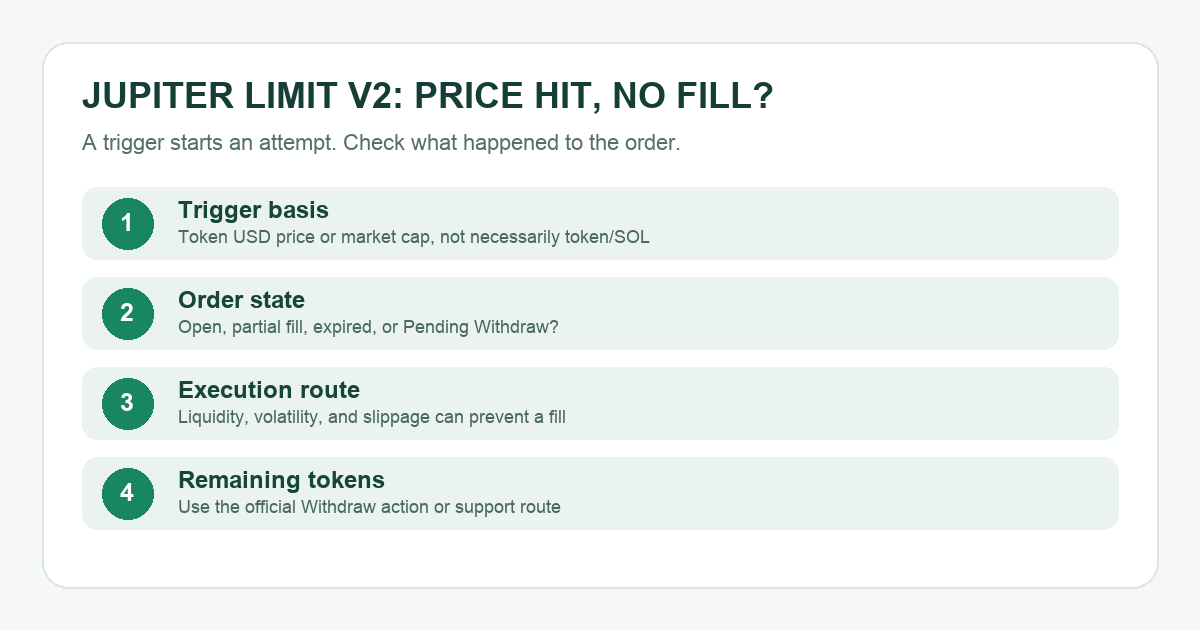
Imagine checking a token chart, seeing the price touch your target, then opening Jupiter to find your order still unfilled. The first thought is that the order failed. An older Jupiter user described that exact confusion; their order predates today's Limit Order V2, so their settings are not proof of how V2 behaved. For Limit Order V2, the useful first answer is that hitting the trigger starts an execution attempt; it does not guarantee a fill. Available on-chain liquidity, a fast move or the order's slippage limit can prevent execution. I would check the order itself before changing anything, because the official support answer lists several possible causes and the chart alone cannot distinguish them.
Did the order reach the price Jupiter watches?
A chart may show a familiar trading pair, but Jupiter V2's guide says its trigger tracks the token's USD price or market cap, not the exchange rate between the two tokens in your order. Look at the trigger asset and the price basis saved on the order. If you were watching a token/SOL pair while the order tracked the token's USD price, the two lines can tell different stories as SOL's own price moves. A brief price touch is also different from a fillable quote at the moment the keeper tries to trade.
Is it Open, partly filled, expired, or Pending Withdraw?
Check the order on Jupiter's Limit page or the Portfolio Limit tab, where its state is more useful than the chart line alone. An Open order is still waiting. A partial fill means only the settled portion traded; the rest remains active until filled, cancelled or expired. Jupiter also says orders have an expiry and unused tokens return to the wallet after expiry. Do not assume tokens were lost merely because they are absent from the normal wallet balance while an order is active: V2 holds the selling tokens in a program-owned vault.
If you cancelled and the state is Pending Withdraw, Jupiter says the cancellation stopped the order but the wallet did not complete the transaction returning the remaining tokens. Its guide identifies a Withdraw action in the Limit page or Portfolio Limit view. Verify the wallet prompt and transaction details before signing; if no pending item is shown and funds are still missing, use official Jupiter support. Never send tokens directly to a vault address.
Why can a triggered order still fail to execute?
Jupiter's V2 documentation says the keeper executes through available routes when the trigger is met, with the order's slippage tolerance applied. If liquidity disappears, the market moves too quickly, or execution would exceed that tolerance, the fill may fail. Its support hub also names extreme volatility, rug pulls and settlement slippage. This does not prove which one affected your order. Record the token pair, trigger basis, order state and time, then open an official support ticket if the state or funds do not match what the app shows.
The useful sequence is verify the trigger basis → inspect the order state → check liquidity and slippage → use the official withdrawal or support route for unresolved funds. Increasing slippage can worsen the execution price; do not change it just to force a fill without understanding that tradeoff.
Official sources
Product interfaces and recovery policies can change. Confirm the current steps before acting.