Jupiter shows No routes found when you try to sell? Check the exact token pair, quoted amount, liquidity and restrictions before risking another swap.
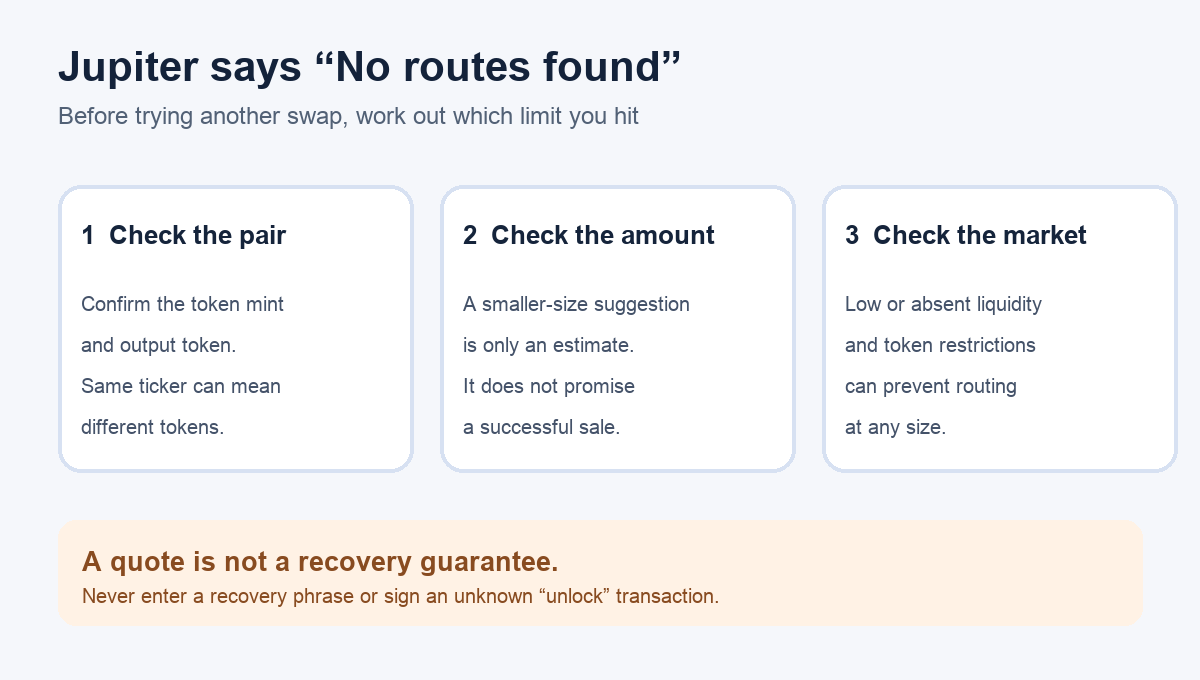
A first-hand Jupiter user bought a new token and then could not sell it because the swap showed “No routes found”. They asked whether they could get their money back. Their post does not identify the app version or the token mint, so the token’s actual liquidity and restrictions cannot be diagnosed from it. The message does not by itself prove the token is a scam, and it does not mean a sale is waiting on-chain. It means Jupiter has not found an executable route for the pair and amount you entered. Jupiter’s current Spot FAQ lists thin liquidity, trade size, and token restrictions as possible causes.
Here is an illustrative way I would narrow the problem before doing anything that signs a transaction. HideFi did not trade either token in those posts.
Is Jupiter saying “No routes found” before you can submit?
First, keep the error wording straight. “No routes found” is a quote-stage problem: Jupiter cannot offer a usable route for this requested swap. “Some routes failed to load” is a different message: Jupiter says current route prices could not be refreshed, often because of an RPC issue, so it blocks the swap rather than showing a stale price. A failed swap after you signed is a third case; you would need its transaction details to know what happened. Repeatedly increasing slippage or signing a link from someone offering to “unlock” the token does not diagnose any of these states.
For the quote-stage case, note the input token and output token you selected. Token names and tickers can be reused, so compare the token’s public mint address with the one in your wallet or prior transaction before assuming you are selling the same asset you bought. This is a read-only identity check. Do not paste your seed phrase or private key anywhere to verify a token.
Does changing only the amount produce a quote?
If Jupiter itself displays “Try reducing to [amount]”, it is offering a best-effort estimate based on routes available at that moment. The Spot FAQ says the estimate is not a guaranteed maximum sale. A quote for a smaller size suggests the original size may be too large for the currently available route. A very small trade may also be too small to execute reliably. Check any new quote’s minimum received amount, price impact and fees before deciding whether it is acceptable. Selling in pieces still exposes you to price changes and may cost more in total; it is a choice, not a fix guaranteed by the error message.
If no amount produces a quote, stop treating a larger slippage setting as the answer. Jupiter also lists insufficient liquidity for the pair and token trading restrictions. A chart or a displayed wallet balance does not show that enough sell-side liquidity exists at a price you would accept. An empty route can persist even when a token has a price shown somewhere else.
Can I get my money back if there is no route?
The honest answer is that the error alone cannot tell you. If there is a legitimate liquid market, a usable route or a separate market may become available, but there is no promise of one. If liquidity was removed or the token restricts selling, changing wallets cannot create liquidity or remove the restriction. Do not send the asset to a stranger, connect to a “recovery” site, or approve an unknown transaction in response to DMs.
For a case that looks inconsistent—for example, the correct token mint and a real active market but no quote at any reasonable size—send the pair, attempted size, error text and public token mint to Jupiter’s official support form. Never include a recovery phrase or private key. The useful result of this check is a clearer diagnosis: a size-limited quote, a market or token limitation, or an unresolved routing problem for support to inspect.
Official sources
Product interfaces and recovery policies can change. Confirm the current steps before acting.