Sent Solana USDC to a Hyperliquid Unit address? Check the token and network, then see whether Unit offers a revert. Other SPL tokens may have no route.
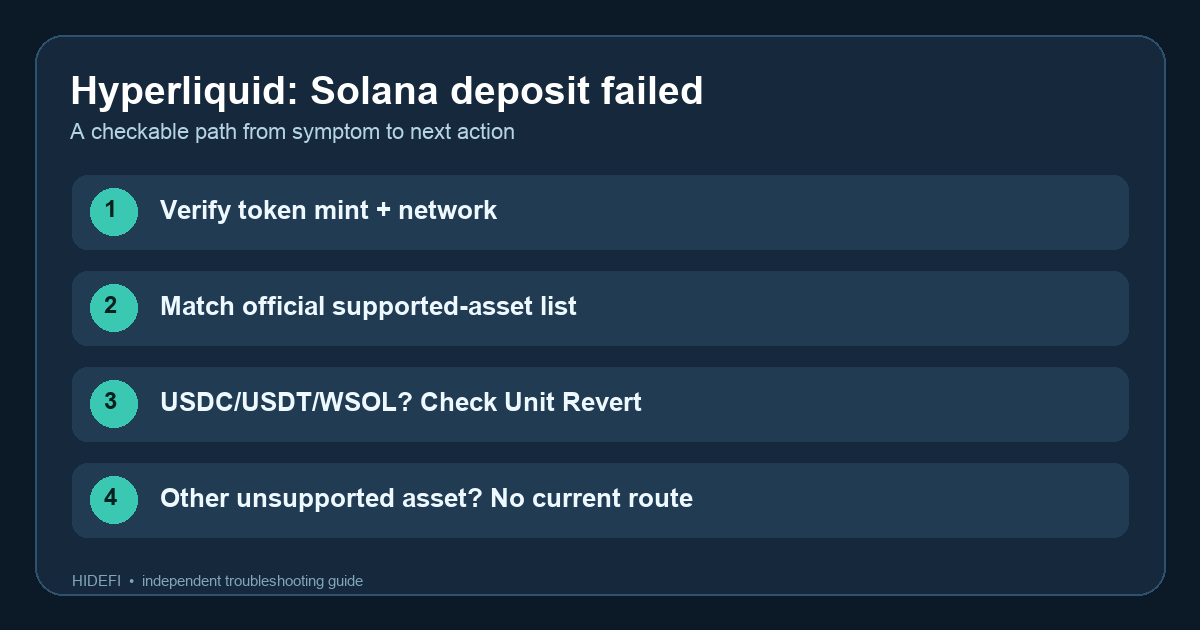
A Solana explorer says the transfer succeeded, but Hyperliquid shows no USDC. It is tempting to wait for a delayed credit. The more useful first check is which deposit address received which token. Hyperliquid's Solana deposit guidance says Solana USDC sent to its Unit-managed Solana deposit address will not be credited. It points people who sent Solana USDC, USDT, or WSOL to Unit's revert feature. That is a route to check, not a promise that the transfer can be returned.
Illustrative example: You copied the Solana address from a Hyperliquid deposit window and sent USDC to it. The wallet and explorer show a completed transfer, so you keep refreshing the Hyperliquid balance. The clue is that a confirmed transfer and a credited exchange deposit are different events: the receiving service must support the exact asset on that route.
Check the transfer before trying a revert
Find the public Solana transaction signature in the sending wallet or exchange withdrawal history. On a Solana explorer, check the destination address and token mint address (the token's unique identifier). Compare them with the address you copied from Hyperliquid and with Hyperliquid's current Solana asset list. A ticker alone is not enough: different tokens can share a name. Do not post a recovery phrase or private key while looking for help.
If the asset is USDC, USDT, or WSOL on Solana and it went to the Unit-managed Solana address, follow the Revert link from Hyperliquid's official page to Unit's official tool. Check the transaction's eligibility and any instructions there before connecting a wallet or signing anything. The public Hyperliquid page names these three assets as cases where you can try the feature; it does not guarantee eligibility for every transfer or a completed return. A new deposit, a token swap, or a message from someone claiming to be recovery support cannot undo the original transfer.
What if the asset or address is different?
If the token is another unsupported SPL asset, Hyperliquid currently says there is no way to retrieve it unless Unit adds support. A balance visible at the deposit address on an explorer does not mean you control that address. Keep the public transaction signature and check future official guidance, but do not pay a third party that promises a manual recovery.
If you sent a listed supported asset such as SOL, compare the amount with the current minimum on Hyperliquid's page. Below-minimum transfers and a supported deposit marked Failed are separate cases; the same page directs failed supported deposits above the minimum to Unit support. If your deposit has already been credited to a spot balance but not a trading balance, use the Hyperliquid spot versus perps balance guide instead.
The outcome is a classification you can verify: eligible asset to check in Unit Revert, unsupported asset with no current route, or a supported deposit that needs a different check. Stop at the official route for your branch and review the current policy again before acting; asset support can change.
Official sources
Product interfaces and recovery policies can change. Confirm the current steps before acting.