Separate a transaction still confirming from a wrong network, missing memo, unsupported asset, or deposit below the minimum.
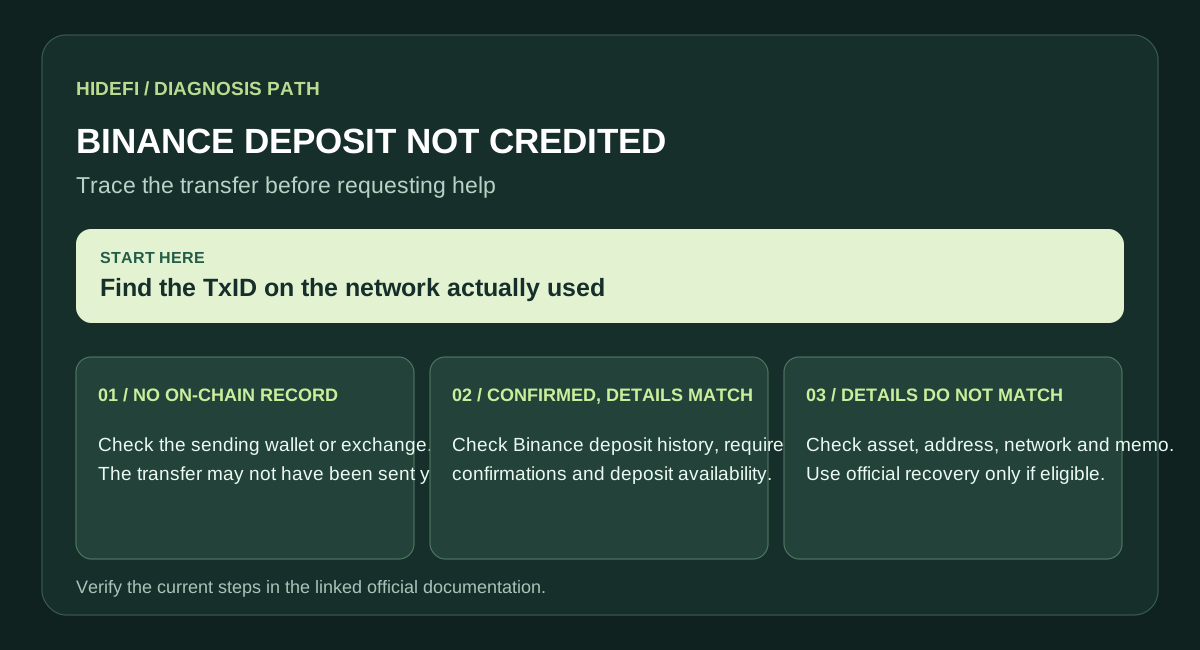
Start with the transaction hash
Copy the TxID from the sending wallet or exchange. Open it in the block explorer for the network actually used. If there is no on-chain transaction yet, check with the sender. If it is confirmed, compare the destination address, network, asset, and any memo or tag with the deposit instructions in your Binance account.
Confirmed on-chain, still not credited
Binance may require more confirmations than the explorer's first confirmation. Check the deposit history and the required confirmation count for that asset; Binance explains its deposit-crediting checks. Also check the minimum deposit amount and whether deposits were suspended for wallet maintenance.
Details do not match
If the network or asset is unsupported, or the required memo/tag is missing or wrong, this is not an ordinary delay. Use Binance's official deposit recovery process if your case is eligible. Recovery can be unavailable and is not guaranteed. If the destination address does not belong to Binance, Binance cannot reverse the transfer.
What to send support
Keep the TxID, asset, network, amount, sending address, deposit address, and screenshots of the sending transaction. Open support from your Binance account or the official help center. Never give anyone a recovery phrase or private key.
Official sources
Product interfaces and recovery policies can change. Confirm the current steps before acting.