Cannot unstake SUI because your wallet has no gas? Check the staked position, available balance and sponsorship before funding the same Sui address.
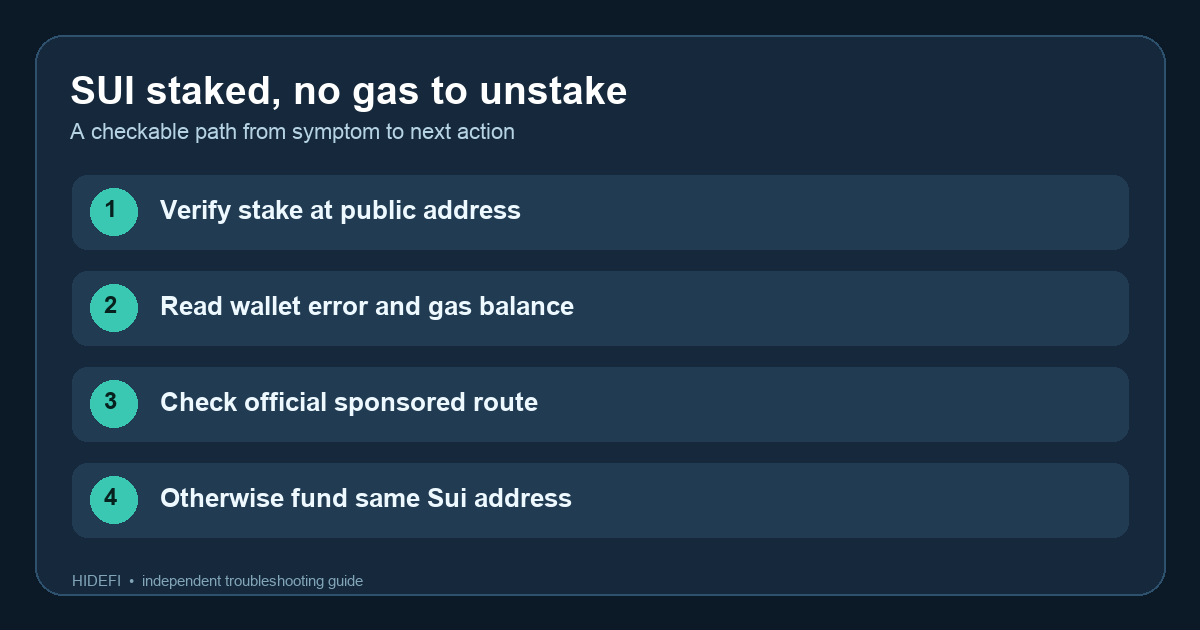
A Sui holder described this exact problem: the wallet showed their staked SUI, but trying to unstake produced a low-gas error. That can look as though the stake is trapped. The useful distinction is staked SUI versus spendable SUI. Unstaking sends an on-chain transaction, and the transaction normally needs a gas payment before it can release the stake. Sui documents both the unstake operation and transaction payment.
Here is an illustrative way to work through it. Suppose your wallet shows a staked position and zero available SUI. Pressing Unstake fails with an insufficient-gas message. Do not keep repeating the same transaction or follow a “recovery” link. First establish whether the position is still there; then work out who can pay for the unstake transaction.
Is the stake still at your address?
Copy only your public Sui address from the wallet. Compare it with the address and staked position shown in the wallet's transaction or staking view and a reputable Sui explorer. The Sui staking reference describes a StakedSui object owned by an address and an unstake transaction that returns SUI to its owner. If the stake appears at your address, an error before submission does not itself mean the stake was withdrawn.
Read the exact error instead of treating every failed button press alike. A message about insufficient gas points to a fee-payment problem. If the stake is missing from the address, the wallet is on another account or network, or the error names a different cause, stop here and investigate that state. Adding gas will not recreate a missing stake.
Can the wallet pay gas for the unstake?
Sui supports sponsored transactions: an app or other sponsor can pay gas on a user's behalf. That is a protocol option, not a promise that your wallet sponsors this particular unstake. Check the wallet's own current help or transaction screen. If it explicitly provides a sponsored unstake, follow that official route and verify the resulting transaction in the wallet.
If it offers no sponsorship, check the available SUI balance at the same address. A displayed staked amount is not the same as available gas. Sui's funding guide says a wallet with no tokens cannot send a transaction until it is funded or someone sponsors the gas. One ordinary route is to withdraw SUI from an exchange to that exact Sui address on the Sui network. Before sending anything, verify the network, the full destination address, and the exchange's own minimum and fee. This guide does not prescribe a fixed amount: the wallet should show the required transaction fee when you retry.
What should happen after funding?
Wait until the wallet shows spendable SUI at that address, then retry the unstake through the wallet you normally use. Confirm that the transaction succeeded and that the stake or available balance changed as expected. If you still see a different error, save its text and the public transaction identifier for the wallet's official support; do not assume another gas transfer is the cure.
Never give anyone a recovery phrase or private key, and do not sign a “gas rescue” transaction from a direct message. The two supported paths are a wallet-provided sponsored transaction or enough spendable SUI at the correct address to pay the unstake fee. If neither is available, stop and ask the wallet's official support what it currently offers.
Official sources
Product interfaces and recovery policies can change. Confirm the current steps before acting.