If BTC appears in Ledger Wallet but not Phantom, identify the funded Bitcoin account and address history before changing Phantom’s account settings.
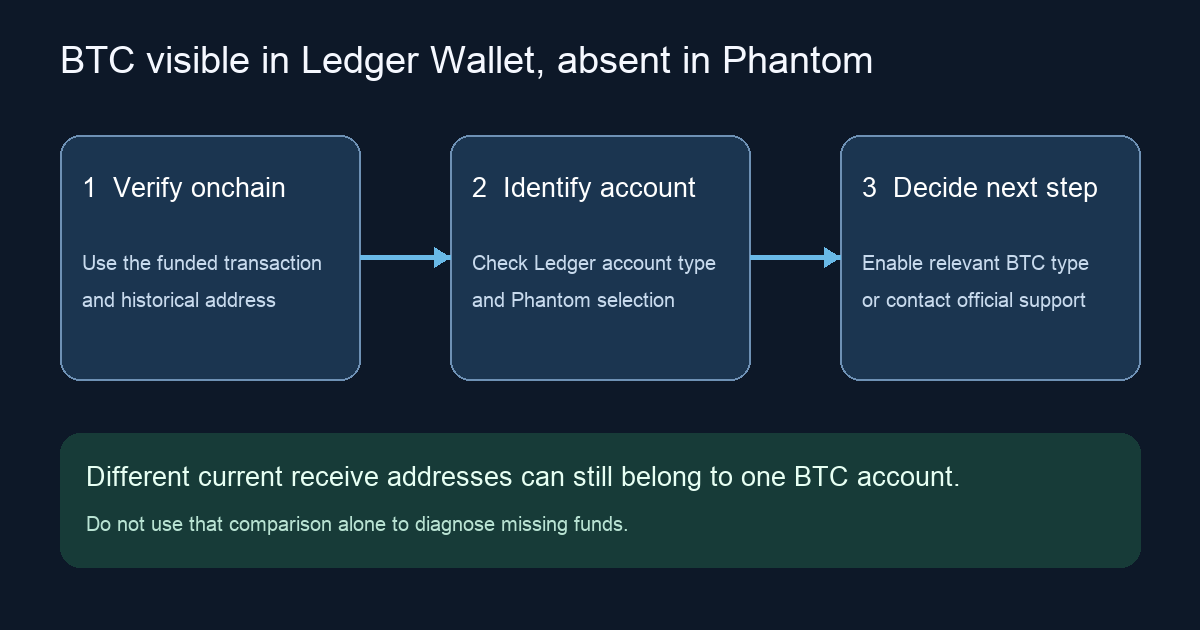
A Ledger owner asked why Bitcoin showed in Ledger Wallet but not Phantom after connecting the hardware wallet. The tempting shortcut is to compare the two apps' current receive addresses and call any difference an account mismatch. That is unsafe for Bitcoin: Ledger generates a new receive address after a previous one is used, and old addresses can remain part of the same Bitcoin account. Start with the funded transaction and its historical receiving address, then check which Bitcoin account and address type Phantom actually discovered. A blank Phantom balance by itself does not show that BTC moved.
Find the Bitcoin that Ledger Wallet is counting
Open the funded Bitcoin account's transaction history in Ledger Wallet and note the public transaction ID, network and receiving address from the confirmed deposit. Check that transaction on a Bitcoin block explorer. The historical deposit address matters more than today's fresh Receive address. A Bitcoin account can have many receive addresses under one extended public key; Ledger's current receiving guide explains why a new address can appear without creating a new account.
If the transaction is not confirmed or the destination is not the account you expected, investigate that fact first. If the transaction is confirmed at an address belonging to the funded Ledger account, the next question is whether Phantom displays that account or another one. You do not need to enter a recovery phrase, connect to a site or sign anything to inspect a public transaction.
Check Phantom's selected Ledger account and Bitcoin type
Phantom's current Ledger mobile setup guide says to connect the hardware wallet, select the networks and then Select Accounts to choose addresses. It also warns that Bitcoin balances in Ledger Wallet and Phantom may differ. In the Reddit thread, a reply suggested adding the funded account after it had activity, but the reporter said the expected Bitcoin option was not available. That exchange did not confirm a fix.
Look at the Bitcoin account or accounts Phantom actually selected, rather than comparing one newly generated receive address with a historical deposit address. If the connected Ledger account is already in Phantom, Phantom’s current account guide says to tap the active account name above the mobile Home balance, then choose the account you want to view. The official screenshot below illustrates switching the active account after it has been added; it does not show the separate Ledger Select Accounts connection screen.
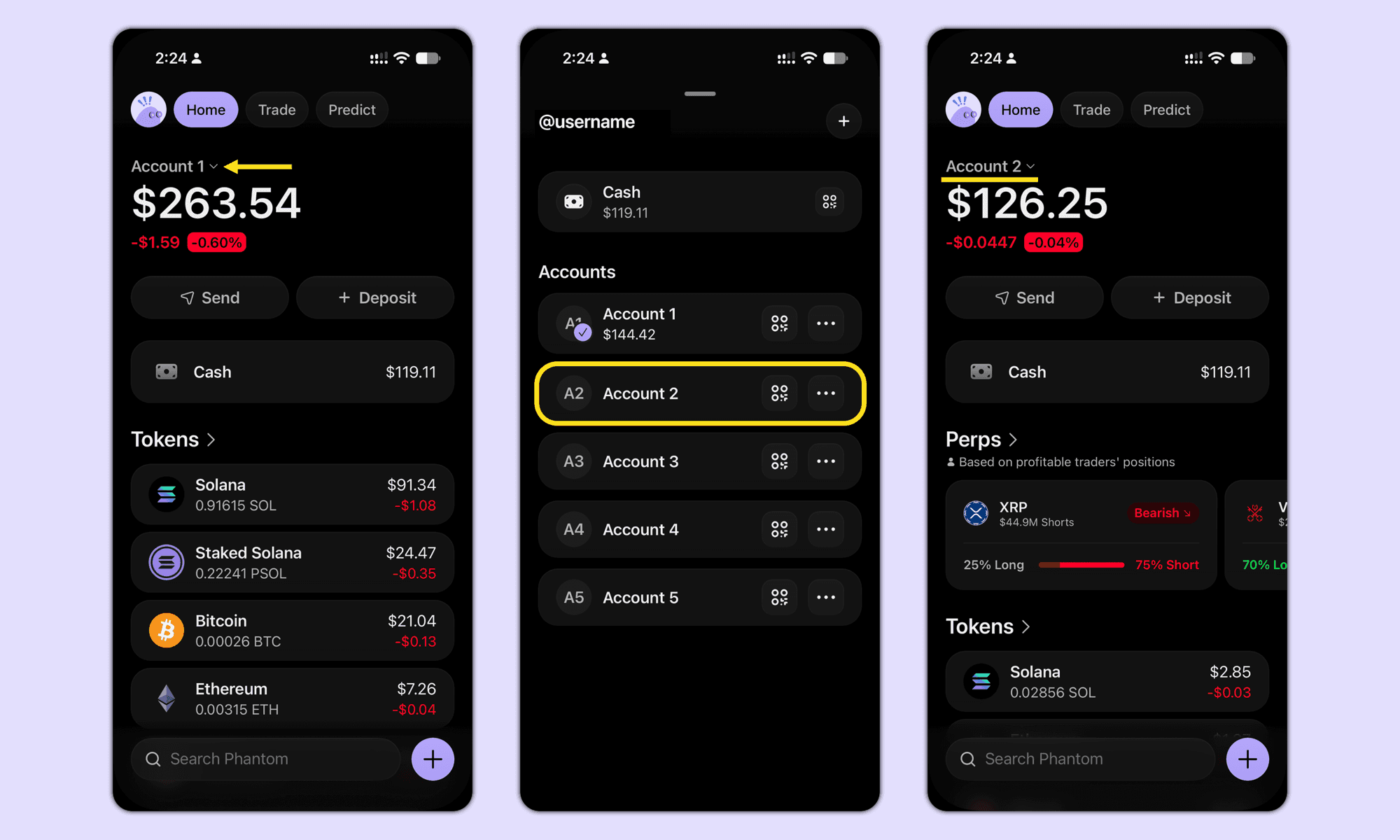
Screenshot from Phantom’s account management guide, reviewed November 10, 2026. Example balances are illustrative; this is not the Ledger connection screen.
Phantom's derivation-path guide shows how account discovery depends on path and index. Note the funded account's type in Ledger Wallet as well. Phantom currently describes Native SegWit (bc1q) and Taproot (bc1p) for its Bitcoin display. Its Bitcoin balance guide says a disabled address type is excluded from the combined Phantom balance, even though funds remain at that address. If the funded account uses one of those types, check Settings > Preferences > Preferred Bitcoin Address, enable the relevant type, then reopen Phantom as that guide instructs. Do not assume this switch can make a different account appear.
If the funded account is still absent
If Phantom offers the funded account during the official Ledger connection flow, select it and let the display update. If it does not, keep using the account in Ledger Wallet and ask Phantom's official support to investigate account discovery. Provide the public transaction ID, funded historical address, Bitcoin account type, and app/device versions, with screenshots redacted. Do not send a recovery phrase or private key. Do not disconnect or reset accounts merely to test a guess.
If Phantom shows the expected account and address type but its balance remains wrong, compare the confirmed onchain transaction with Phantom's displayed history and ask support about a display or sync issue. The two checks answer different questions: which account owns the BTC onchain, and which account and Bitcoin type Phantom is showing. A difference between two fresh receive addresses answers neither question on its own.
Official sources
Product interfaces and recovery policies can change. Confirm the current steps before acting.
- Phantom: Use a Ledger wallet with the mobile app
- Phantom: Manage and switch active accounts (official mobile UI)
- Phantom: Supported derivation paths
- Phantom: Bitcoin address types and balance display
- Ledger: Receive crypto assets and Bitcoin address rotation
- First-hand Ledger-to-Phantom missing BTC question