MetaMask says insufficient gas when you send all ETH? Check the fee token and current estimate before choosing a smaller amount or an eligible alternative.
A MetaMask user asked a simple question after “insufficient funds for gas” appeared while moving ETH: Can I send ALL my ETH in one send, or must I leave some behind? (The first-hand question.) The confusing part is that the ETH is visible in the wallet, yet Confirm may be unavailable.
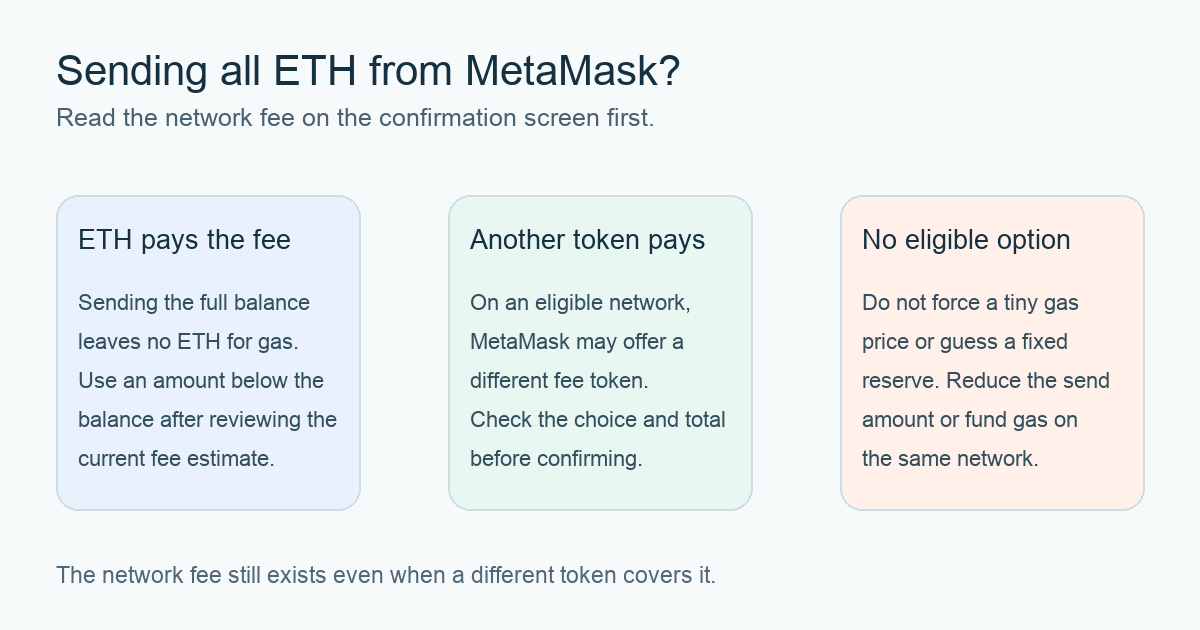
Short answer: If the network fee is being paid in ETH, you cannot use the same ETH for both the full transfer amount and the fee. Review MetaMask's current fee estimate and enter a smaller transfer amount. On certain supported networks, MetaMask may instead offer an eligible different token to cover the fee; only rely on that option if it actually appears on your confirmation screen and you have enough of that token. A fee still applies. MetaMask's insufficient-funds guide and gas-included guide describe these branches.
Why does sending the full ETH balance fail?
Imagine an account showing 1 ETH and a plan to transfer exactly 1 ETH. This is an illustrative example, not a transfer HideFi performed. I would first check the selected network and then look at the fee on the confirmation screen. If ETH is the fee token, a 1 ETH transfer plus a positive fee needs more than 1 ETH. Entering the entire displayed balance as the transfer amount therefore leaves nothing for gas.
MetaMask's send guide tells you to review the estimated network fee and recipient before confirming. The estimate changes with network conditions; there is no universal amount of ETH to reserve. The useful test is whether the transfer amount plus the displayed fee fits the available balance on that same network.
Can another token pay the fee while I send my ETH?
Sometimes. MetaMask's gas-included transactions can offer a fee-token choice for Send on supported networks when the required settings are enabled. In the confirmation view, inspect the token shown beside Network fee. If another eligible token is offered, check its balance and the full quoted cost, including any MetaMask fee, before confirming. The supported network, token, and settings matter; do not assume the option exists for every wallet or transaction.
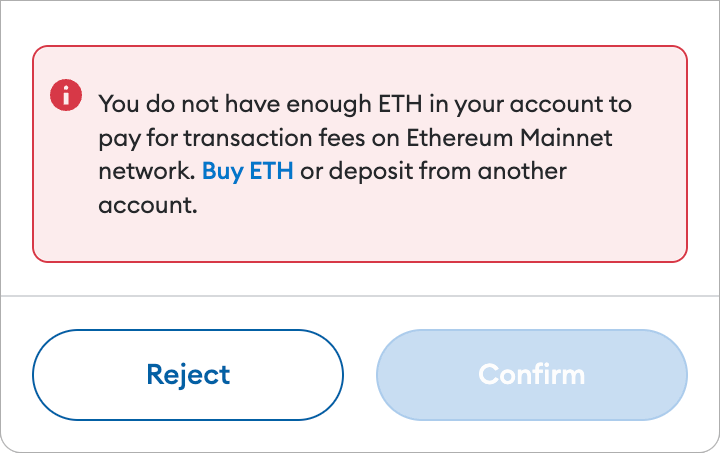
If no alternative appears, reduce the ETH send amount until the confirmation screen can include the current fee, or add enough native gas token to the same network. MetaMask's insufficient-funds guide describes adding the needed native token. Do not send ETH on another network and expect it to pay this network's fee.
What if Confirm is still greyed out?
Check the actual error and fee token again. If it still says the account lacks ETH for fees, the amount plus fee does not fit under the selected payment method. Do not copy a fixed “safe gas reserve” from an old post or set an arbitrarily tiny gas price to force the transfer; the fee is live and an underpriced transaction may not be processed as expected. Reduce the amount or use a genuinely available fee-token choice, then review the recipient address carefully before submitting.
A greyed-out Confirm before submission is different from a transaction that reached the chain and failed. If a submitted transaction later shows Failed, use our MetaMask failed-transaction gas guide to check the on-chain status and actual charge. The result here is a practical choice: ETH paying gas means send less than the full ETH balance; another displayed eligible fee token may let the ETH amount be larger, but the fee is still paid.
Official sources
Product interfaces and recovery policies can change. Confirm the current steps before acting.