Check whether Hyperliquid's mark price reached your take-profit trigger, whether the order was active, and whether a triggered limit order actually filled.
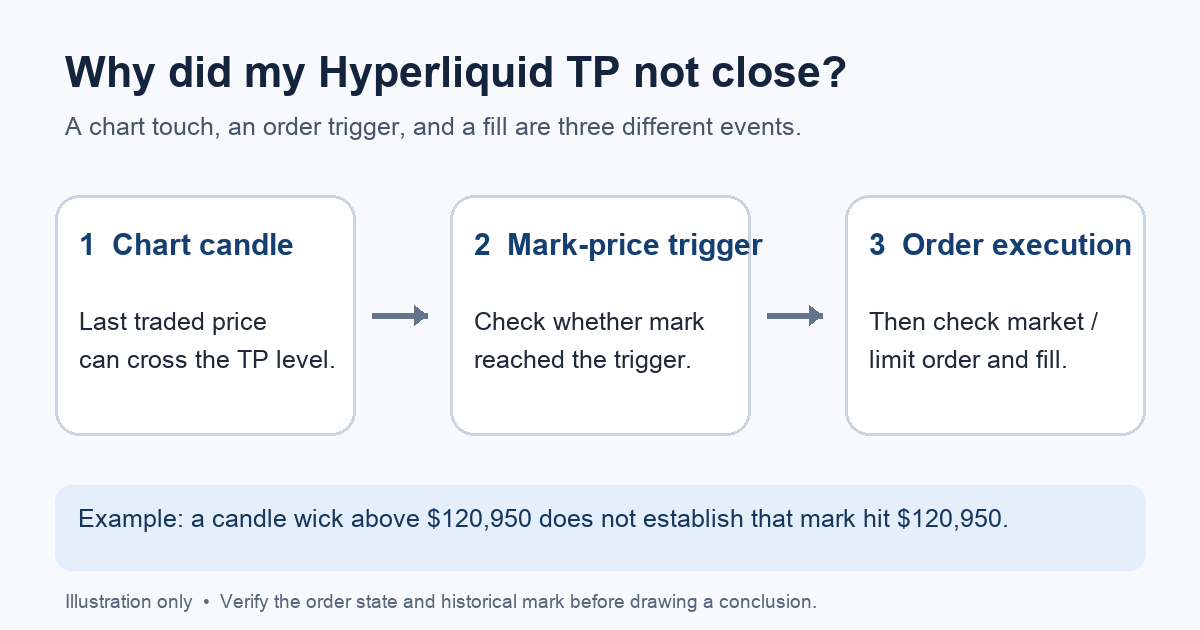
A Hyperliquid user asked why their take profit did not fire after the chart showed a high just beyond their TP price. The confusing part is that the candle and the trigger are answering different questions. Hyperliquid triggers TP/SL from the mark price, not simply from the last trade shown by a chart candle. A brief traded-price wick through your level does not prove the mark price crossed it. Hyperliquid's TP/SL guide confirms that distinction.
Here is a way to investigate your own order without assuming it was an exchange error. The example below is illustrative; it is not a trade HideFi placed or a reconstruction of the Reddit user's account.
First, was there an active take-profit order?
Imagine I set a TP while entering a perpetual position, then later see the chart reach my number. Before comparing prices, I would check the position and open or historical orders for that market: was the TP still present, what were its trigger price and size, and was it a market or limit TP? Do not place a second TP just because the chart touched a level; establish the existing order state first.
This check matters because a TP attached to a parent entry order is different from a TP placed on an existing position. Hyperliquid says that child TP/SL orders are not placed while the parent remains unfilled. If you manually cancel a partially filled parent, its child TP/SL orders are canceled too. In that case, the chart price is beside the point: there may be no active TP to trigger. If the position is still open and unprotected, review its current order state and the official TP/SL instructions before adding a new order.
Why did the candle cross my TP but nothing triggered?
If the TP was active, compare its trigger price and direction with the mark price around the same time, if you have a reliable record of that mark price. Hyperliquid's price-index documentation explains that mark price combines several inputs and is used to trigger TP/SL. It updates when validators publish new oracle prices, approximately every three seconds. The candle's high may instead reflect an individual trade. A current mark price, viewed after the event, cannot by itself prove what the mark was at the moment of the wick.
The diagram shows the diagnostic split; its numbers are an illustration, not a screenshot or a historical price record. If you cannot obtain a trustworthy mark-price record for the relevant time, keep the conclusion provisional. Save the market, time, trigger price, order type, and order identifier before contacting official support.
What if the TP triggered but the position stayed open?
That is a fill question, not a trigger question. Look for an execution or an unfilled resting order in your order history. A triggered limit TP places a limit order that may remain unfilled if the market moves away from its limit price. A market TP can fill at a price different from its trigger; Hyperliquid documents a 10% slippage tolerance for market TP/SL, especially relevant in thin or volatile markets. Neither type guarantees that a chart touch means a profitable close. Check the actual fill and remaining position size before changing orders.
The useful sequence is: confirm the TP existed → check whether mark price met its trigger → distinguish a triggered order from a filled trade. If your records show an active TP and a matching mark-price trigger but no expected order state or execution, send the order details to Hyperliquid's official support. HideFi is independent of Hyperliquid and cannot inspect your account. Never send a seed phrase or private key to anyone offering to fix a trade.
Official sources
Product interfaces and recovery policies can change. Confirm the current steps before acting.